5 |
OPERATING INSTRUCTIONS
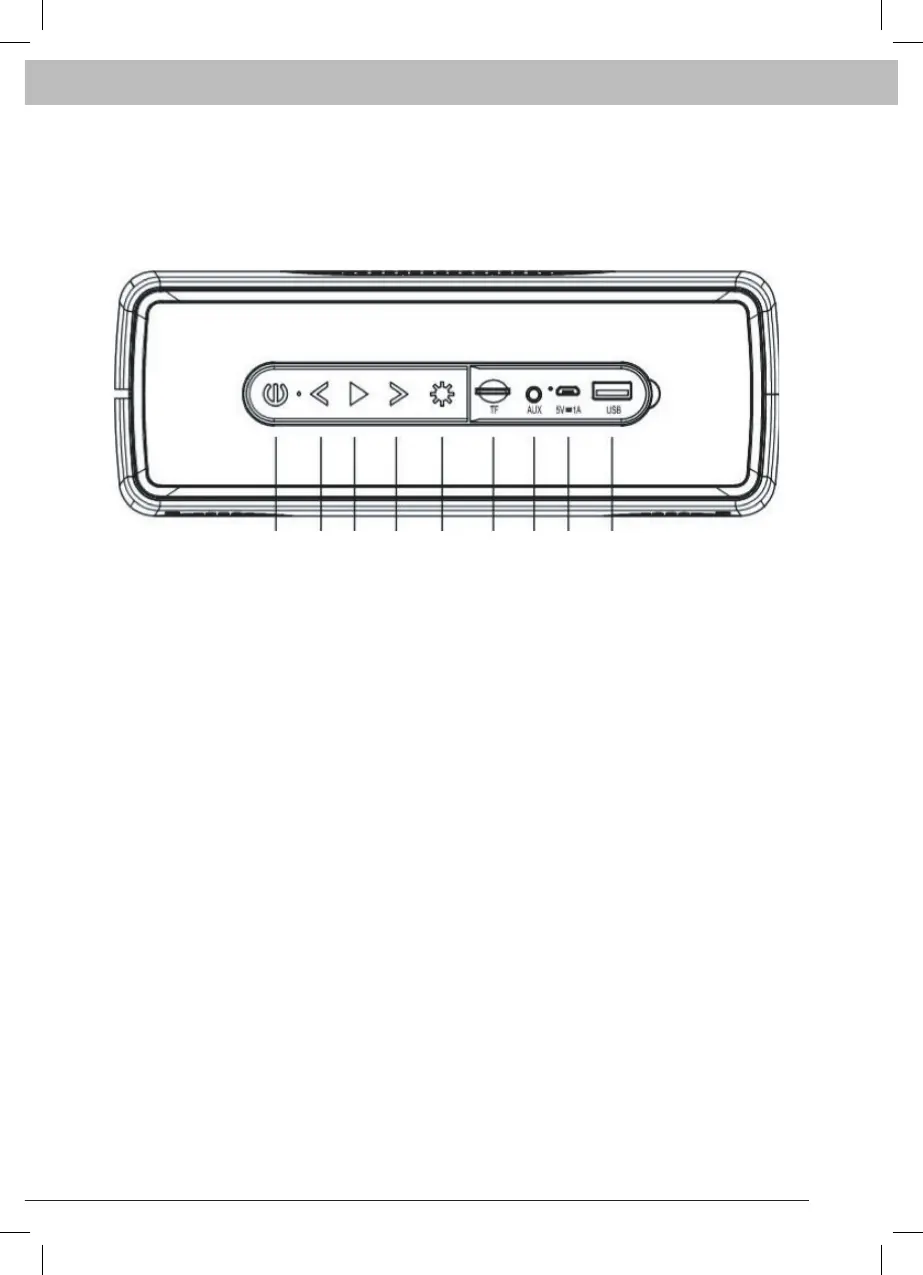
1. Press and hold for power on / off
2. Track reverse / press and hold for volume-
3. Play / pause / FM auto scan / hands free / mode selection. Press and
hold for mode selection. In FM mode press to auto scan radio stations.
(In FM mode in order to have better signal please connect the USB cable
on the unit.) In Bluetooth mode press to pick up or cut the phone call.
4. Track forward / press and hold for volume+
5. Press to change the light mode
6. TF card input slot
7. AUX input jack
8. DC 5V charging port
9. USB card slot


 To Next Page