CHAPTER 4
38
How to add a new track to the PC database
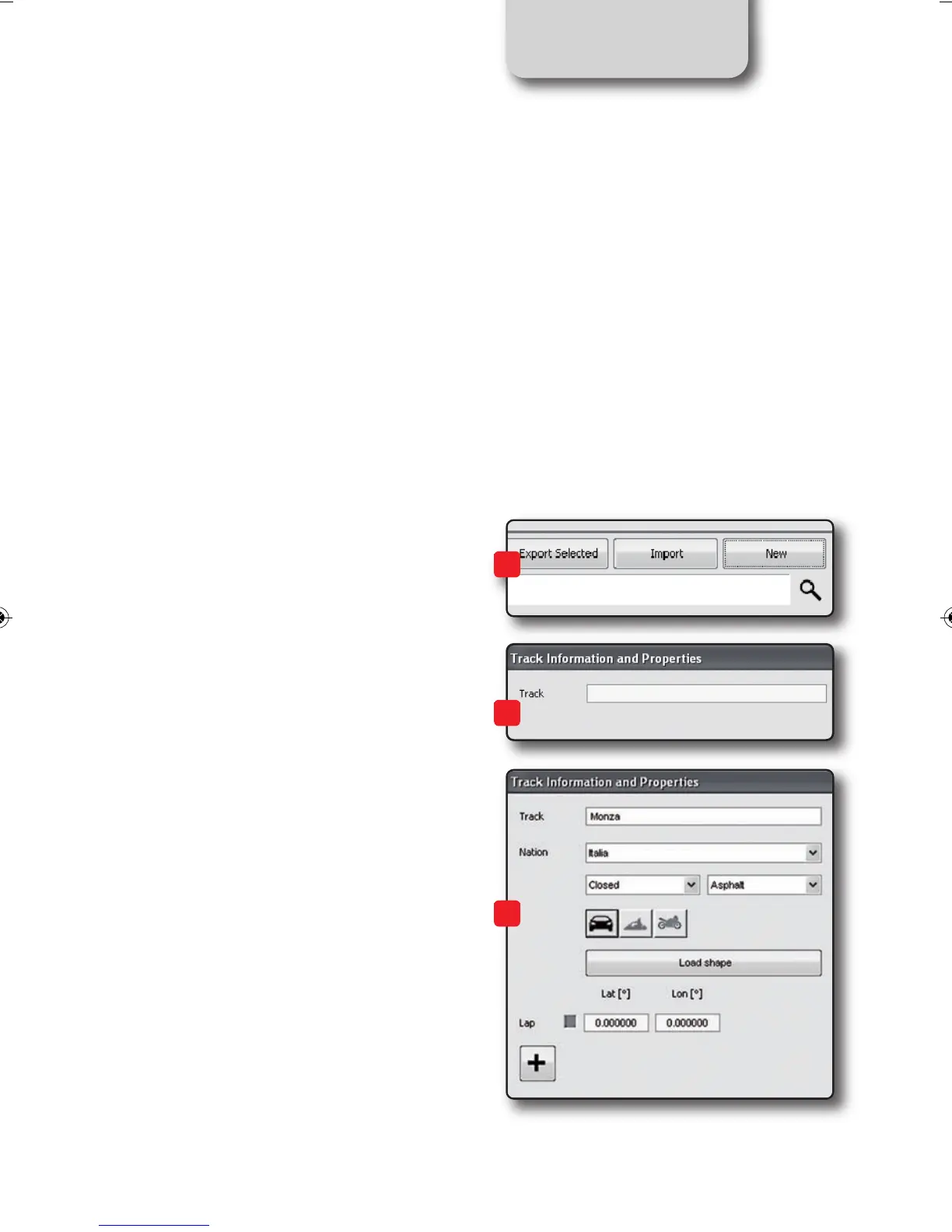
To add a new track
1)) Press the “New” button
2) Enter the name of the track.
3) Enter the required information:
Country, Type of circuit (Closed, Oval or
Open) (asphalt, dirt, ice, water).
Finally, using the icon buttons, set the type
of vehicle that usually run on the circuit:
Cars, Motorcycles or Karts.
If you have already run a test on the track
and have downloaded data, you can asso-
ciate the shape of the track, pressing the
“Load Shape” button.
The official AiM track Database is conti-
nuously expanding.
To update your PC database, you can im-
port the new tracks by selecting
OPTIONS / IMPORT TRACKS FROM AIM
WEBSITE
1
2
3
SMARTYCAM HD MANUALE ENG _Layout 1 24/07/13 21.01 Pagina 39



 To Next Page