NOTE: Any adjustments (see 2.2) of the 3XMag-1 does not aect the point
of impact.
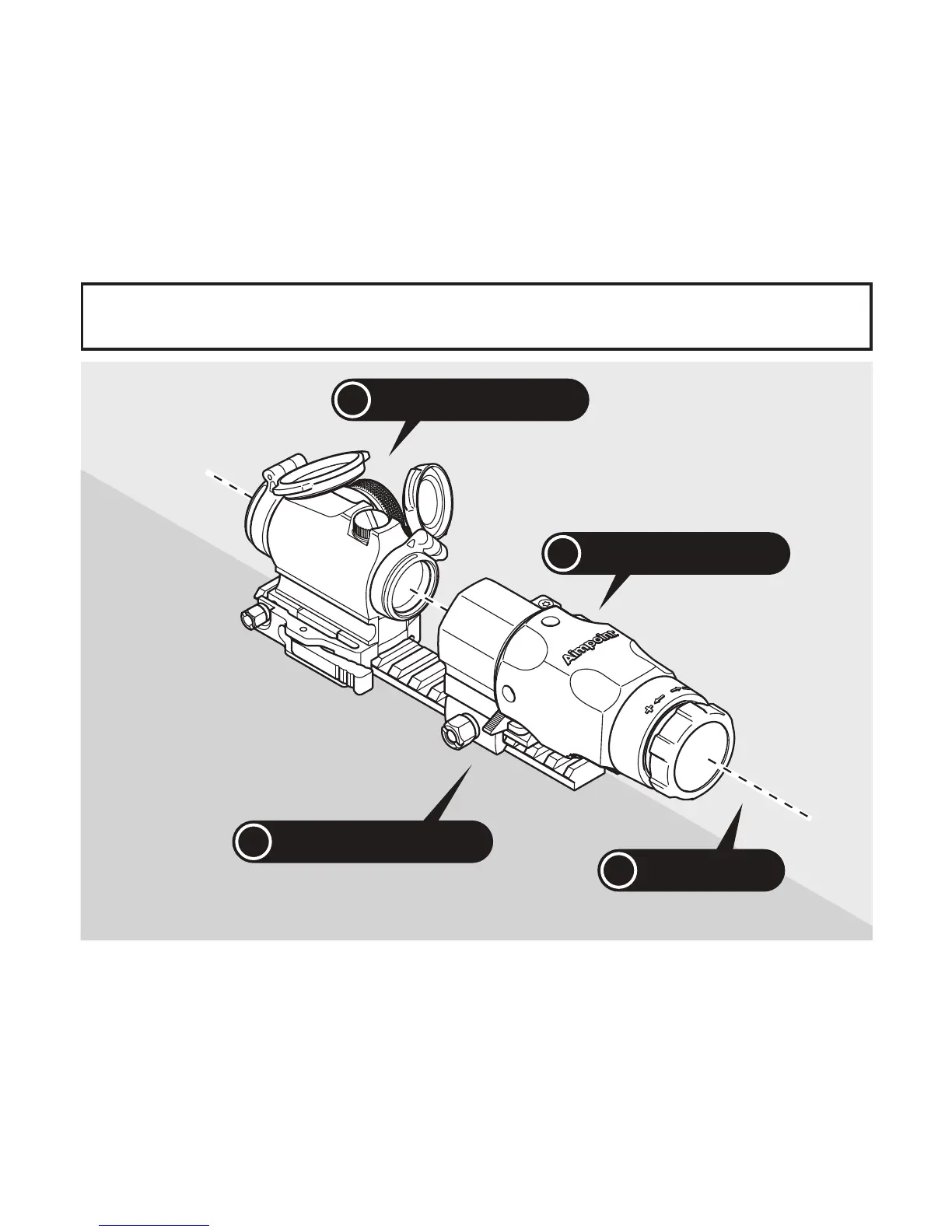
i
Optical axis
i
Aimpoint
®
Micro T-2
i
Aimpoint
®
3XMag-1
i
Aimpoint
®
FlipMount
The height of the mount is correct when the optical axis of the 3XMag-1 and
the Aimpoint sight coincide. Select a suitable position for the 3XMag-1 on the
weapon base so the eye relief is correct and feels comfortable.
Assemble the 3XMag-1 to the chosen mount and install it on the weapon.
The 3XMag-1 shall be mounted with the Aimpoint logo on top.
Carefully tighten the mount to the weapon base and retighten after a few
rounds.
Fig. 4 The optical axis of the 3XMag-1 and the sight coincide



 To Next Page