1.9 Installation Steps
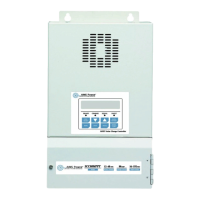
Example: SCC40MPPT
Before starting the SCC40MPPT, keep the breakers, controllers in OFF position.
1. Locate the battery and AIMS MPPT+ Series and make sure the safety distance is at least 1 meter
long.
2. Install a 100 Amp rated DC breaker and connect it to the Battery +.
3. Install a Shunt rated 500A/50mV and connect it to the Battery –.
4. Connect the BAT+ terminal of the AIMS MPPT+ to the DC breaker.
5. Connect the GND terminal (next to BAT+) of the AIMS MPPT+ to the Shunt.
6. Install a 90 Amp rated DC breaker and connect it to the PV array + and also to the PV+ terminal of
the SCC40MPPT.
7. Connect the PV array – directly to the GND terminal (next to PV+) of the SCC40MPPT.
8. Connect the EARTH terminal of the SCC40MPPT to the system ground.
9. To measure the current drawing into and out of the battery, connect the BCS+ terminal of
SCC40MPPT to the Shunt + and connect the BCS- terminal of SCC40MPPT to the Shunt –.
10. To compensate the battery charging due to the temperature difference, connect the BTS+ terminal
of SCC40MPPT to BTS-3 Battery Temperature Sensor +and connect the BTS- terminal of
SCC40MPPT to BTS-3 Battery Temperature Sensor –.
※ BTS-3 should be located on the battery posts –.
11. To compensate the possible battery cable loss, connect the BVS+ terminal of the SCC40MPPT to
Battery +, connect the BVS- terminal of the SCC40MPPT to Battery –.
12. Finally, connect the DC load+ to the Battery+ and DC load – to Battery – through the Shunt.


 To Next Page
 Loading...