Need help?
Do you have a question about the AIMS Power SCC30 and is the answer not in the manual?
Explains the function of each key on the display interface.
Guides users through selecting and configuring battery types for optimal charging.
Highlights the key characteristics and components of the MPPT controller.
Step-by-step instructions for physically installing the charge controller.
Details on wiring requirements and how to connect solar and battery power.
Procedures for safely powering the controller on and off.
Explains how MPPT technology increases charging current beyond solar input.
Details the 4-stage battery charging algorithm for efficient and safe charging.
Configuration options for various battery types and their charging parameters.
Details the equalization stage for kick-starting battery activity and its duration.
Information on connecting the controller for computer communication and monitoring.
Explains how battery temperature affects charging settings and the use of sensors.
Details controller protections, fault conditions, and alarm indicators for safe operation.
Addresses common problems related to battery charging and controller performance.
Solutions for connectivity problems with the controller's communication port.
Details the pinout for the RS485 communication port for troubleshooting.
Step-by-step guide for initiating a warranty return or exchange request.
 General
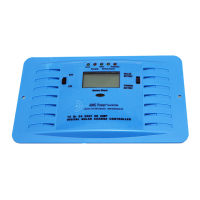
| Model | SCC30 |
|---|---|
| Type | Solar Charge Controller |
| Rated Current | 30A |
| PWM | Yes |
| Maximum Input Voltage | 50V |
| Temperature Compensation | Yes |
| Display | LED indicators |
| Weight | 1.1 lbs |
| System Voltage | 12V/24V |
| Protection Features | Overload, Short Circuit, Reverse Polarity |


 To Next Page