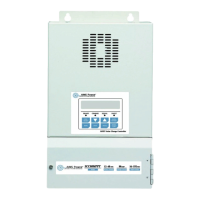
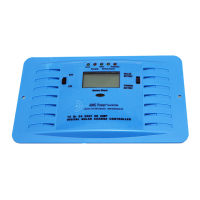
Data Log G G-09 Clear Energy Harvest
Today’s Data
Logged Data
─
Today’s
Data
5-16
NOTE 1 (U-12, U-13, U-14, U-15)
Battery SOC, Battery Current and Battery Amp Hours will only be visible when terminal BVS (Battery
Voltage Sensing) is connected to the battery and will only be active when using an optional
50mv/500amp external shunt.
Battery Temperature will only be visible when terminal BVS (Battery Voltage Sensing) is connected to
the battery and will only be active when using a Battery Temperature Sensor (BTS-3).
These four constants will only be displayed when the terminal BVS (Battery Voltage Sensing)※
is wired to the battery. To show the precise values, an optional 50mv/500amp external shunt is
needed for U-12, U-13, U-14 and a Battery Temperature Sensor is needed for U-15.
NOTE 2 (A-03, A-04)
These two constants are reserved for the authorized distributor or technician to lock the constants
operation.
Lock the constants setting
1. Finish setting all the programmable constants to the desired values.
2. Change A-01=Operation Only, factory setting is A-01=Constants Set.
3. Use UP key to go to A-03 to enter the password 1 (max. 4 digits)
4. Go to any display of A-xx and press DOWN key and hold it, then press ESC key at the same time
till A-04 constant occurs.
5. Enter the desired password 2 (max. 4 digits) into A-04. Make sure the password 1 in A-03 must be
different from the password 2 in A-04. Finally, press ENTER key to finish “lock” setting.
Above procedure completes locking the constants setting and no more programming selections will
appear. A-01 will only display Operation and will not display Constants Set.
Unlock the constants setting
1. Enter the password in A-03 exactly the same as the one earlier set in A-04
2. When the password in A-03 matches the one earlier set in A-04, the unlocking is completed. A-
01=Constants Set will appear again for programming.
NOTE 3 (B-09, B-10, B-11, B-12)
These constants are only displayed if Flooded is selected as battery type (B-02).
NOTE 4 (C-02, C-03, C-04, C-05)
C-02 is only displayed if P and O or Scan and Hold is selected as MPPT Type (C-01).
C-03 and C-04 are only displayed if Percentage is selected as MPPT Type (C-01).
C-05 is only displayed if Hold Input V is selected as MPPT Type (C-01).
NOTE 5 (U-16, F-02)
U-16 and F-02 are only displayed if Slave is selected as Network MODE (F-01).
NOTE 6 (B-04, B-05, C-05, O-04)
The factory settings of the listed constants are dependent on the different model numbers.
Constant LCD Display
SCC80MPPT
Factory Setting
SCC40MPPT
Factory Setting


 To Next Page
 Loading...