This document outlines the features, operation, and maintenance of a portable air conditioner from airconditioningcentre, available in several models: KYR-25CO/AG, KYR-35GW/AG, KYR-45GW/AG, and KYR-55GW/AG.
Function Description
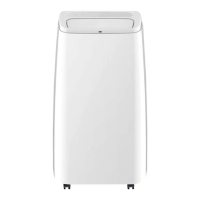
The device is a portable air conditioner designed for indoor use, offering cooling, dehumidifying, and fan operations. Some models also include a heating function and Wi-Fi connectivity. Its primary function is to regulate room temperature and humidity, providing comfort in various environments. The unit is equipped with a control panel and a remote control for easy operation.
Important Technical Specifications
The manual provides specific information regarding the refrigerant gas used, R290, which complies with European environmental directives. The appliance contains Y grams of R290 refrigerant gas (specific amount found on the rating label). It is crucial not to puncture any part of the refrigerant circuit.
The minimum floor area for installation, operation, and storage varies by model:
- 9000Btu/h: 8 m²
- 125000Btu/h: 10 m²
- 14000Btu/h: 12 m²
- 18000Btu/h: 15 m²
The unit operates on an AC220~240V/50Hz power supply.
Fuses are specified as T, 250V AC, 3.15A or higher.
Ambient operating temperature ranges:
- Cooling: Maximum 35°C, Minimum 12°C
- Heating: Maximum 27°C, Minimum 7°C
The unit features a water level safety switch to detect when the inner water tank is full, triggering a "Water Full" alarm.
Usage Features
Control Panel and Remote Control:
The control panel and remote control share similar functionalities, allowing users to manage various settings. Key buttons include:
- Power on/off: To turn the unit on or off.
- Mode: To select between Cooling, Dehumidifying, Fan, and Heating (for applicable models).
- Temperature Up/Down (TEMP+/TEMP-): To adjust the desired room temperature (16°C-31°C).
- Fan Speed (SPEED): To select fan speed (Low, Medium, High).
- Timer on/off (TIMER): To set a desired ON or OFF time (0-24 hours).
- Sleep Mode (SLEEP): Adjusts temperature automatically during sleep (increases 1°C per hour up to 2°C in cooling, decreases 1°C per hour up to 2°C in heating).
- Auto Swing (SWING): Controls the continuous left and right swing of the louver.
- WIFI function: (For some models) Allows operation via a mobile phone APP. The WIFI indicator LED shows connection status (on for connected, slow flashing for setup mode, quick flashing for connected).
Installation:
The portable air conditioner requires installation on a flat surface with at least 30cm of empty space around it to ensure proper air circulation. It should not be installed in wet locations.
The exhaust hose installation involves twisting a housing adaptor and fixing a window connector to the hose, then inserting the fixing clip into the unit's openings and placing the other end of the hose to the nearest window.
Window kit installation involves mounting the kit on the window (horizontally or vertically), adjusting its length to fit the window width or height, and then inserting the window connector of the hose into the kit's hole. A universal window kit accessory, consisting of a zipped fabric piece and hook-and-loop adhesive tape, is provided for sealing windows and doors.
Operation Modes:
- Cooling: Select "Cool" mode and set the desired temperature.
- Dehumidifying: Select "Dehumidify" mode. The unit automatically sets the temperature to current room temperature minus 2°C and the fan speed to LOW.
- Fan: Select "Fan" mode and choose the desired wind speed.
- Heating: (Not available for KYR-25CO/AG) Select "Heat" mode and set the desired temperature and wind speed.
Water Drainage:
The unit features an inner water tank with a safety switch. When the tank is full, the "Water Full" indicator lights up, and the water needs to be drained by removing the bung/stopper from the drainage outlet. Continuous drainage is possible in HEAT mode by connecting a hose to the bottom drain hole. In COOL or DEHUMIDIFY modes, the unit can automatically evaporate condensate water. If the splash motor is damaged, intermittent or continuous drainage can be used.
Maintenance Features
General Maintenance:
- Always disconnect the unit from the power supply before cleaning.
- Do not use gasoline or other chemicals for cleaning.
- Do not wash the unit directly with water.
- If the unit is damaged, contact a dealer or repair shop.
Air Filter Cleaning:
The air filter should be cleaned every two weeks, or more frequently if it becomes clogged with dust/dirt.
- Dismounting: Open the air inlet grille and remove the air filter.
- Cleaning: Clean the air filter with a neutral detergent in lukewarm water (40°C) and dry it in the shade.
- Mounting: Reinsert the air filter into the inlet grille and replace components.
Surface Cleaning:
Clean the unit's surface with a neutral detergent and a wet cloth, then wipe it dry.
Troubleshooting:
The manual includes a troubleshooting guide for common issues:
- Unit does not start: Check if the water tank is full (drain if necessary).
- Not cool enough: Check if room temperature is higher than set, doors/windows are closed, heat sources are present, exhaust hose is connected/unblocked, temperature setting is too high, or air inlet is blocked.
- Noisy: Check if the unit is on a level surface. Sound from refrigerant flow is normal.
- Error Codes (E0, E1, E2, E3, E4): These codes indicate sensor failures (room temperature, condenser temperature, evaporator temperature) or a full water tank during cooling/heating. Remedies involve replacing sensors or emptying the water tank.


 To Next Page
 General