Need help?
Do you have a question about the Air Naturel Gecko and is the answer not in the manual?
Guidelines for appliance usage by children aged 8+, supervision, and keeping young children away.
Covers cord handling, proper placement, power connection, and avoiding extension cords.
Details on ventilation, operating temperatures, avoiding hazardous areas, and liquid contact.
Includes instructions for transport, manual adherence, using faulty units, and regular cleaning.
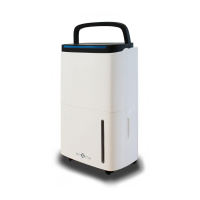
Details components found on the front of the dehumidifier, including the control panel and water window.
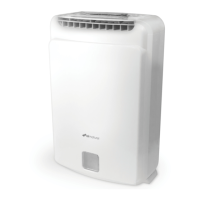
Details components found on the rear, such as the air inlet, drain outlet, and water tank.
Lists technical data including voltage, moisture removal capacity, airflow, and dimensions.
Highlights features like Hygrostat, Auto-stop, Timer, and the HygroSmart function.
Provides initial setup advice, including checking the device and plugging it in correctly.
Explains the temporary smell from the desiccant material and assures it's not a fault.
Emphasizes the importance of ensuring the filter is in place before operating the unit.
Describes the function of the Power button and Fan Speed selection.
Explains how to use the Hygrostat for humidity control and the 45° air outlet feature.
Details the operation of the Timer and Ionizer functions.
Explains the meaning of the Fault indicator and Water tank full indicator lights.
Outlines the sequence of button presses for turning on, adjusting settings, and turning off the unit.
Describes what happens when the water tank is full and how the unit stops.
Explains the post-operation fan run and the caution against immediate unplugging.
Describes the mode where the device operates continuously without an ambient humidity limit.
Explains the setting for achieving 35% relative humidity, ideal for drying laundry.
Describes the HygroSmart range for ideal household relative humidity (45-55%).
Explains the setting to achieve 70% relative humidity, suitable for wine cellars.
Details how the unit automatically shuts off when the tank is full or humidity target is met.
Explains the directional airflow feature, useful for laundry drying.
Describes the timer feature allowing operation for 1, 2, 4, or 8 hours.
Explains the positive biological and health effects of negative ion ionization.
Step-by-step guide for emptying the water tank when the unit is off.
Instructions for connecting a hose to drain water directly to an outlet.
Instructions for cleaning the water tank and the unit's exterior and filters.
Guidelines for storing the dehumidifier when not in use for extended periods.
Solutions for when the fault indicator light is on.
Troubleshooting steps for when the dehumidifier fails to power on.
Possible causes and solutions if the unit is not effectively dehumidifying.
Addresses issues related to loud noises and water on the floor.
Details the 2-year warranty period and what it covers.
Information on the proper disposal of Electrical and Electronic Equipment.
 General
| Brand | Air Naturel |
|---|---|
| Model | Gecko |
| Category | Dehumidifier |
| Language | English |

 To Next Page