5
www.aircycler.com
3.1 CONFIGURE FAN ON TIME
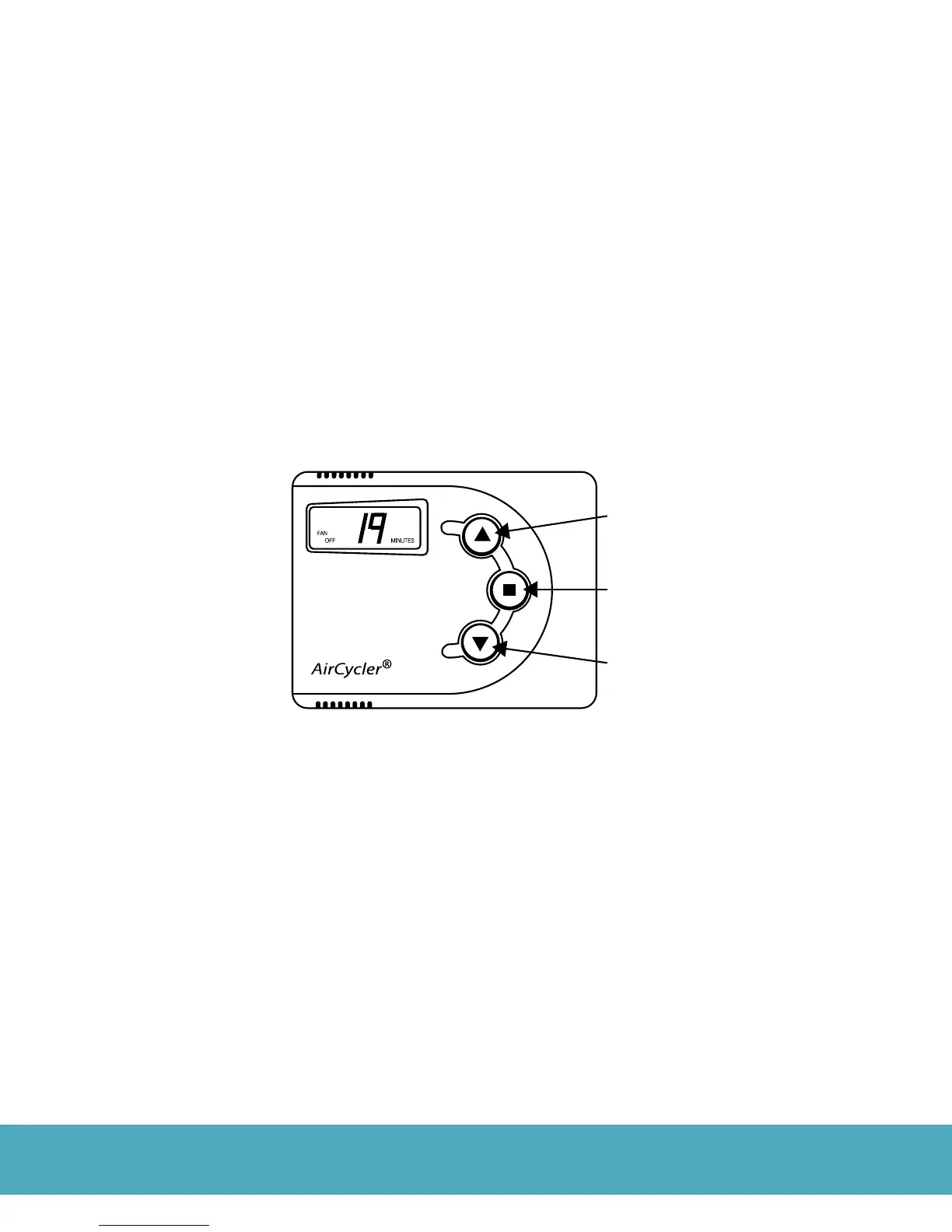
Press the Mode Key once to enter the Menu Mode. FAN ON will ash on the display.
1. Use the Increase or Decrease Keys to change the FAN ON time from 1 - 199 minutes or to select unlimited ON
time (UN). UN allows the fan to operate continuously.
3.2 CONFIGURE FAN OFF TIME
1. Press the Mode Key again to set the FAN OFF time. FAN OFF will ash on the display.
2. Use the Increase or Decrease Keys to change the FAN OFF time or to select unlimited OFF time (UN). This will
turn o the AirCycler®. This will also keep the AirCycler® o even after power is lost.*
*The AirCycler® retains settings even after power is lost.
NOTE: In humid climates, the FAN OFF time should be at least 6 minutes. This allows moisture on the AC coil to dry
preventing condensation in cold supply ducts.
3.3 CONFIGURE VENT ON TIME
1. Press the Mode Key. VENT ON will ash.
2. Use the Increase or Decrease Keys to change the VENT ON time.
3.4 CONFIGURE VENT OFF TIME
1. Press the Mode Key. VENT OFF will ash.
2. Use the Increase or Decrease Keys to change the VENT OFF time.
3.5 SAVE SETTINGS
After conguring the AirCycler®, press the Mode Key again to save settings and to enter into Operating Mode.
Increase
Button
On/O
Decrease
Button
Figure 5


 To Next Page