
EasyManua.ls Logo

AIRGJOB D026DJ-50PT - User Manual

AIRGJOB D026DJ-50PT
16 pages
Print Icon
To Next Page IconTo Next Page
Loading...
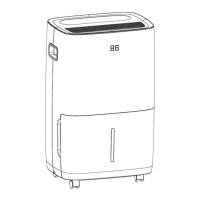
ENERGY STAR RATED DEHUMIDIFIER
USER MANAUL
D026DJ-50PT
Please read the manual carefully before using
Customer Service Email: AIRGJOBSERVICE@outlook.com

Questions and Answers

  • Y
    yeverettAug 3, 2025
    Why is my AIRGJOB Dehumidifier not drying the air properly?
    • A
      Adam VelasquezAug 3, 2025
      If your AIRGJOB Dehumidifier isn't drying the air as expected, consider these factors: It may not have been running long enough. Ensure that curtains, blinds, or furniture aren't blocking the front or back of the unit. The humidity control setting might be too high. Check that all doors, windows, and other openings are securely closed. The room temperature might be too low, specifically below 5°C (41°F). Lastly, check for any sources of water vapor in the room.
  • B
    Brittany ParkerAug 7, 2025
    Why won't my AIRGJOB D026DJ-50PT turn on?
    • U
      uhigginsAug 7, 2025
      If your AIRGJOB Dehumidifier isn't starting, there could be several reasons. First, ensure the plug is fully inserted into the outlet. Then, check your house's fuse or circuit breaker and replace the fuse or reset the breaker if necessary. Also, the dehumidifier might have reached its preset level, or the bucket might be full. Another possibility is that the water bucket isn't correctly positioned. Finally, there's a protective time delay of up to 3 minutes to prevent compressor overload, so the unit might not start immediately after being powered on.
  • K
    Kimberly PhillipsAug 11, 2025
    How to fix a loud AIRGJOB D026DJ-50PT Dehumidifier?
    • B
      batesmercedesAug 11, 2025
      A loud AIRGJOB Dehumidifier can be caused by a few things. The air filter might be dirty and need cleaning. Ensure the unit is upright and not tilted. Also, check if the floor surface is level.
  • O
    ohopkinsAug 16, 2025
    What to do if my AIRGJOB Dehumidifier is leaking water on the floor?
    • J
      Jesse HamiltonAug 16, 2025
      If you find water on the floor near your AIRGJOB Dehumidifier, it could be due to a loose hose connection. Check the hose and connector to ensure they are tightly secured. Also, if you're using the bucket to collect water, make sure the back drain plug is properly installed.
  • Q
    qcruzAug 20, 2025
    Why does my AIRGJOB D026DJ-50PT have frost on the coils?
    • T
      Thomas CastanedaAug 20, 2025
      The appearance of frost on the coils of your AIRGJOB Dehumidifier is normal. It indicates that the auto-defrost feature is working.
  • C
    Christopher MarksAug 25, 2025
    Why is my AIRGJOB D026DJ-50PT draining into the bucket when Pump Mode is on?
    • M
      matthewwebbAug 25, 2025
      If your AIRGJOB Dehumidifier is draining water into the bucket while in Pump Mode, ensure that the included plastic drain tube and nozzle adapter are tightly installed.
  • H
    Haley NorrisAug 29, 2025
    Why is AIRGJOB Dehumidifier still draining into bucket in Continuous Mode?
    • A
      arielmurrayAug 29, 2025
      When using Continuous Mode on your AIRGJOB Dehumidifier, a garden hose must be used for proper drainage. Ensure a garden hose is connected.

Summary

Important Safety Information

Technical Data

Features of Your Dehumidifier

Powerful Dehumidifying Capability

Leverages refrigeration technology to effectively remove moisture and improve indoor comfort.

Unique Portable Design

Compact and lightweight unit with casters for easy mobility between rooms.

Customized Mode Settings

Allows setting specific humidity percentages for different areas like sleeping or living areas.

Digital Mirage Display

Monitors and displays current humidity changes easily from a distance.

Adjustable Dehumidification Levels

Offers selection of different dehumidification levels based on room requirements.

Energy Saving Operation

Energy Star rated unit saves energy and reduces utility costs compared to non-rated units.

Automatic Defrost Function

Manages frost buildup on coils, automatically resuming operation after defrosting.

Product Identification

Operating Your Dehumidifier

Power Button Operation

Press to turn the dehumidifier on or off.

Filter Alert and Cleaning

Indicates when the filter needs cleaning and provides instructions for maintenance.

Fan Speed Control

Cycles through High, Medium, or Low fan modes for optimal moisture removal or quiet operation.

Humidity Level Adjustment

Allows setting preferred humidity levels or enabling continuous operation mode.

Mode Selection

Chooses preset humidity levels suitable for different room environments.

Timer Functionality

Programs automatic turn-on/shut-off timers and includes a child-lock feature.

Mirage Display Control

Turns the backlight display for humidity level on or off.

Draining Water from the Dehumidifier

Emptying the Water Bucket

Step-by-step guide for safely removing and emptying the collected water bucket.

Continuous Draining Setup

Instructions for attaching a garden hose for automatic water drainage.

Garden Hose Installation Guide

Visual reference and notes for correct garden hose connection and water flow management.

Care and Cleaning Procedures

Cleaning the Grill and Case

Use water and mild detergent for cleaning the exterior surfaces.

Cleaning the Water Bucket

Regularly wash the bucket with mild detergent to prevent mold and bacteria growth.

Cleaning the Air Filter

Procedure for removing, washing, and drying the air filter for optimal performance.

Storage and Clearance

Storing the Dehumidifier

Steps for storing the unit properly for extended periods.

Operating Clearance Requirements

Specifies minimum clearance space around the unit for efficient operation.

Troubleshooting Common Issues

Self-diagnosing Error Codes

AIRGJOB D026DJ-50PT Specifications

General IconGeneral
ModelD026DJ-50PT
CategoryDehumidifier
Operating Temperature41°F - 95°F
Dehumidification Capacity50 pints/day
Coverage Area4500 sq ft