Need help?
Do you have a question about the Airmar Technology Corporation DST810 and is the answer not in the manual?
The CAST app is a navigational aid, not a replacement for proper skill and caution.
Describes the Airmar CAST app's function for connecting to Airmar Smart TRIDUCERs.
Steps to download the app, enable Bluetooth, and connect to the Airmar sensor.
Overview of the app's layout and initial sensor connection steps.
How to adjust sensor values using the keypad and change display modes.
Understanding displayed sensor data like depth, speed, and temperature.
Accessing device info, setting names, and selecting measurement units.
Managing data output rates (PGNs) for the NMEA 2000 network.
Setting additive offsets for depth, temperature, trim, and heel, including attitude calibration.
Applying a single percentage correction to paddlewheel speed readings.
Calibrating speed using GPS SOG or travel time over a known distance.
Adjusting speed calibration to account for boat heel angle using SOG or distance methods.
Using a table for fine-tuned speed corrections based on speed and heel angle.
The AIRMAR® CAST™ Application is a mobile app designed to connect with and configure AIRMAR Smart TRIDUCER® devices, specifically the DST810 Multisensor and DX900+. It allows users to view real-time data, adjust outputs, program offsets, and calibrate their sensors.
The AIRMAR CAST app serves as a navigational aid, providing a user-friendly interface to configure and display navigational data from individual sensors. It communicates directly with the AIRMAR DX900+ or DST810 Multisensor, receiving only the data output by the sensor, not all network traffic. This direct communication ensures efficient data transfer and configuration. The app is available for iOS and Android devices and can be downloaded from the Apple App Store or Google Play Store. It utilizes Bluetooth Low Energy for connection, eliminating the need for manual pairing. The app automatically searches for compatible devices within range, displaying them on a device list for easy selection.
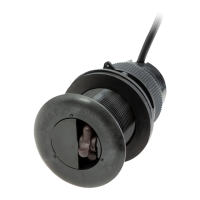
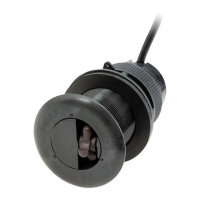
The DST810 Multisensor, which the app configures, provides data for Depth (below transducer), Speed (speed through water), and Temperature (water temperature). It also supports attitude (heel and trim) output, though this is turned off by default. The sensor communicates via the NMEA 2000® network, and the app allows users to manage the output of various NMEA 2000 PGNs (Parameter Group Numbers). Users can enable or disable specific PGNs and adjust their output rates. For example, the Water Depth (PGN: 128267) can be set to output at 1/sec, 2/min, or other rates. The app displays the firmware version of the connected device, including the main firmware and attitude firmware versions, which is useful for technical inquiries. The serial number and part number of the device are also accessible through the app.
The manual emphasizes the importance of proper sensor installation for accurate speed and depth performance. It also highlights the need for regular calibration, especially for speed, to ensure the best possible performance of the paddlewheel. Users are advised to record and save their serial number as it may be required for re-connection if the app is reinstalled or a different device is used. For advanced speed calibration, users are cautioned to save a record of their table entries, as the data will be permanently deleted if they switch back to basic or off calibration settings. The app itself facilitates maintenance by allowing users to monitor firmware versions and adjust output settings, which can help in troubleshooting or optimizing sensor performance.
 General
| Brand | Airmar Technology Corporation |
|---|---|
| Model | DST810 |
| Category | Accessories |
| Language | English |

 To Next Page