
 Need help?
Do you have a question about the AirMed PLUS ADS clinic and is the answer not in the manual?
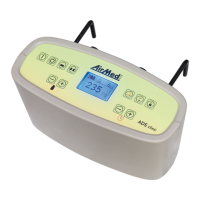
Details and labeling of the front view of the ADS clinic device.
Details and labeling of the rear view of the ADS clinic device.
Explanation of the various components shown on the device display.
Description of symbols and buttons located on the front of the device.
Description of symbols and connectors located on the rear of the device.
Explanation of symbols and indicators shown on the device display.
Description of symbols and components related to the patient mattress.
Instructions for connecting the ADS clinic device to the power supply.
Procedure for connecting the AirMed PLUS mattress to the ADS clinic device.
Details for installing Mattress Types 1, 2, and 3, including specific requirements.
Important safety guidelines for device use, including environmental and covering warnings.
Guide to selecting mattress type, setting patient weight, and choosing operating modes.
Requirement for an additional mattress with Type 1 mattress.
Identifying mattress orientation and understanding the mattress inflation process.
Instructions for patient placement after filling and status of the security key.
Explanation of the static mode and its therapeutic function.
Description of the alternating pressure system and its airshifting procedure.
How to enable/disable nursery mode for temporary maximum pressure.
Identifies symbols indicating pressure-related device issues and causes.
Identifies symbols indicating general device problems and their causes.
How alarms function, what they indicate, and how to manage them.
Lists common causes for leakage alarms in the pneumatic system.
Recommended actions when encountering device-related optical alarms.
Ensuring alarm function works correctly by verifying the electricity supply.
Crucial warning to avoid moisture ingress into the device during cleaning.
Procedure for cleaning and disinfecting the mattress and its cover.
Information on filter replacement and risks associated with dust and pollution.
Details regarding electromagnetic emissions and compliance according to CISPR 11.
Information on immunity tests for electrostatic discharge, bursts, and surges.
Magnetic field immunity testing according to EN 61000-4-8.
Data on conducted radio frequency disturbances according to IEC 61000-4-6.
Information on radiated radio frequency disturbances according to IEC 61000-4-3.
Detailed technical specifications for Mattress Type 1.
Detailed technical specifications for Mattress Type 2.
Detailed technical specifications for Mattress Type 3.
 General
| Brand | AirMed PLUS |
|---|---|
| Model | ADS clinic |
| Category | Medical Equipment |
| Language | English |

 To Next Page