controlled. Allnumbers and arrows
will be green at this point.
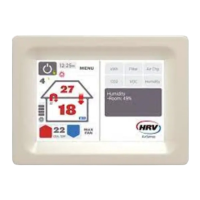
8 Ventilation setting
This shows the level of ventilation
for your home. Levels range from
1- 6 (1being less air and 6 being
more air). To set this level accurately
in winter, start at 6 and lower the
setting until condensation appears,
then raise up one level again.
9 Roof temperature
Heating, cooling and ventilation
available to the house.
10 Heat exchange symbol
When this symbol is active the
system is recovering energy from
thehouse.
11 House arrows
Arrows indicate the direction of air
flow into, out of, or around the house.
Colour indicates if warm (red), cool
(blue) or ventilating at very low level
fan speeds (green).
12 Room temperature
Current temperature inside
yourhouse.
13 Fan speed icon
Shows the speed at which the fan
blows air into your house.
14 Up and Down arrow buttons
Used to adjust the ideal (desired)
temperature for the house.
15 Ideal temperature
Desired temperature you would
like to reach inside your house.
Note:your system will try to achieve
this temperature with the heating
orcooling that is available in the
roofspace.
16 Wi-Fi connectivity
This shows the system is connected
to Wi-Fi.
17 Max Fan
Use for:
• Condensation – clears any extra
condensation that may have
been trapped behind closed
curtainsetc, with an extra boost of
air into thehouse.
• Summer time – heat dump which
purges cavity air in the early
evening, thereby reducing the
temperature of the house and roof
cavity earlier.
• Clearing odours and smells.
18 Air Transfer Kit
This shows when the accessory
AirTransfer Kit is on and actively
moving air.
19 Summer Kit
Standard on Essential+, this function
brings cool air in summer directly
from outside (when useful) by
passing the roof. When activated,
this symbol will show on the keypad.
20 Heat Share / (HS)
This shows when the heat exchanger
system is on with Balanced+.
21 Software update
This shows when any new updates
are available to download. Simply
press the this yellow note to start
the download process.
22 System monitoring
This shows key information about
your air quality, filter life, air changes
& kWh energy saving achieved by
your ventilation system.


 To Next Page
 Loading...