
 Need help?
Do you have a question about the Airspan AirSpeed 1030 B48 and is the answer not in the manual?
Details procedures for installing the Airspan AirSpeed 1030 B48 Pico-class LTE eNodeB variant.
Tracks changes and updates made to the document over different revisions.
Covers safe distances, radio interference, and modification warnings for the device.
Provides key safety instructions for installation, including handling and electrical precautions.
Warns about electrical hazards and explains warning symbols found in the manual.
Details service procedures, UL information, and adherence to EU directives.
Details electrical grounding requirements and environmental compliance standards like IP40.
Presents tables detailing maximum output transmit power for ETSI and FCC compliance.
Lists supported frequency bands and specific performance values for different product variants.
Details the power consumption of the unit, including nominal and maximum values.
Describes the connection of external antennas, supported types, and mounting requirements.
Outlines the purpose, intended audience, and document conventions used in the guide.
Lists other documents containing related information for the AirSpeed 1030 B48.
Provides information on accessing Airspan's customer support services for assistance.
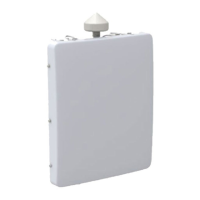
Provides a descriptive overview of the Airspan AirSpeed 1030 B48 small cell eNodeB variant.
Guides the user through initial steps, workflow, and installation checklist for the AirSpeed 1030 B48.
Specifies that an IP connection to a Netspan server is required for setting up the AirSpeed 1030 B48.
Covers verification of tools, parts, kits, power supply, connections, physical dimensions, and environmental factors.
Lists the essential tools required for installation, such as screwdrivers and wrenches.
Details the components and kits required for installation, including product codes and images.
Outlines the power supply specifications, including voltage range and connection requirements.
Displays diagrams of the connections on the top and bottom panels of the AirSpeed 1030 B48 unit.
Covers physical dimensions, weight, and environmental standards met by the unit.
Explains the meaning of the unit's LEDs for indicating operational status.
Step-by-step guide for assembling the back bracket onto the AirSpeed unit.
Instructions for connecting the GPS antenna to the unit, including weather-proofing.
Details the process of weather-proofing RF antenna connections using specific tapes.
Procedure for mounting the AirSpeed unit onto a pole using the provided bracket and clamp bands.
Procedure for mounting the AirSpeed unit onto a wall using the appropriate bracket and hardware.
Explains how to adjust the unit's tilt angle for system optimization after installation.
Instructions for establishing a secure ground connection for the AirSpeed 1030 B48 unit.
Step-by-step guide for preparing and connecting the LC duplex SFP cable assembly.
Step-by-step guide for preparing and connecting the RJ45 copper Ethernet cable.
Instructions for preparing and connecting the DC power cable, including safety precautions.
Guidelines for connecting and weather-proofing remotely mounted external antennas.
A checklist to track installation prerequisites, tools, and required ancillary equipment.
A procedural checklist for users to review and perform installation tasks in order.
Provides a glossary of terms and acronyms used throughout the installation guide.
 General
| Model | AirSpeed 1030 B48 |
|---|---|
| Category | Network Hardware |
| Technology | LTE |
| Operating Temperature | -40°C to +55°C |
| Weight | 2.5 kg |
| Deployment Type | Outdoor |
| Channel Bandwidth | 10 MHz |
| Modulation | 64QAM |
| Interface | Gigabit Ethernet |
| Power Supply | 48 VDC |
| Frequency Band | B48 (CBRS) |

 To Next Page