System Operation
4.3.6 Viewing Unit Information
Information such as suction and discharge temperatures, system pressures, compressor speed, and energy
consumption can be viewed for all units from the controller. Table 4-4 contains unit information that can be
viewed either at the controller or directly at the unit. All parameters are read-only.
4. Hold the Esc button until the main screen is displayed.
5. Press Up or Down until i is displayed in the bottom right of the screen and press Enter.
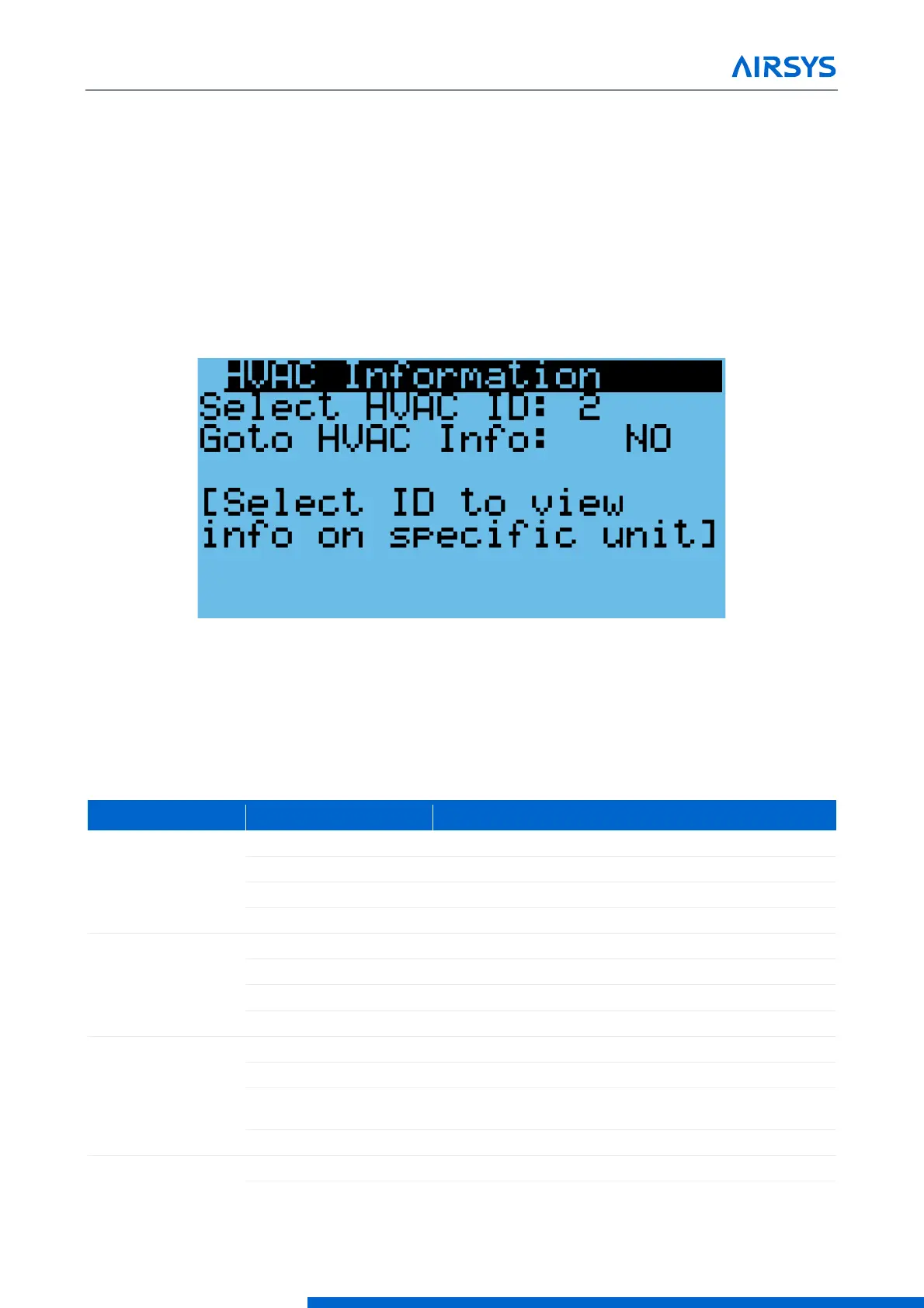
6. Press Down until “Select HVAC ID” is displayed on the screen and press Enter.
7. Use the Up or Down buttons to select the unit to be viewed and press Enter.
8. Press Down until the cursor is over “Goto HVAC Info” and press Enter.
Figure 4-7 HVAC ID Select Screen
9. Press Down until “NO” becomes “YES” and press Enter.
10. Press Down until a menu titled “Info” is displayed.
11. Press Up or Down to scroll through the unit information.
Table 4-4 Unit Info Menu
Compressor speed requested by the unit
Compressor speed requested by the controller
Current compressor speed (%)
Current compressor speed (rps)
Inverter driver temperature
Pressure difference between compressor suction and
discharge
Pressure ratio between compressor suction and discharge



 To Next Page