System Operation
HVAC model and serial number
4.4 Program Menus
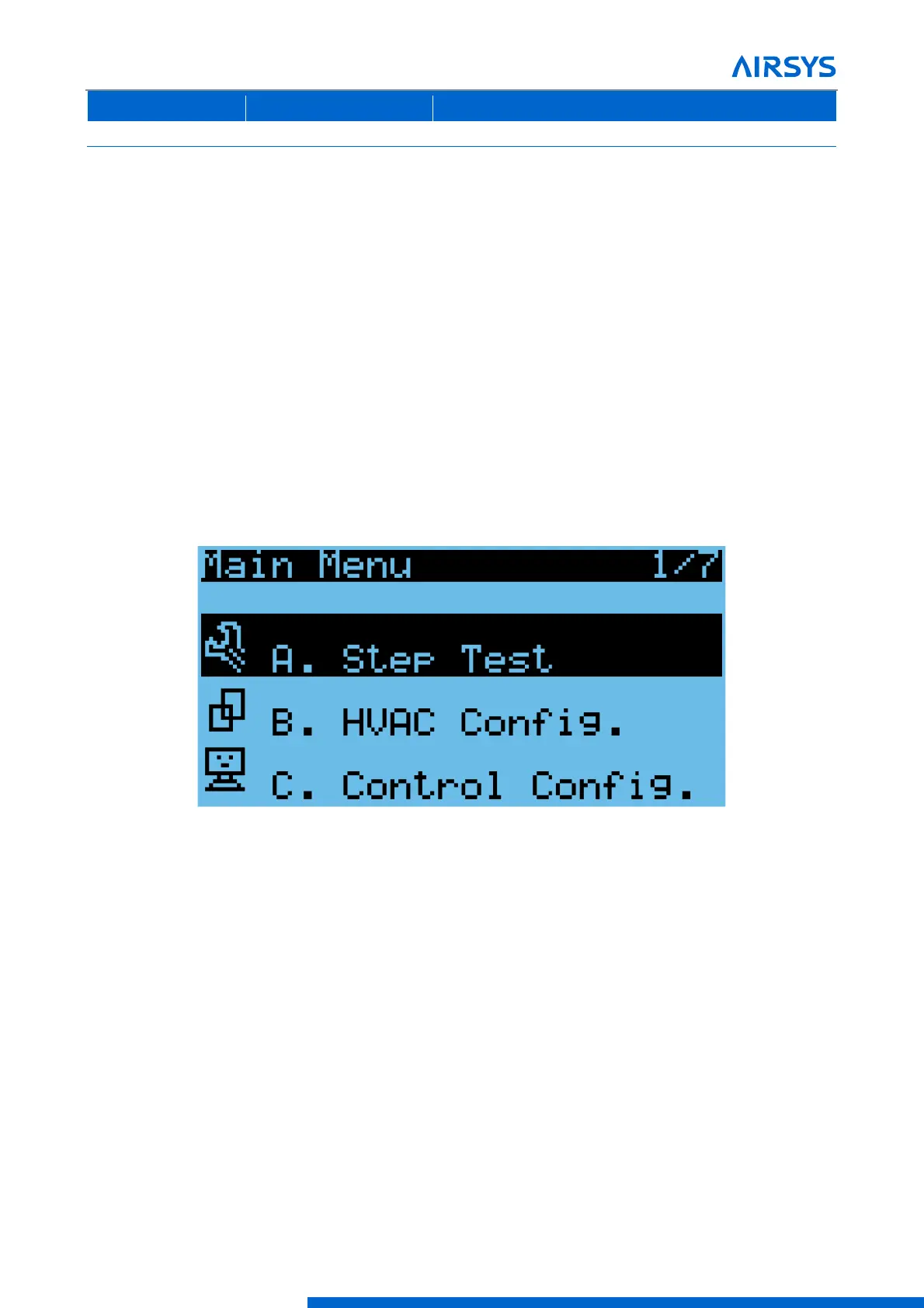
Program Menus can be accessed through the program menu selection screen. Changing most system settings
require accessing a program menu. From the main screen, press Prg to access the program menu selection
screen. Accessing a program menu requires a password. There are three password protected access levels:
user, service, and manufacturer. Enter the password, using the Enter button to move the cursor horizontally
and the Up and Down buttons to change the numbers. Once the password is entered, hold Enter until the
selection screen is displayed.
The user level gives limited access to system parameters, the service level allows access to critical component
settings such as the EEV and compressor, and the manufacturer level allows for modification of all system
parameters. The default passwords for the user and service levels are 0003 and 0004. Contact AIRSYS
Support for access to manufacturer parameters.
The current access level is shown in the upper left corner of the program menu selection screen. To change
access levels, scroll through the program menu selection screen until “Logout” is highlighted and press Enter
until the main screen is displayed. Then press Prg and log in with the appropriate password.
Figure 4-8 Program Menu Selection Screen
4.5 Step Test
The step test systematically verifies that key components of the system are operating as expected. Note the
following considerations:
• The stages in the step test can be executed in any order; they do not need to be sequential.
• The Step Test takes the system out of automatic mode.
To perform the step test, follow these steps:
1. Hold Esc until the main screen is displayed.
2. From the Main Screen, press Prg and enter the password (0004).
3. Press Enter, the cursor should be over “Step Test”.



 To Next Page