System Operation
Important. System must be commissioned if you reset it to factory default. Follow
the commissioning steps on Page
38 to re-commission the system
To perform a factory reset perform the following steps:
1. Hold the Esc button until the main screen is displayed.
2. Press Prg and enter the password (0004). Press Enter.
3. Press Down until the cursor is over “System” and press Enter.
4. Press Down until the cursor is over “Initialization” and press Enter.
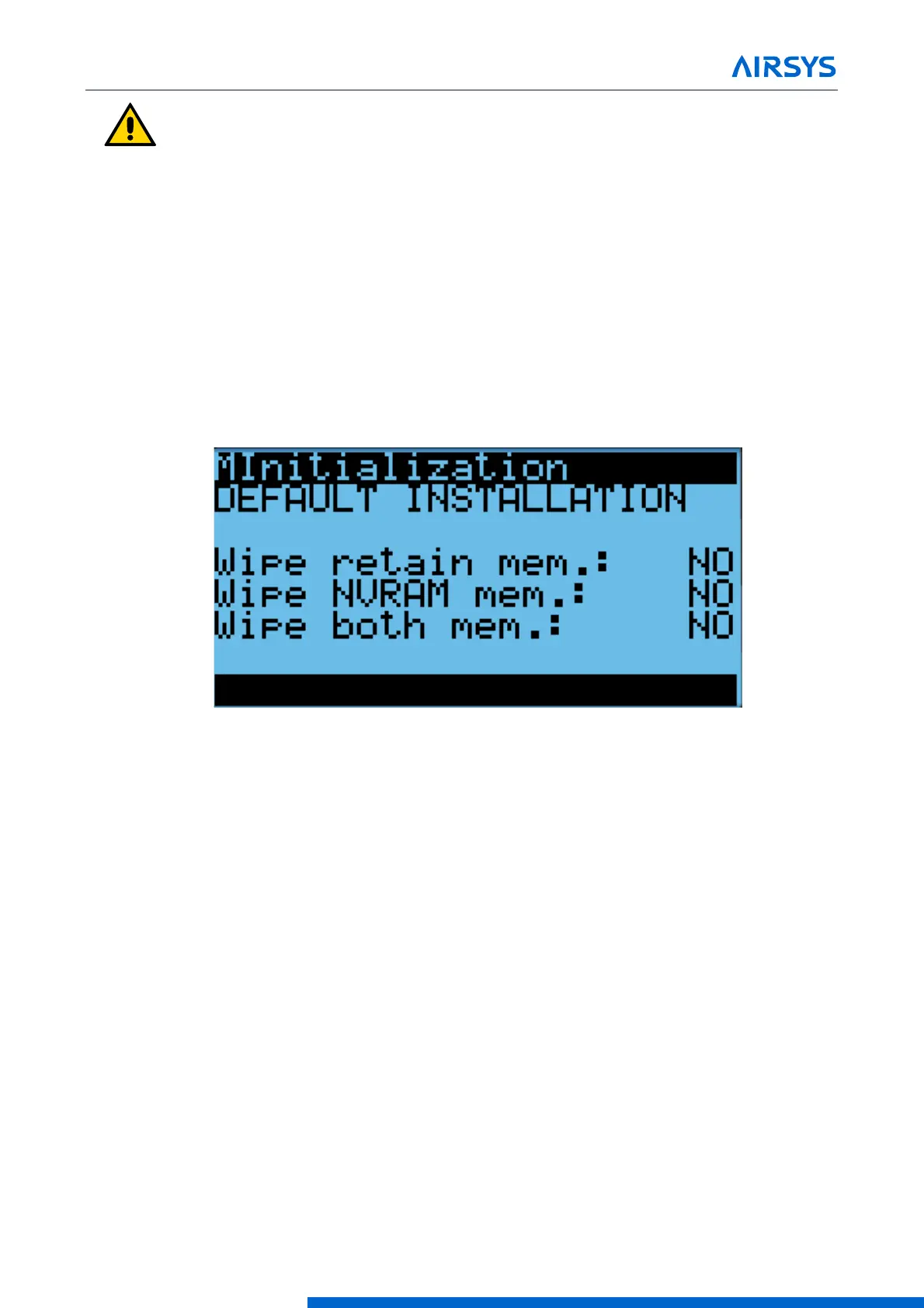
5. Press Down until “Default Installation” is displayed across the top of the screen.
6. Press Enter until the desired option is selected.
7. Press Up or Down until “NO” becomes “Yes” and press Enter.
8. Wait for the system to automatically reboot and follow the on-screen instructions if given.
Figure 4-13 Factory Reset Screen
If performing a factory reset on a unit, cycle the unit breaker after the reset is complete. This is necessary for
the unit to receive system setpoints from the controller.
4.8.1 Set the Master
If performing a factory reset on the controller, it must be set to “Master” after the reset is complete. Do so
through the following steps:
1. Press the Up and Down buttons at the same time to enter the Debug Menu.
2. Press Down to scroll to Master/HVAC Select and press Enter.
3. Press Down until “Master” is selected and press Enter to confirm.



 To Next Page