Airtame 2
Content
Whats in the box
Safety precautions
Legal, warranty and regulatory info
How to setup and use
For more information, visit airtame.com/support
What’s in the box?
Airtame2
The Airtame2 is connected with the Aircord USB-C.
Aircord
The Aircord is a y-shaped cable that connects the
Airtame 2 through USB-C to an HDMI port on a TV
/ projector as well as the Airtame 2 power supply
through USB-A.
Power supply
The power supply is required to power the Airtame2.
Use only the power supply provided with the Airtame
2, or other approved Airtame powering accessories.
Important: The Airtame2 should not be powered by
plugging the USB A into the TV / projector. It is not an
adequate power source and is not recommended.
Magnetic wall mount
The magnetic wall mount can be magnetically xed
to the back of the Airtame2, and is used for mounting
the Airtame2.
For exible mounting, attach the magnetic wall
mount to a magnetic area without removing the
protective seal.
For permanent mounting, use the non-removable
adhesive on the back of the magnetic wall mount, and
attach it to a hard, clean surface, such as a wall.
Non-removable adhesive
On the back of the Aircord cable splitter the magnetic
wall mount, are protective seals covering a non-re-
movable adhesive.
Each non-removable adhesive is optional and can be
used to stick to a clean surface, such as a wall, and
other non-magnetic areas.
Important: We advise that you only use the
non- removable adhesive once you have chosen a
permanent location for the Airtame2.
Safety precautions
The Airtame2 has been designed with high attention
to the safety of the user. However, if used improperly,
the Airtame2 can potentially cause re, electrical
shock or personal injury. To avoid any accidents,
please pay attention to these guidelines:
• Use only the power supply and Aircord provided in
the box, or the Airtame PoE Adapter or Extension
Cord accesories (bought seperetarely) commended
by Airtame. Using other cables or power supplies
can inuence or potentially damage the perfor-
mance of the device.
• Do not extend the USB part of the Aircord (the
power cable) e.g. by means of USB extender, USB
hubs or similar. To extend the reach of the power
cable use the Airtame Extension Cord accesory or a
standard power extension cable.
• Note: The Airtame 2 has been approved for use with
power extension cables up to of 3m (9’10”).
Non-removable adhesive
Cable splitter
Power cable
Main cable
Video cable
Aircord
USB-A
HDMI
USB-C
Kensington Lock Slot
USB-C
Micro USB
Reset button
Magnetic wall mount
Airtame 2
Non-removable adhesive
UK power adapter
Power supply and US power adapter
EU power adapter
OC/AU power adapter
Power supply

 Need help?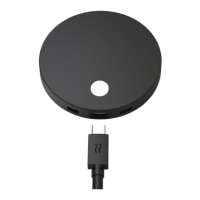

 To Next Page

 General