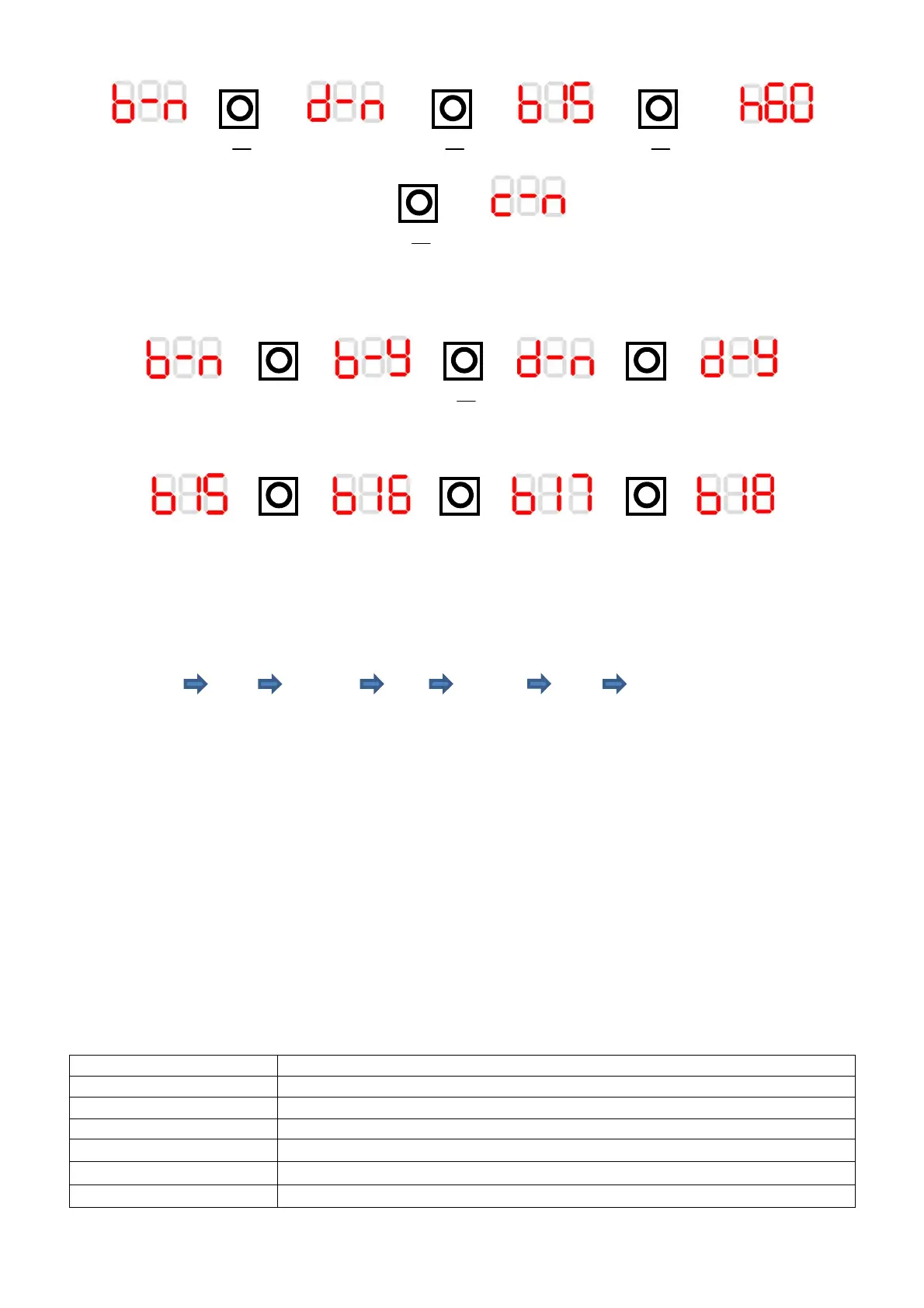
Setup example
> > > > > >
> >
Mode button being pressed to scroll through menu. This set up is for a kitchen, in a through the wall
installation with 15 minute boost timer, 60% rH set point and not in comfort mode.
> > > > > >
Mode and up buttons pressed to change the setting to Bathroom and ducted modes
>
>
>
>
>
>
Up button pressed to change boost time from 15 to 18 minutes
Pull Cord Function
Pull Boost 1 Pull Boost 2 Pull Boost Off
Pulling the pullcord will activate boost 1, a second pull will enter boost 2 and a third pull will
cancel the boost, returning the fan to trickle speed. The pullcord can be used to cancel an LS
activated boost, if the fan is in an LS activated boost pulling the pullcord will first enter boost a
further pull will return the fan to trickle.
Data Logger (ACR60 model)
With the fan powered up; upon removing the cover the display will automatically activate. It
will display the commissioning options. Holding down the Mode button for 5 seconds will open
the data logger menu. Use the mode button to move the display to the next data set.
Data Logger Menu
* When the display is rotated the decimal point will no longer display; eg. 055 represents 5.5KWh
tot run 00y 00d Total run time in years and days
Tri run 00y 00d Trickle speed run time in years and days
Boo run 00d Boosted run time in days
rhu run 00d
Humidity boosted run time in days
tot EnErgy 00.0 Total Energy used displayed in KWh*
24h EnErgy 00 Energy used in last 24 hours displayed in Wh


 To Next Page
 Loading...