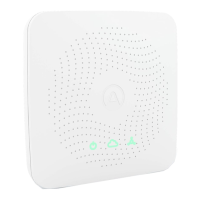
Using your View as a hub for other Airthings devices
When powered over USB, and connected to WiFi, your View device will act as a SmartLink hub
for other supported Airthings devices (Wave Mini, Wave Plus, Wave Radon 2nd gen). This is a
great way to keep all your Airthings devices continuously connected and accessible. Use the
Airthings App to select which Airthings devices to link to your View.
Reset button
A short press of the reset button (for about half a second) will toggle through various useful
information on the display. Note that a short press will not reset the device.
A long press of the reset button will reset your device completely, reverting it back to its factory
state. This removes any locally stored personal data, such as your WiFi password. It will not
remove the device from your online account. When you hold the reset button, a countdown
will show up on the display letting you know when the reset will take place. If you release the
button before the countdown has nished, the reset will be canceled.
Wave function
Wave in front of your device for a quick visual indication of your indoor air quality levels. The
glow signal will light up according to the overall air quality (green means good, yellow means
fair, and red means poor), and the display will change to show any levels that are fair or poor.
For details on sensor thresholds go to
help.airthings.com
Airthings App
Your app will update automatically as long as your device is connected to a WiFi network. The
Airthings App includes sensor values, historical graphs, and long and short-term averages. Use
the app to congure your View, set up notications based on sensor values, and more.
Airthings Dashboard


 To Next Page
 Loading...