a
b
a
b
bl
br / ws
gn
b
a
b
c
a
5
SERVICE INFORMATION
23
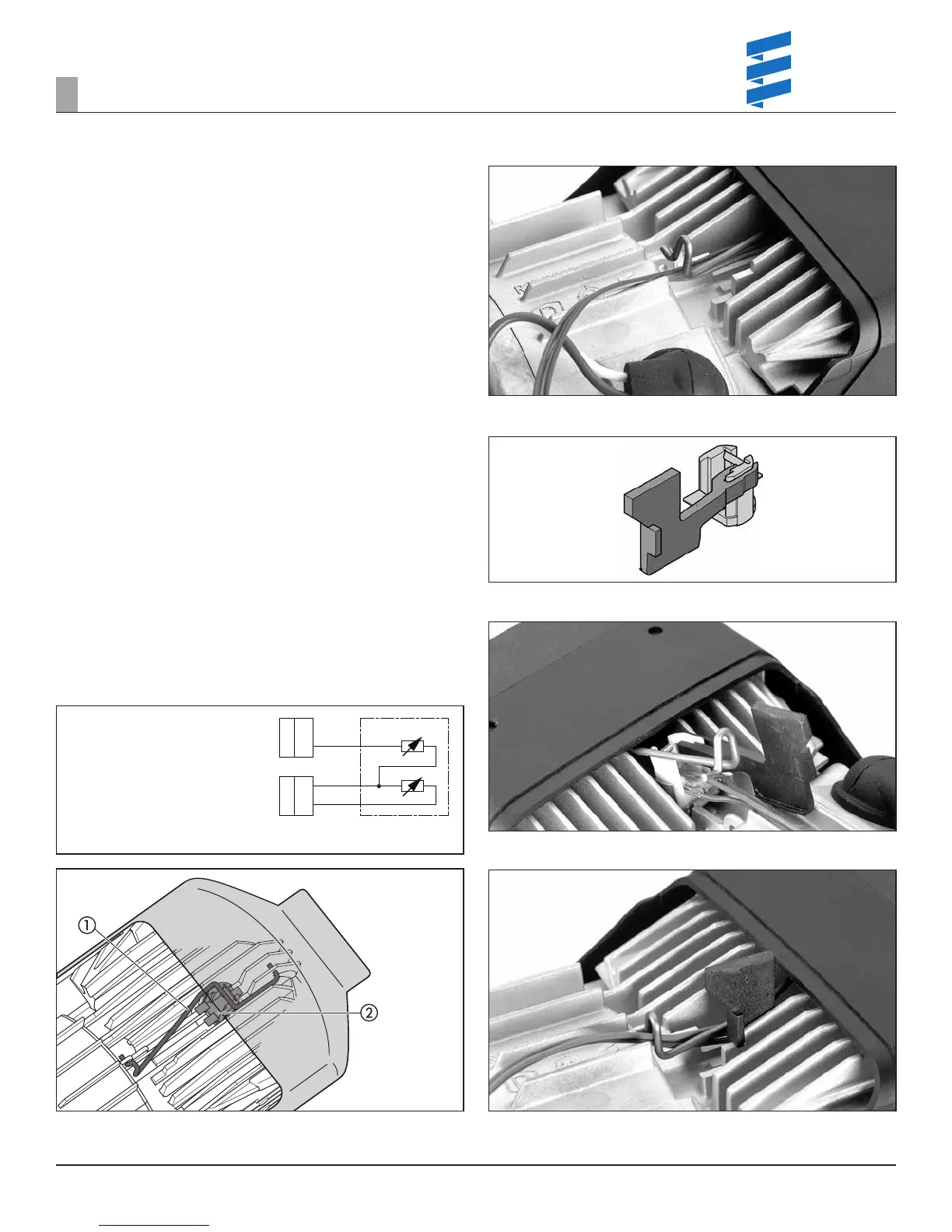
REMOVING THE OVERHEAT SENSOR / FLAME SENSOR
• Remove the AIRTRONIC cover.
• Remove the control unit.
Disconnect both connectors of the overheating / ame sensor cable harness
from the ECU.
Unlock clip from sensor.
Remove overheat /ame sensor.
OVERHEAT SENSOR
Check the overheat sensor with a digital multimeter. If the resistance value is
outside the set point indicated in the values, on pg. 26 then the sensor must
be replaced.
FLAME SENSOR
Check the ame sensor with a digital multimeter. If the resistance value is
outside the set point indicated by the values table on pg. 26, then the sensor
must be replaced.
INSTALLING THE OVERHEAT SENSOR / FLAME SENSOR
For AIRTRONIC D2 (Assembly using purpose made tool) mount the special tool
on the sensor.
Place the sensor on the heat exchanger using the special tool.
The special tool slides on the heat exchanger until the sensor meets the collar
(installation site of the sensor).
Lock the sensor in place and remove the purpose made tool.
It is then vital to check that the sensor sits at on the heat exchanger. If
necessary use a mirror and lamp to aid correct assembly.
Route the cable harness sensor along the clip eyelet to the control unit and
connect.
Connector blue
Connector green
1=overheating sensor
2=ame sensor
Figure 30
a Clip
b Overheat sensor / ame sensor
Figure 31
a Cable harness for overheat/ame sensor
b clip
Figure 32
a Special tool - only for
AIRTRONIC
D2
b Overheat sensor / ame sensor
Figure 33
a Special tool - only for
AIRTRONIC
D2
b Overheat sensor / ame sensor
Figure 34
a Clip
b Cable harness - overheat/ ame sensor
c Special tool - only necessary for the
AIRTRONIC
D2
REVISION LEVEL A - 09/09/15


 To Next Page
 Loading...