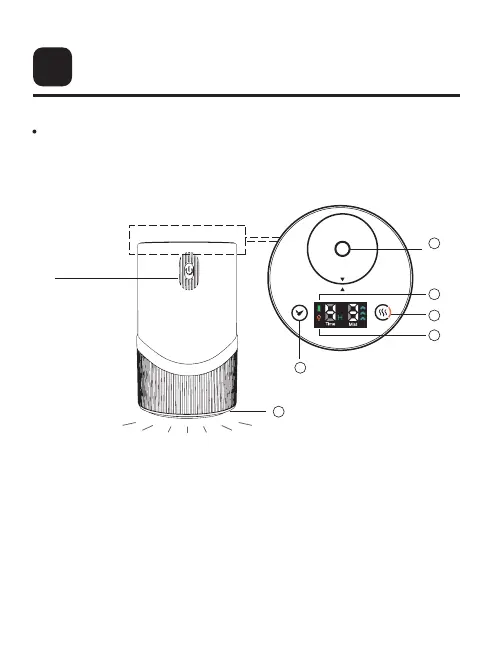
Touch Button and Info Display4
3-Level Mist Control
- Tap: set mist level
- Long press: turn on/off
ambient light
Orange ambient lightBattery indicator
Timer settings:
- 1/2/4/6H
- Tap: choose timer
- When the time is finished, the
diffuser will turn off. Press & hold
power button to turn it on.
Ambient light indicator
Nozzle
1 4
2 5
3 6
4
5
1
3
2
4
6
The display will turn off after 30s if no buttons are
touched. You may tap any button to wake up the
display.
Power button
Press & hold for
approx. 1s to
turn it on/off



 To Next Page