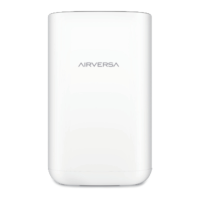
The Airversa Purelle Smart Air Purifier, Model: AP2, is designed to enhance indoor air quality through a comprehensive 3-stage filtration system. This device is intended for household use and integrates smart features, including compatibility with Apple Home, allowing for convenient control and monitoring.
Function Description
The Purelle Smart Air Purifier operates by drawing in ambient air, passing it through a multi-stage filtration system, and then releasing cleaner air back into the room. Its primary function is to remove various airborne pollutants, allergens, and odors, contributing to a healthier indoor environment. The device features a real-time air quality display that shows the PM2.5 value and uses an LED ring to visually indicate the current air quality (Excellent, Good, Fair, Inferior, Poor). This allows users to quickly assess the air quality at a glance.
The 3-stage filtration system includes:
- Pre-Filter: This initial layer captures larger particles such as dust, lint, and pet fur, extending the life of the subsequent filters.
- HEPA Filter (H13 True HEPA): This high-efficiency filter is designed to capture at least 99.97% of airborne particles 0.3 micrometers in size, including pollen, dust mites, mold spores, and pet dander.
- Active Carbon Filter: This layer is responsible for absorbing odors from cooking, pets, smoke, and volatile organic compounds (VOCs), ensuring the air not only feels clean but also smells fresh.
Usage Features
The Purelle air purifier offers several user-friendly features accessible via its control panel and smart setup:
- Power Button: A simple tap turns the device on or off.
- Auto Mode: When activated, the air purifier uses its built-in PM2.5 sensor to automatically adjust the fan speed based on the detected air quality. If the air quality is poor, the fan speed increases; if it's excellent, the fan speed decreases, optimizing performance and energy consumption.
- Timer Button: Users can set a timer for the air purifier to operate, with each increment representing 1 hour. Once the set time is complete, the device automatically turns off. The timer can be canceled by repeatedly tapping the button until the display reads "O".
- Sleep Mode: This mode allows the air purifier to operate quietly at a lower fan speed, making it suitable for use during sleep. In Sleep Mode, the display turns off after 10 seconds if no buttons are touched, minimizing light disturbance. Tapping any button will turn the display back on.
- Fan Speed Button: This button allows users to cycle through different fan speeds manually. Tapping this button while in Auto Mode will exit Auto Mode.
- Child Lock: This feature prevents accidental changes to the current settings. It can be activated or deactivated by pressing and holding the button for 5 seconds. When active, the indicator blinks, and the device beeps if any other button is tapped, signaling that the display lock is on.
- Network Indicator: This indicator shows the pairing status of the device. A steady light indicates successful pairing with a network, while a blinking light signifies that the product has not been paired and will turn off after 5 minutes if not connected. A long press (10 seconds) initiates pairing mode.
- Smart Setup (Apple Home Integration): The Purelle air purifier is designed to work with Apple Home, requiring an Apple HomePod mini or 2021 Apple TV 4K. Users can download the Sleekpoint App from the Apple App Store, long-press the Network button to enter pairing mode, and then add the Purelle device to the app by following on-screen instructions. This integration provides access to exclusive features such as PM2.5 charts and reports, scheduling, and screen brightness control, offering advanced control and monitoring capabilities.
Maintenance Features
Proper maintenance is crucial for the optimal performance and longevity of the Purelle air purifier:
- Filter Status Indicator: This indicator blinks red when the filters need to be checked or replaced. After replacing the filters, users must press and hold this indicator for approximately 5 seconds to reset it.
- Filter Life Indicator: This visual cue indicates the consumption level of the filters, helping users anticipate when a replacement will be needed.
- Filter Replacement: The device uses H13 True HEPA Composite Filter Sets. Replacing filters involves unscrewing a knob on the base, removing the base, taking out the old filters by pulling their tabs, removing plastic films from new filters, installing the new filters with pull tabs facing inward, and finally reattaching and tightening the base.
- Pre-Filter Cleaning: The pre-filter can be vacuum-cleaned once a month under normal usage to remove large particles. This process involves unplugging the air purifier, disassembling the base and filters, vacuuming the light-colored sides of the filters with a brush attachment, reassembling the device, and then resetting the Filter Status Indicator. It's important to note that vacuum-cleaning the pre-filter helps remove large particles partially but does not extend the overall filter life.
- Filter Disposal: Used filters cannot be cleaned or recycled. They should be wrapped in an airtight plastic bag for disposal, and gloves are recommended when handling dirty filters. Used filters should be disposed of as combustible rubbish. For optimal performance, only Airversa filters should be used with this unit, and filters should never be washed or reused.
The device emphasizes safety with clear instructions, including always unplugging before cleaning or filter replacement, keeping the cord away from heated surfaces, and ensuring the device is placed on a firm, level surface at a safe distance from walls and heat sources. It also warns against operating the device with a damaged cord or plug, in wet conditions, or without filters.


 To Next Page
 General