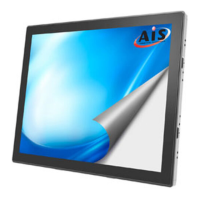
This document is a user guide for the AIS PCT Multi Touch Monitor Display, model DTR15T100-A1-PCT. It provides information on the monitor's features, installation, user controls, troubleshooting, and technical specifications.
Function Description:
The DTR15T100-A1-PCT is a desktop flat panel monitor featuring an active matrix, thin-film transistor (TFT) liquid crystal display (LCD) with a projected capacitive touch screen. It is designed for multi-touch input, primarily with fingers, and is suitable for various applications requiring interactive display capabilities. The monitor can be used as a standalone desktop display or mounted using its VESA compatibility for flexible installation solutions.
Important Technical Specifications:
- Model: DTR15T100-A1-PCT
- Display Type: Active matrix TFT LCD
- Screen Size: 15" viewable display area
- Aspect Ratio: 4:3
- Resolution: 1024 x 768 XGA
- Pixel Pitch: 0.297mm x 0.297mm
- Horizontal Scan Frequency: 31.47 ~ 60.02 KHz
- Vertical Refresh Rate: 56 ~ 75 Hz
- Input Signal: Direct Analog (VGA)
- Touch Screen Type: Projected Capacitive (PCT)
- Touch Input: Finger input only
- Touch Surface: Glare treatment
- Touch Interface: USB controller
- Touch Transmittance: 90±5%
- HID Support: Windows® 7
- Driver Support: VISTA, XP, 2000, CE, XP Embedded, Linux, Apple® Mac OS
- Mounting: 100 mm VESA mount (removable base)
- Security: Kensington security slot
- Power: AC power input
- Dimensions:
- Front View: 350.8 mm (width), 306.5 mm (height including stand), 275.9 mm (height of screen)
- Side View: 196.1 mm (height), 62.5 mm (depth of screen)
- Top View: 222.5 mm (width of base), 202.0 mm (depth of base)
Usage Features:
- Multi-Touch Capability: The projected capacitive touch screen allows for multi-touch input, enhancing interactive applications.
- Plug-and-Play Connectivity: Supports standard VGA for video input and USB for touch screen functionality. RS-232 cable is also provided for combo models.
- OSD User Controls: Features a multilingual On-Screen Display (OSD) menu for adjusting various display settings such as contrast, brightness, auto-adjustment, image position (Left/Right, Up/Down), horizontal size, pixel phase (Fine), OSD position, OSD timeout, and OSD language.
- Power Management: Includes a power saving mode ("Going to Sleep") that activates when the display experiences a sudden signal disconnection or is idle. The monitor can be reactivated by keyboard, mouse, or touch.
- VESA Mounting: The monitor's removable base and 100 mm VESA mounting interface allow for flexible installation on UL-listed certified swing arms or other mounting fixtures.
- Kensington Security Slot: Provides a security slot for attaching a Kensington lock to secure the monitor to a desk or fixed object.
- Driver Installation: Detailed instructions are provided for installing touch screen drivers on various operating systems including Linux kernel 2.6.x (32-bit & 64-bit), Windows® XP Embedded (Express and Custom installations), Windows® CE, and Linux/Apple® Mac OS. The system requires approximately 15 seconds for Windows® 7 to install/uninstall touch drivers when powering on/off or plugging/unplugging the USB cable.
Maintenance Features:
- Cleaning:
- The touch screen surface can be cleaned with a soft, clean cloth moistened with mild window glass commercial cleaners or a 50/50 mixture of water and isopropyl alcohol.
- The display housing can be cleaned with a soft cloth moistened with mild detergent.
- Always turn off the product before cleaning.
- Precautions:
- Do not open or disassemble the product to avoid electrical shock.
- Do not expose the product to rain or moisture.
- Avoid touching the LCD display screen with sharp or hard objects.
- Do not use abrasive cleaners, waxes, or solvents.
- Do not operate the product in extremely hot, cold, or humid environments, areas with excessive dust and dirt, near strong magnetic fields, or in direct sunlight.
- Troubleshooting Guide: The manual includes a troubleshooting section to address common issues such as no image, partial or incorrectly displayed image, vertical flickering lines, unstable/flickering image, scrolling image, and vague image. Solutions often involve checking cable connections, reconfiguring display resolution, or using OSD adjustments like "Fine" or "Horizontal size."
- Recycling Information: The product contains mercury in its lamp(s) and may contain other hazardous electronic waste. It must be recycled or disposed of in accordance with local, state, or federal laws. Resources like WWW.EIAE.ORG and WWW.LAMPRECYCLE.ORG are provided for further information.
- OSD Lock Function: The OSD menu buttons can be locked to prevent accidental changes, disabling all buttons except the power button. The power button can also be locked to prevent the monitor from being turned off.

 Need help?

 To Next Page
 General