Need help?
Do you have a question about the Aiwa AM-F3 and is the answer not in the manual?
Record model and serial number for convenience.
Precautions regarding laser exposure.
List of included items with the product.
High quality, extended recording, fast playback.
Editing, naming, and index coding functions.
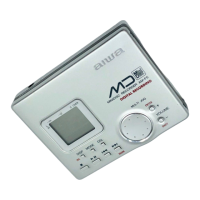
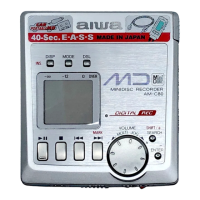
Display, buttons, indicators.
Details on power sources, placement advice, and safety precautions.
Advice for headphone use and cleaning the unit.
Notes on condensation, battery handling, and MiniDisc care.
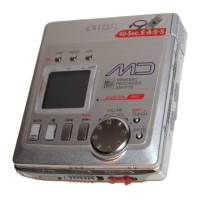
Identification of front controls and indicators.
Identification of side ports and switches.
Explanation of various indicators on the display.
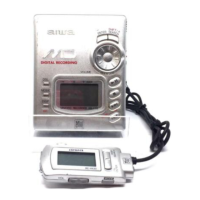
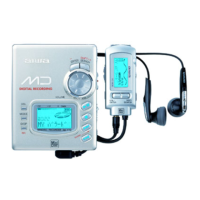
Identification of headphone remote parts and functions.
Details on battery types and their estimated usage duration.
How to check battery status and manage power.
Instructions for charging and using the rechargeable battery.
Battery charge time and status indications.
Useful tips, cover, removal, and battery lifespan information.
Instructions for connecting the AC adapter and using dry cell batteries.
Step-by-step guide for setting the unit's time and date.
How to fix setting errors and view the clock.
Clock behavior during non-use and battery removal.
Overview of methods and optical output connections.
Overview of methods and line output connections.
Connecting microphones and restrictions on digital input.
Step-by-step process for starting and stopping recording.
Manual level control and temporary stop for recording.
Procedures for MD ejection, automatic power off, and monitoring sound.
Recording on pre-recorded MDs and using the protect tab.
Explanation of common error messages during recording.
Automatically registering index codes during recording.
Indexing every five minutes or disabling indexing.
Adding index codes manually and monaural recording for longer duration.
Pauses recording during silence for efficient speech recording.
Standard playback controls, steps, and display indicators.
Stop, pause, search, repeat, skip, and eject functions.
Double speed playback and unit's automatic shut-off.
Display information and connection reminders during playback.
Applying audio effects for different music genres.
Playing tracks repeatedly or in random order.
Playing tracks in a user-defined order.
Creating and canceling custom playback sequences.
Locating tracks using their registered titles.
Accessing various editing functions like track naming and erasing.
Naming tracks and discs for easier identification.
Merging two adjacent tracks into a single one.
Splitting a track into two separate parts.
Reordering tracks on the MD.
Removing unwanted tracks from the MD.
Locking controls and setting display contrast.
Setting volume limits for ear protection and resuming playback.
Controlling the display illumination.
Using the unit with external audio systems and in vehicles.
Explains physical structure, disc types, and ATRAC audio compression.
Technical details of the unit's core components and connections.
Information on power sources, battery life, physical size, and adapter.
Resolving issues with power and unit responsiveness.
Addressing problems with recording, editing, and audio quality.
Resolving headphone, clock, and backlight problems.
Common errors related to discs and device functions.
Errors during operation, system restrictions, and reset procedure.
Procedure for resetting the unit to factory defaults.
Comprehensive table for diagnosing and fixing operational issues.
Detailed breakdown of error messages and their fixes.
System limitations and how to use the reset function.
 General
| Brand | Aiwa |
|---|---|
| Model | AM-F3 |
| Category | Minidisc Recorder |
| Language | English |


 To Next Page