07
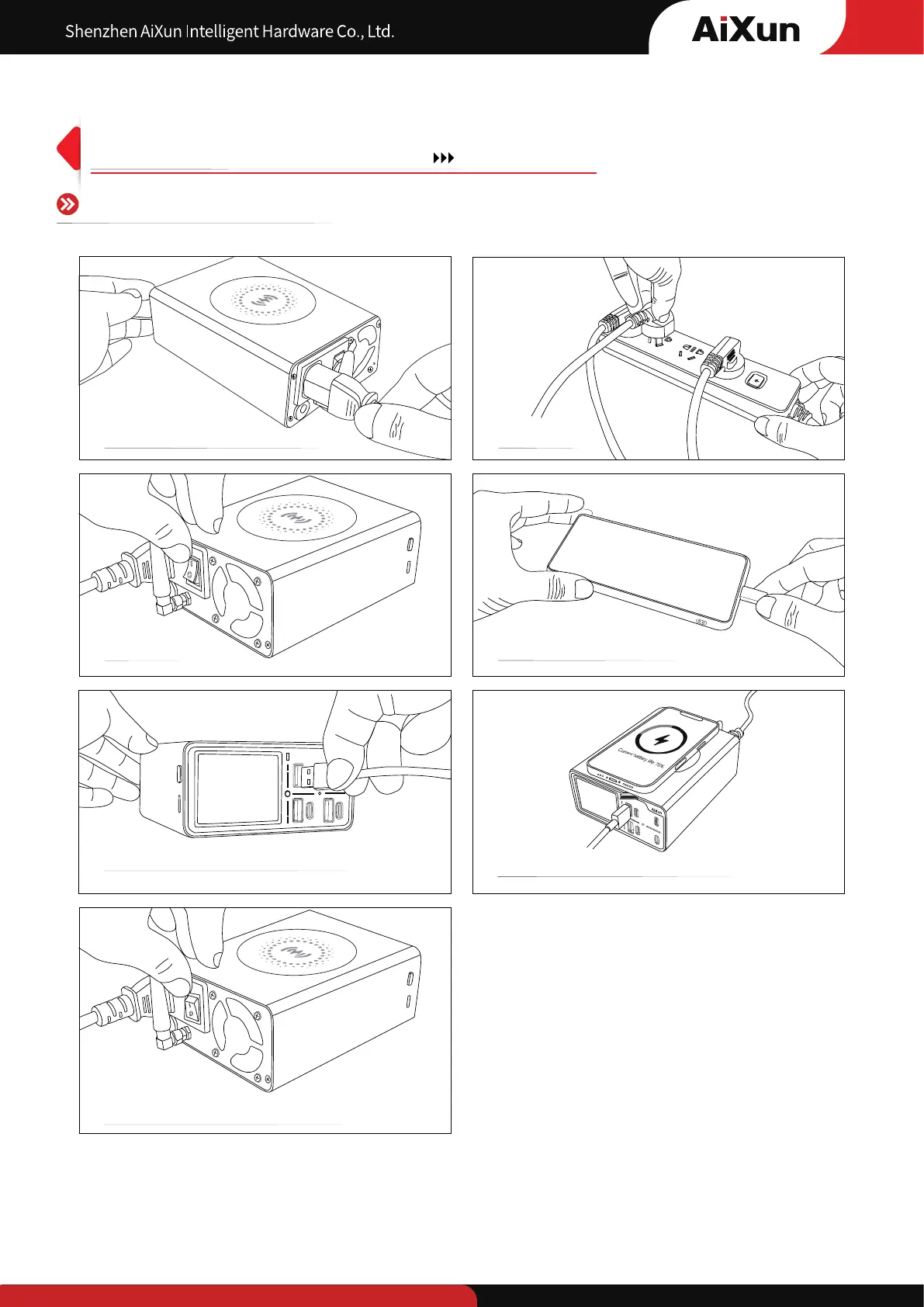
Operation steps of charging
Connect to DP20 power cord Plug in
Switch ON
Connect to mobile phone
DP20
Connect to the USB cable to charge
It also supports wireless charging
Turn off the switch on the back of the
host to shut down DP20
5
Wide range voltage Universal use in worldwide


 To Next Page