
 Need help?
Do you have a question about the AiXun DP20 and is the answer not in the manual?
Overview of the product's key functional capabilities and features.
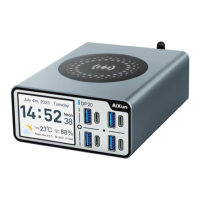
Detailed illustration and explanation of the product's front panel components.
Description of the product's rear panel and the contents of the package.
Core technical specifications including voltage, current, power, and dimensions.
Detailed breakdown of main functions like charging ports, protocols, and wireless charging.
Additional general parameters and specific functional details for each port type.
Highlights the product's alloy shell design and the IPS HD display screen.
Details the 4+1+1 fast charging ports and the precise temperature control system.
Explains wide voltage input compatibility and provides step-by-step charging instructions.
Covers wireless charging capabilities and displaying data for multiple connected devices.
Instructions for connecting and controlling the device via WiFi and Bluetooth.
Guidance on performing firmware upgrades via OTA through Type-C, WiFi, or Bluetooth.
Procedure for upgrading the device software using a USB connection to a computer.
Details on transmitting data and performing upgrades using Bluetooth or WiFi.
How to access and switch to the curve interface for detailed monitoring.
Connecting to the AiXun platform for clearer data analysis on a PC.
Visualizing and analyzing charging current curves for performance monitoring.
Information regarding the product's warranty period and terms of service.
 General
| Model | AiXun DP20 |
|---|---|
| Category | Battery Charger |
| Output Current | 2A |
| Input Voltage | AC 100-240V, 50/60Hz |
| Charging Current | 2A |
| Protection Features | Over current protection, Short circuit protection |
| Dimensions | 30mm x 80mm x 120mm |

 To Next Page