09
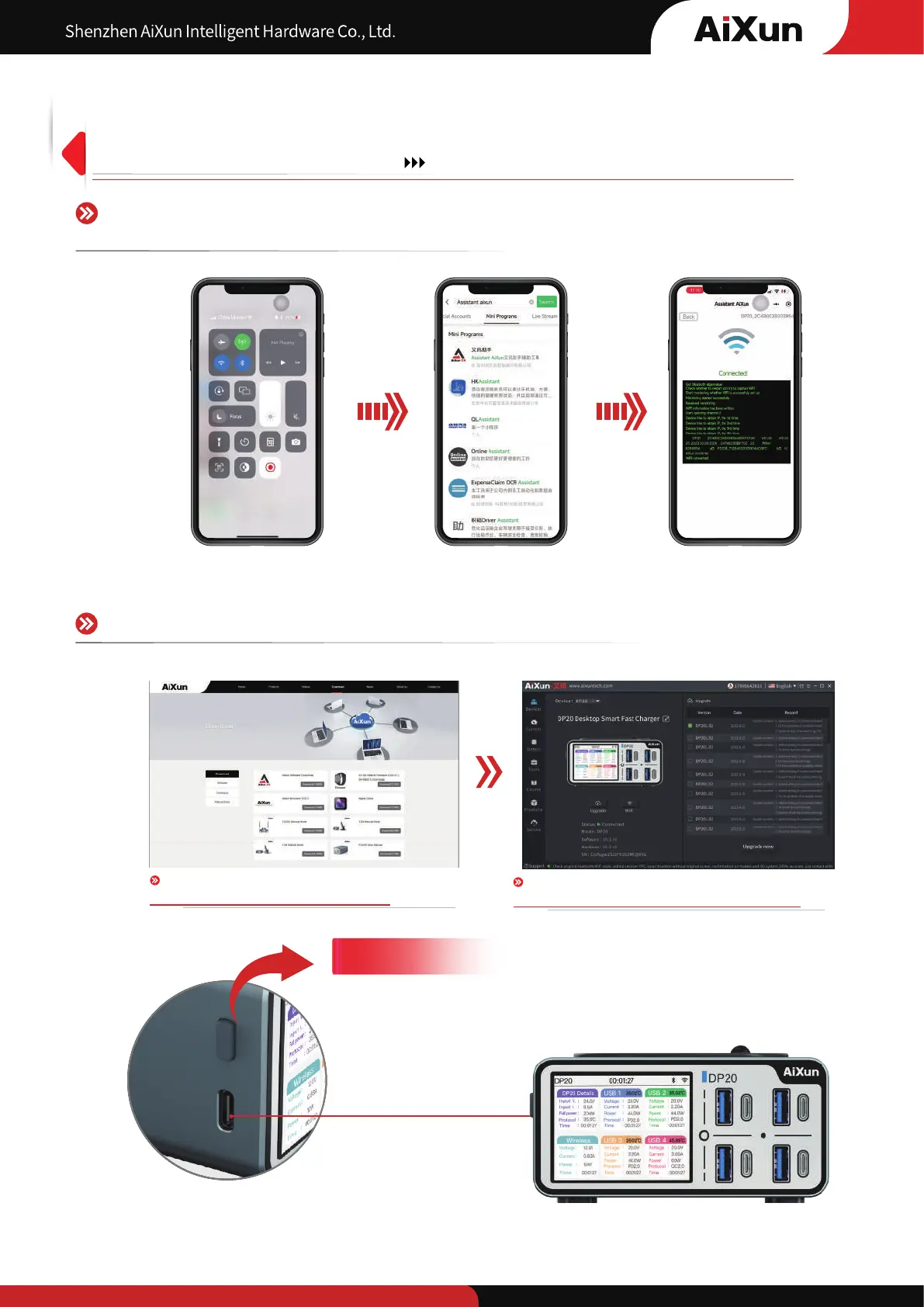
Support OTA continuous upgrade through Type-c/WIFI/Bluetooth
Connect DP20 with WIFI through remote control
on AiXun platform in WeChat mini program
Download AiXun platform on AiXun official website
www.aixuntech.com
Download AiXun platform on PC , upgrade through WIFI
connection or Type-C interface
7
WIFI networking/OTA upgrade/Bluetooth interconnection
USB upgrade
Connect the Type-C port on the left side to computer, open AiXun software to upgrade the software version
In the later versions, it will default to be in the standby mode and display the local time and weather, enhance
human-computer interaction as well as current collection and comparison through AiXun software


 To Next Page