
 Need help?
Do you have a question about the AJA Video Systems Inc HELO Plus and is the answer not in the manual?
Introduces the HELO Plus as a compact, advanced H.264 streaming and recording appliance.
Describes the HELO Plus's compact desktop footprint and silent, fan-less operation.
Details the dual encoders and outputs for flexible streaming settings from one source.
Explains the feature for combining multiple inputs into a single screen with graphic overlays.
Describes remote configuration via web browser over Ethernet connection.
Highlights scheduling capabilities for automated recording and streaming events.
Lists key hardware and software features including HLS streaming and security.
Provides a visual representation of the HELO Plus's internal signal paths and components.
Explains the use of the SDI input signal for video reference and framesync.
Details connecting HELO Plus to a WiFi router for wireless communication with mobile devices.
Lists the components included with the HELO Plus streaming/recording encoder.
Specifies requirements for remote computer configuration and control via web browser.
Describes the API for issuing commands and building automation scripts.
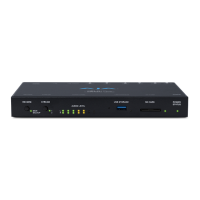
Introduces the front panel layout with buttons, ports, and indicators.
Explains the function of the Record, Stream, and Reset buttons on the front panel.
Lists the available ports including USB 3.2 Gen 1 and SD Card Slot.
Details the status indications for Record, Stream, USB, SD, and Power LEDs.
Describes the audio level meter indicating output channel levels.
Introduces the rear panel with various input/output and connection ports.
Lists audio connection types, including analog and embedded audio.
Explains status LEDs for SDI In, HDMI In, and LAN ports.
Explains the status indications for primary and secondary recording LEDs.
Lists system settings retained after a soft reset.
Describes the status indications for the two streaming outputs.
Explains storage availability and activity for the USB port.
Explains storage availability and activity for the SD card slot.
Details the status indications for the Power LED.
Covers network connection, DHCP, and eMini-Setup for initial configuration.
Provides a step-by-step summary for setting up the HELO Plus.
Details how to configure static IP addresses using the eMini-Setup application.
Guides users through the basic steps for starting a recording.
Guides users through the basic steps for starting a stream.
Explains how to download and install firmware updates from the AJA website.
Describes the safeboot feature for system recovery.
Introduces control via front panel buttons and the web interface.
Explains control using the physical Record and Stream buttons.
Describes remote control via web browser over an Ethernet network.
Illustrates the HELO Plus web browser interface screen areas.
Explains common screen elements like scroll bars and control buttons.
Describes the left-hand menu for navigating available screens.
Lists primary and secondary recording destinations and their content.
Displays alarms and warnings with additional detail on hover.
Shows connection information for the connected HELO Plus device.
Lists other AJA devices on the network and provides an identify feature.
Describes the top menu line with function buttons and status indicators.
Explains the button for downloading files, disabling record/stream.
Indicates the status of the enabled Scheduler function.
Shows the status of the front panel button lock.
Displays a low frame rate video monitor for signal confidence.
Explains the Record, Stream, and Link buttons and their functions.
Details how to interact with parameters and view information.
Reports current status and settings for Input, Encoder, Scheduler, and Output.
Contains parameters for general HELO Plus operation.
Selects the video input source from available connections like SDI or HDMI.
Selects audio input from SDI, HDMI, or analog connections.
Adjusts the level for analog audio input.
Delays analog audio output relative to the input.
Determines the source for closed captioning data from SDI signals.
Mutes video and audio while maintaining a stream.
Guides on uploading custom test pattern images for display.
Controls the HELO Plus's response to lost input video signals.
Determines automatic reconnection behavior after a streaming disconnect.
Sets HELO Plus behavior when receiving a Group trigger command.
Selects the HELO Plus's action upon powering on.
Controls traffic shaping for RTP/UDP stream output.
Sets the video format for the internal test pattern generator.
Selects the type of internal test pattern generator output.
Selects the audio bit rate for encoded recording.
Selects behavior when input frames are lost during streaming.
Allows simultaneous encoding for different outputs.
Imports pre-configured encoder templates.
Details configurable parameters for each encoder.
Selects encode frame rate relative to input frame rate.
Selects whether encoded video geometry matches input or is manual.
Controls whether encoded video pixel aspect ratio matches input.
Adjusts the desired bit rate for encoded video recording.
Provides settings for advanced users, typically for CDN/provider direction.
Selects how often I-frames are encoded for Group Of Pictures size.
Defines the B frame cadence for predictive encoding.
Selects the encoding profile for H.264 streams.
Selects the number of encoding slices per frame for parallel decoding.
Selects the algorithm used for entropy encoding like CABAC or CAVLC.
Codes video for playback with specific aspect ratios like 4:3 or 16:9.
Configures two simultaneous streaming outputs independently.
Enables or disables Stream 1 or Stream 2 output.
Selects the encoder source for Stream 1.
Selects the stream type (HLS, RTMP, RTSP, etc.).
Details the RTMP protocol for pushing content to a CDN.
Explains the RTSP pull protocol used by client applications like VLC.
Describes RTP-TS for multicast applications using UDP.
Describes UDP-TS for multicast applications using UDP.
Explains HLS (HTTP Live Streaming) for compatibility with various devices.
Describes SRT for secure, reliable transport with low latency.
Configures recording parameters including encoder and media type.
Selects which encoder is used for recording.
Selects recording destination: SD Card, USB, or Network Share.
Details SMB/NFS share configuration and record path creation.
Selects the SMB protocol version for remote shares.
Selects destination for secondary recordings: None, SD, or USB.
Selects HELO Plus behavior when frames are lost during recording.
Sets the prefix for recorded file names.
Selects recording duration: Unlimited, Fixed, or Long Single Segment.
Sets the number appended to the filename of the first recording.
Sets the maximum duration in minutes for each recording segment.
Selects file type: MOV (QuickTime) or MP4 (MPEG-4).
Guides on formatting USB and SD media as exFAT.
Recommends formatting media directly on the HELO Plus device.
Allows scheduling of one-time or recurring recording and streaming events.
Explains calendar views, navigation, and the agenda.
Describes viewing the calendar by day, week, or month.
Shows a list of scheduled events with dates and times.
Displays current and next scheduled events.
Manages scheduler settings like enabled/disabled and activity type.
Sets the activity for scheduled events: Record, Stream, or both.
Selects the source for the schedule: Local or Remote.
Details the functionality and editing of the local calendar.
Manages downloading and uploading calendar files.
Provides instructions for managing local calendar events.
Step-by-step guide for creating a new calendar event.
Explains how remote calendars are linked and synchronized.
Specifies the URL for linking an external calendar.
Manually synchronizes the remote calendar with the HELO Plus.
Shows scheduled events, their attempts, and outcomes.
Manages groups of AJA devices for synchronized operation.
Allows saving and recalling HELO Plus configurations into memory registers.
Explains controls for managing presets like Recall, Store, Export, Import, Erase.
Recalls saved preset configurations, replacing current settings.
Saves current configuration into a preset register.
Saves preset contents to a file on the computer.
Imports preset files from the computer into the preset register.
Erases data within a specific preset.
Performs a soft reset of most parameters, keeping network settings.
Allows creation and saving of layouts for composite video outputs.
Explains how HELO Plus combines inputs, graphics, and matte layers.
Displays a representation of the current layout with input rasters and layers.
Contains controls for configuring layout elements like selection, layers, and scales.
Lists and loads available layouts for display and adjustment.
Shows and allows reordering of SDI, HDMI, and Graphic layers.
Adjusts the size of SDI and HDMI inputs.
Provides access to parameters affecting a specific active layer.
Determines output behavior upon loss of SDI or HDMI input video in a layout.
Manages framestore images for use in layouts.
Uploads PNG images to the framestore for use in layouts.
Allows quick recall of layouts for on-air use.
Configures system-wide settings like button lock and system name.
Determines if front panel buttons are active or ignored.
Defines a unique name for the HELO Plus unit.
Requires a password to log in to HELO Plus from the network.
Configures time source (Manual/Automatic) and date/time settings.
Selects the local time zone for accurate scheduling.
Enables encrypted communication via HTTPS with a digital certificate.
Views and changes HELO Plus network settings.
Selects between DHCP and Static IP address assignment.
Sets a static IP address for TCP/IP networking.
Sets the gateway or router for LAN TCP/IP networking.
Allows downloading and installing firmware updates from AJA.
Displays a technical event log for troubleshooting.
Accesses recordings made to primary and secondary media destinations.
Guides on changing recording destinations via the Recordings panel.
Displays recorded files with details like name, format, and duration.
Enables downloading files from the device, disabling record/stream.
Selects and deletes files from the device storage.
Covers CDN configuration for RTMP and client info for RTSP streaming.
Provides configuration summary for streaming with Akamai.
Guides on configuring HELO Plus for Amino set-top boxes via UDP.
Guides on setting up Facebook Live streaming.
Instructions for streaming to Instagram using Yellow Duck.
Explains how HELO Plus streams to OBS via RTSP.
Guides on setting up Twitch streaming with HELO Plus.
Guides on setting up UStream streaming with HELO Plus.
Explains using HELO Plus as an input source via RTSP stream in vMix.
Explains using HELO Plus as an input source via RTSP stream in Wirecast.
Guides on configuring HELO Plus with Wowza Streaming Engine.
Guides on setting up YouTube Live streaming with HELO Plus.
Introduces eMini-Setup for configuring AJA device network settings.
Provides download link for the eMini-Setup application.
Guides on installing eMini-Setup on Windows PCs.
Step-by-step installation instructions for Windows.
Guides on installing eMini-Setup on Mac computers.
Explains how to connect and run eMini-Setup.
Describes the user interface elements of eMini-Setup.
Selects the AJA device to connect to using a pull-down menu.
Displays device firmware version and serial number.
Allows changing network setup on the connected AJA device.
Selects between DHCP and Static IP address assignment.
Displays or allows entry of IP addresses.
Displays or allows entry of the gateway IP address.
Accesses and installs new firmware updates.
Provides basic information about the connected AJA device.
Allows assigning a unique name to the AJA device.
Lists technical specifications for the HELO Plus encoder.
Details supported video formats including HD and SD resolutions.
Specifies support for H.264/MPEG-4 part 10 Encoder.
Lists parameters for video encoding, including bit rate and profiles.
Details audio encoding parameters like bit rate and sample rate.
Lists supported streaming protocols like RTMP, RTSP, HLS, SRT.
Details storage options including USB, SD card, and network shares.
Specifies digital video input connectors and formats.
Details digital audio input capabilities.
Details analog audio input specifications.
Details analog audio output specifications.
Specifies Ethernet interface and web server details.
Lists user interface elements like buttons, web UI, and calendar.
Outlines capabilities like scheduling, remote calendars, and API control.
Lists operating temperature, humidity, and altitude limits.
Provides FCC compliance statements and caution for Class A digital devices.
Details Canadian radio-noise emissions compliance with ICES-003.
Lists countries where the equipment complies with EU/EFTA regulations.
Indicates compliance with EU EMC Directive and lists conformance standards.
Provides information on proper disposal and recycling of the product.
States compliance with Korean regulations for office environments.
Provides compliance statement for Taiwan, Class A product.
Provides compliance statement for Japan, Class A product.
Lists standard warning and caution messages in multiple languages.
Compiles warnings regarding water proximity, ventilation, heat sources, and lightning storms.
Details the three-year limited warranty for hardware and one-year for storage modules.
States limitations on AJA Video's liability for damages and lost profits.
Specifies governing law, warranty language, and consumer rights.
 General
| Brand | AJA Video Systems Inc |
|---|---|
| Model | HELO Plus |
| Category | TV Tuner |
| Language | English |

 To Next Page