Equipment Needed.
1 MPD26 x1
2 MIDI looping cable x1
3 USB cable x1
4 PC with MPD26 tester program x1
Setting up
1 Plug in th MIDI looping cable to the midi jack at MPD26.
2 Connects using USB cable to the PC
Part I
Starting the test and setup
1 Click the below icon at desktop to start the MPD26 tester.
Figure 1 : MPD26 tester icon
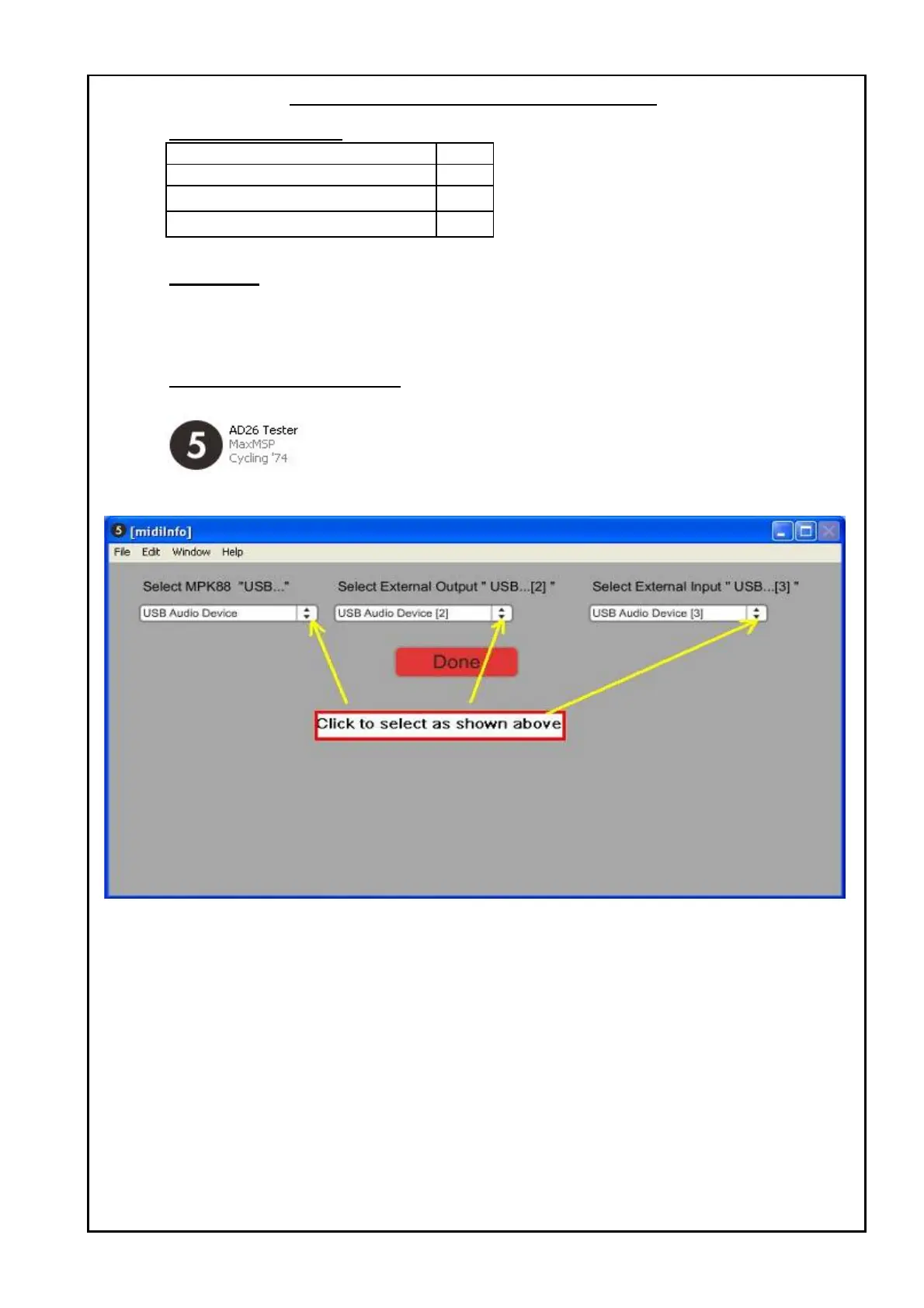
2 The program will load and a setting selection window will show as below:
Figure 2 : setting selection window.
3 Click and select the selection by clicking the drop down menu.
4 Click DONE to proceed.
MPD26 TEST PROCEDURES


 To Next Page