Part II Button and encoder Test
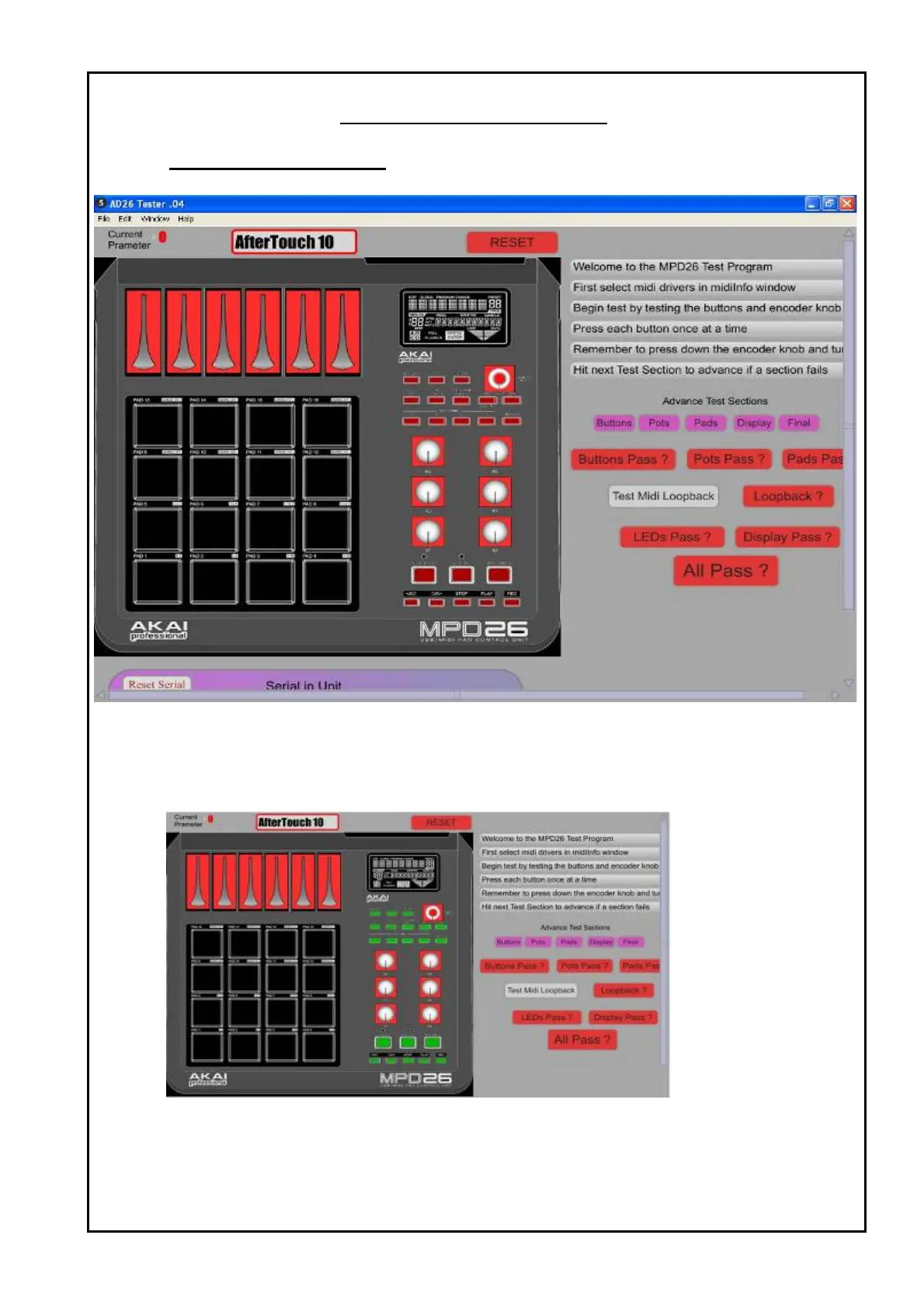
1 An interface window as below will show once the setup selection.
Figure 3 : First look.
2 Start the test by pressing all the button one by one once at a time.
When a button are pressed, it will turn green at the program interface.
After all the buttons are pressed, you will see figure as below.
Figure 4 : Button pressed in green.
TEST PROCEDURES


 To Next Page