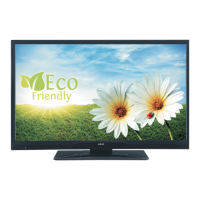
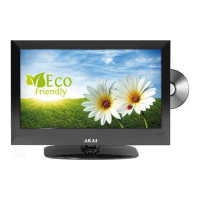
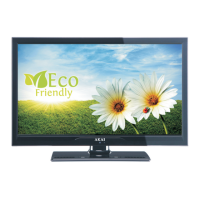
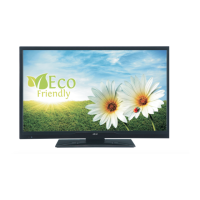
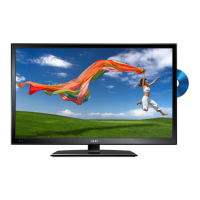
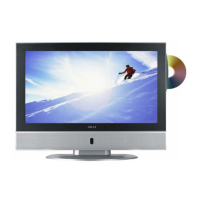
This document describes the AKAI ALED2609TWE LED-TV / DVD Combi with DVB-T/C Tuner.
Function Description
The AKAI ALED2609TWE is a remote-controlled color LED television with an integrated digital/cable TV (DVB-T/C) tuner and a built-in DVD player. It supports various input sources including HDMI, USB, Scart, and PC. The TV features an On-Screen Display (OSD) menu system for easy navigation and configuration. It also includes a Teletext function, headphone connection, automatic programming, manual tuning, automatic power down, sleep timer, child lock, and automatic sound mute when no transmission is detected. The integrated DVD player supports DVD, CD, CD-R, CD-RW, MP3, JPEG, and MPEG playback, with NTSC/PAL compatibility. It offers multi-audio and multi-subtitle support, multi-angle viewing, 8-level parental control, and various playback speeds (fast forward, rewind, slow motion).
Important Technical Specifications
- TV Broadcasting: PAL B/G D/K K
- Receiving Channels: VHF (BAND I/III) - UHF (BAND U) - HYPERBAND
- Number of Preset Channels: 1000
- RF Aerial Input: 75 Ohm (unbalanced)
- Operating Voltage: 220-240V AC, 50Hz
- Audio Output Power (WRMS.) (10% THD): 2 x 6
- Power Consumption: 75W
- Weight: 5.70 kg
- TV Dimensions DxLxH (with foot): 203 x 628 x 426 mm
- TV Dimensions DxLxH (without foot): 58 x 628 x 384 mm
- Display: 16/9, 26"
- Operation Temperature and Humidity: 5°C up to 45°C, 85% humidity max
- PC Input Typical Display Modes: Supports resolutions up to 1920x1080 at 60Hz.
- Supported File Formats for USB Mode:
- Video: .mpg/.mpeg/.dat/.vob (MPEG1, MPEG2), .mkv (H.264, MPEG1,2,4), .mp4 (MPEG4, Xvid, H.264), .avi (Xvid, MPEG4). Max resolution 1920x1080 @ 30P 20Mbit/sec.
- Audio: .mp3 (MPEG 1 Layer 1/2/3, PCM/MP3). Bit rate 32Kbps ~ 320Kbps, Sampling rate 32KHz ~ 48KHz.
- Photo: .jpg/.jpeg (Baseline JPEG, Progressive JPEG). Max WxH = 15360x8640 (4147200bytes) for Baseline, 9600x6400 (3840000bytes) for Progressive.
- Subtitle: .srt, .smi, .sub, .ssa, .ass (Support Text File Format).
- Compatible Disc Types (DVD Mode):
- DVD Video: Audio + Video, 12cm, Single sided (240 min), Double sided (480 min). Features Dolby Digital and MPEG-2 System.
- Compact Disc Digital Audio: Audio, 12cm, 74 min. Digital signal with better audio quality.
- MP3 Readable: Audio (xxxx.mp3), 12cm, Depends on MP3 quality. Digital signal with better audio quality.
- JPEG Readable: Video (still picture), 12cm, Depends on JPG quality. Digital signal with better picture quality.
Usage Features
- Getting Started: The TV is designed for energy efficiency with an "Eco" Power Save Mode. It can enter standby if no input signal is received for 5 minutes or if left unattended.
- TV Control Switch: A single control button on the TV allows for volume adjustment (up/down), channel change (press middle, then up/down), source selection (press middle twice, then up/down), and turning the TV off (press and hold middle button).
- Remote Control: Comprehensive remote with numeric buttons, navigation (cursor up/down/left/right), volume, program, source, menu, info, sleep timer, screen size, picture mode, sound mode, teletext, subtitle, and media playback controls. Specific buttons are dedicated for DVD functions like play, pause, stop, skip, rapid advance/reverse, zoom, repeat, and disc menu.
- Connections: Includes Scart, VGA, PC/YPbPr Audio, HDMI, SPDIF, Side AV (Audio/Video), Headphone, USB, and CI (Common Interface) connections.
- First Time Installation: Guides the user through language selection, initial channel search (Aerial or Cable), and setting up preferences like Store Mode or Home Mode.
- Media Playback via USB: Supports connecting 2.5" and 3.5" external hard disk drives or USB memory sticks. Compatible with FAT32 and NTFS disk formatting (no recording on NTFS). Offers Loop/Shuffle mode for playback.
- Picture Settings: Customizable picture modes (Cinema, Game, Sport, Dynamic, Natural), contrast, brightness, sharpness, color, power save mode, backlight, noise reduction, dynamic contrast, color temp, picture zoom, HDMI True Black, film mode, skin tone, color shift, RGB gain, and reset. PC mode adds autoposition, H/V position, dot clock, and phase adjustments.
- Sound Settings: Volume, equalizer (user mode), balance, headphone volume, sound mode, AVL (Automatic Volume Limiting), headphone/lineout selection, dynamic bass, surround sound, and digital out type.
- Settings Menu: Conditional Access, Language, Parental controls (PIN protected, default 0000), Timers (sleep timer), Date/Time, and Sources.
- Other Settings: Menu timeout, scan encrypted channels, blue background, software upgrade, application version, hard of hearing, audio description, auto TV off, standby search, store mode, and power up mode preference.
- Install and Retune Menu: Automatic channel scan (Digital Aerial, Digital Cable, Analogue, or combined), manual channel scan, network channel scan, analogue fine tune, and first time installation (factory reset).
- Electronic Programme Guide (EPG): Displays current and next program information, allows navigation, program options, and setting timers.
- DVD Mode: Discs are loaded into the loader with the label facing the user. Playback starts automatically for most discs. DVD setup menu allows configuration of OSD language, audio language, disc menu language, subtitle language, parental level (8 levels, default password 0000), and SPDIF output (PCM or RAW).
Maintenance Features
- Safety Information: Emphasizes precautions against electric shock, proper ventilation (10 cm clearance), stable placement, use in moderate climates, accessible power cord, and avoiding humid/damp conditions or direct sunlight. Advises against opening the TV and refers servicing to qualified personnel.
- Cleaning: Before cleaning, unplug the TV. Use a soft, dry cloth. Avoid scratching the screen.
- Battery Replacement: Instructions for inserting AAA batteries into the remote control, ensuring correct polarity.
- Software Upgrade: The TV is capable of automatic software updates via aerial/cable signal or the internet. Users can also manually check for upgrades through the settings menu.
- Troubleshooting: Provides guidance for common issues such as TV not turning on (check power, remote batteries), poor picture (check TV system, signal, frequency, connections), and no picture (check transmission, input source, antenna connection/cable).
- DVD Disc Handling: Instructions for keeping discs clean (handle by edge, no paper/tape), removing contaminants, avoiding direct sunlight/heat, and proper storage.
- DVD Disc Cleaning: Use a cleaning cloth, wipe from center out. Avoid solvents like benzine, thinner, or anti-static spray.
- USB Device Handling: Important to back up files before connecting. Avoid repeatedly quickly plugging/unplugging USB drives to prevent physical damage.
- CI Module: Insert or remove the CI module only when the TV is switched off. Refer to the module instruction manual for settings.

 Need help?
 General

 To Next Page