/5
K@
> 0,1,#
4-6);&0*
The part between the start/end points will be saved as a new sample.
%//)/575&&&1&*
%
= 0,/,#%
@ 4-B6)5;0*
The Sample Edit window will be displayed.
G 0,5,#/575&&&1&
> /%
The following options are available:
/$
The Conversion will only use the left channel for conversion.
.$
The Conversion will only use the right channel for conversion.
+'
The conversion will combine the left and right audio channels to a single mono channel.
0,1,#
B 4-6);&0*
The current sample will be copied to a new sample, and converted to MONO. It may take some time to process depending on the length of the
sample.
/
401;&6,/,/0/#
%
."$."'("'
= 0,/,70#
@ 401;&6
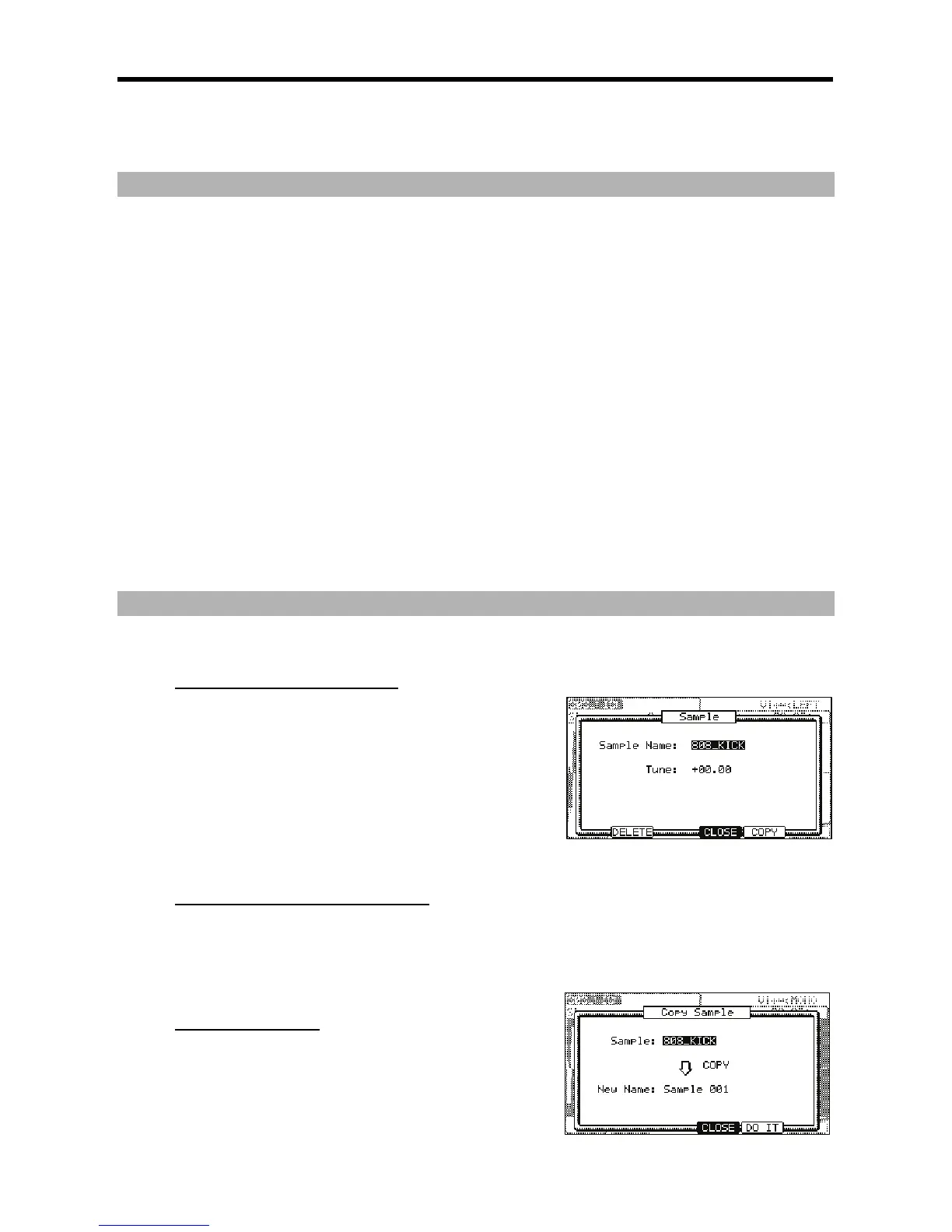
The Sample window will open.
G 0,/,#
For more information for setting the name, see the 'Setting Names' section on Page
18.
> 4->6)I&/5*
It closes the window and goes back to TRIM page.
."$.$#./""'(
0,,# @#@
)=V=*J7&87+
/ /
%#%#
#7&87+
)""'(
J
= 0,/,70#
@ 401;&6
The Sample window will be displayed.





 To Next Page