EasyManua.ls Logo

Akai MPC 5000 - Page 122

Akai MPC 5000
199 pages
Print Icon
To Next Page IconTo Next Page
To Previous Page IconTo Previous Page
Loading...
//
=A
#   +O   -+& 5 
+O&
."$#.$.(#$)
J%)*
= 0/7&87+#
The pad number display in the left of screen will change according to the pad you
hit.
@ /,,
G 401;&6
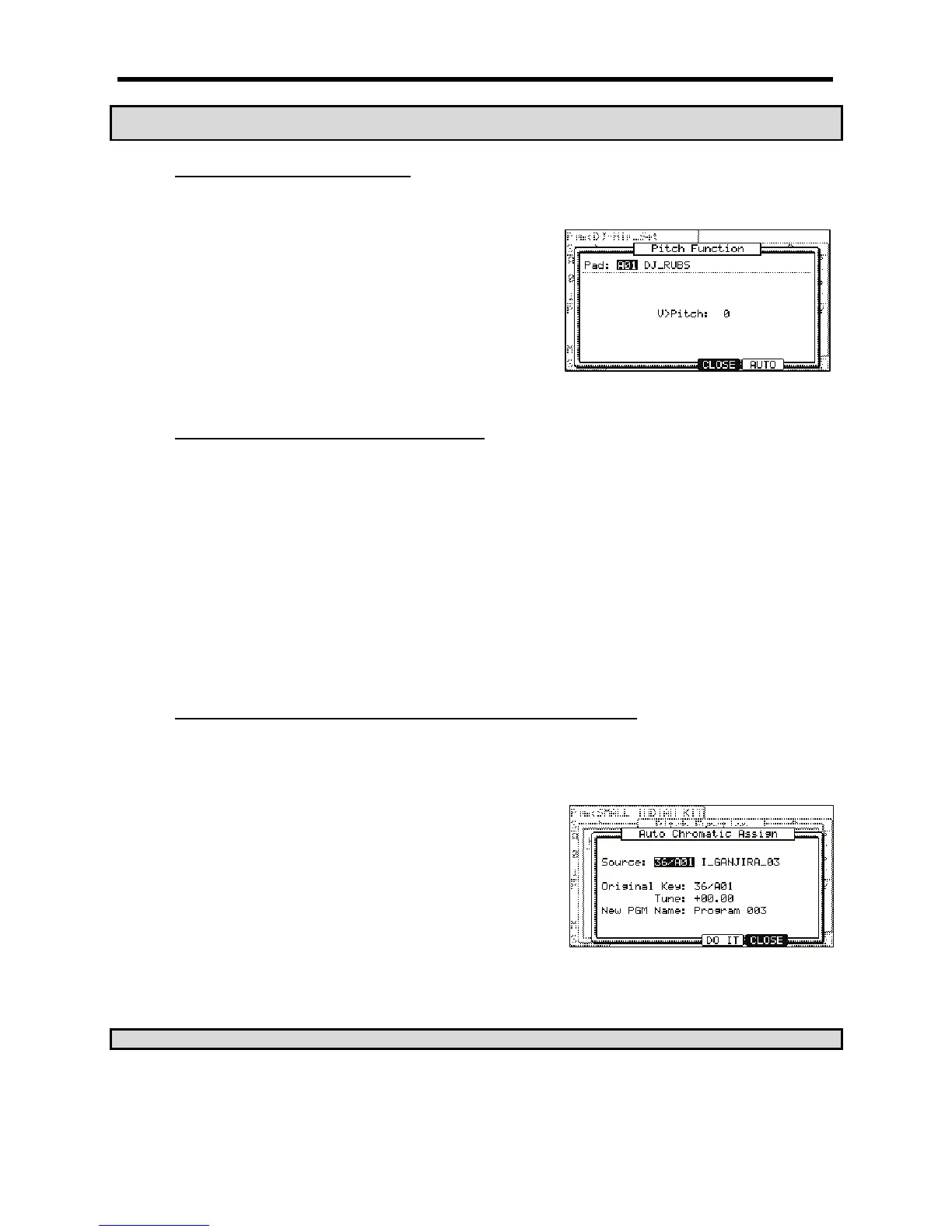
The PITCH FUNCTION window will be displayed.
> /,DS,
 +!%%

If you set this field to 0, the sample pitch will not change with velocity. The larger you set the value, the higher the pitch will be.
(")"("'($."%
J>#%

= 0/7&87+#
The pad number display in the left of the screen will change according to the pad you hit.
The 'Pgm' field in the upper left corner displays the name of the currently selected program. You can change the currently selected program in the
'Pgm' field.
@ /,=,
You can select the samples currently saved in the MPC5000’s memory by turning the [DATA] wheel.
G /,@,
When you hit the pad, all the samples assigned to the selected pad will play simultaneously.
> 7G,G,,>,
Up to four samples can be played per pad.
+"'("#(("%9$>.'"$#;
/           B>  # )+; += ' ;=B* 
G'KA0;0

#
= 4&;56H4+;B6)*
@ 
G +         

> /,,401;&6
The 'Pitch Function' window will be displayed.
 4-6)+:&*++
In the Source and Original key fields, the display characters show the MIDI note
number and drum pad number: 36/A01 is MIDI note 36/pad bank A, drum pad number 1.
B /0;0/
You can select the sound with the drum pads or the DATA wheel (the name of the sound also appears).
#&
C 0,&,#0;02the original pitch of the
sound.
You can also use the 'Tune' setting to apply an offset to the original pitch. This setting will affect each note.

Other manuals for Akai MPC 5000

Related product manuals