EasyManua.ls Logo

Akai MPC 5000 - Page 130

Akai MPC 5000
199 pages
Print Icon
To Next Page IconTo Next Page
To Previous Page IconTo Previous Page
Loading...
//
==B
&.+)$.!$$
4/J196"#
###
0,4/J196"'."
"$"+)$."'
#3
&C
&*5=<&
= 4&;564+;B6)7&87+*
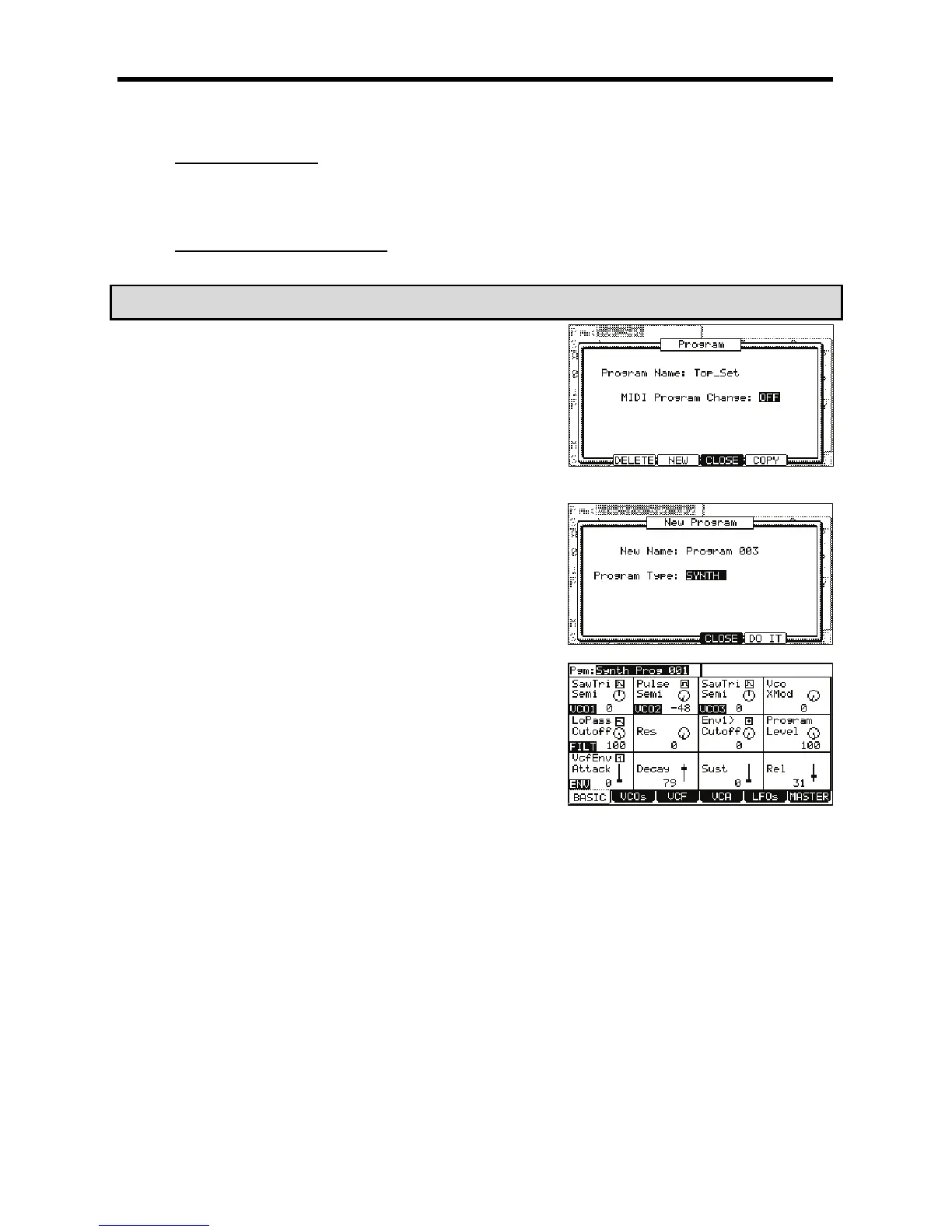
This will enter PROGRAM mode.
@ /,,401;&6
The Program window will be displayed as shown.
G 4-G6)15*
The New Program window will be displayed as shown.
> 0,1,#4;++6
The name window will be displayed. Set the name for the new program and press
the [F5] (DO IT) button. For more information about setting the name, see the
'Setting Names' section on page 18.
 0,,#/
B 4-6);&0*
The new program will be created, and the Basic screen will be displayed.
The new program is a default template of a very basic synth sound. You can play
this sound by hitting the pads.

Other manuals for Akai MPC 5000

Related product manuals