."$4D +""%"%956+:%;
/"0#
%J%
8$'')#"%
0 00 L @
#
%
(0&#&
#0>I(IB(&
? & *
*=<=&
/%
0#%/+D5#
4&;564+;G6);0/E*
+(#$$.%$"$
J%9;9#
%#
= 4&;564-G6);0/E*
This will open the DISK page.
@ 4-@6)/+D5*
The SAVE page will be displayed.
G /%%
For this example, choose the Hard Drive.
> %2
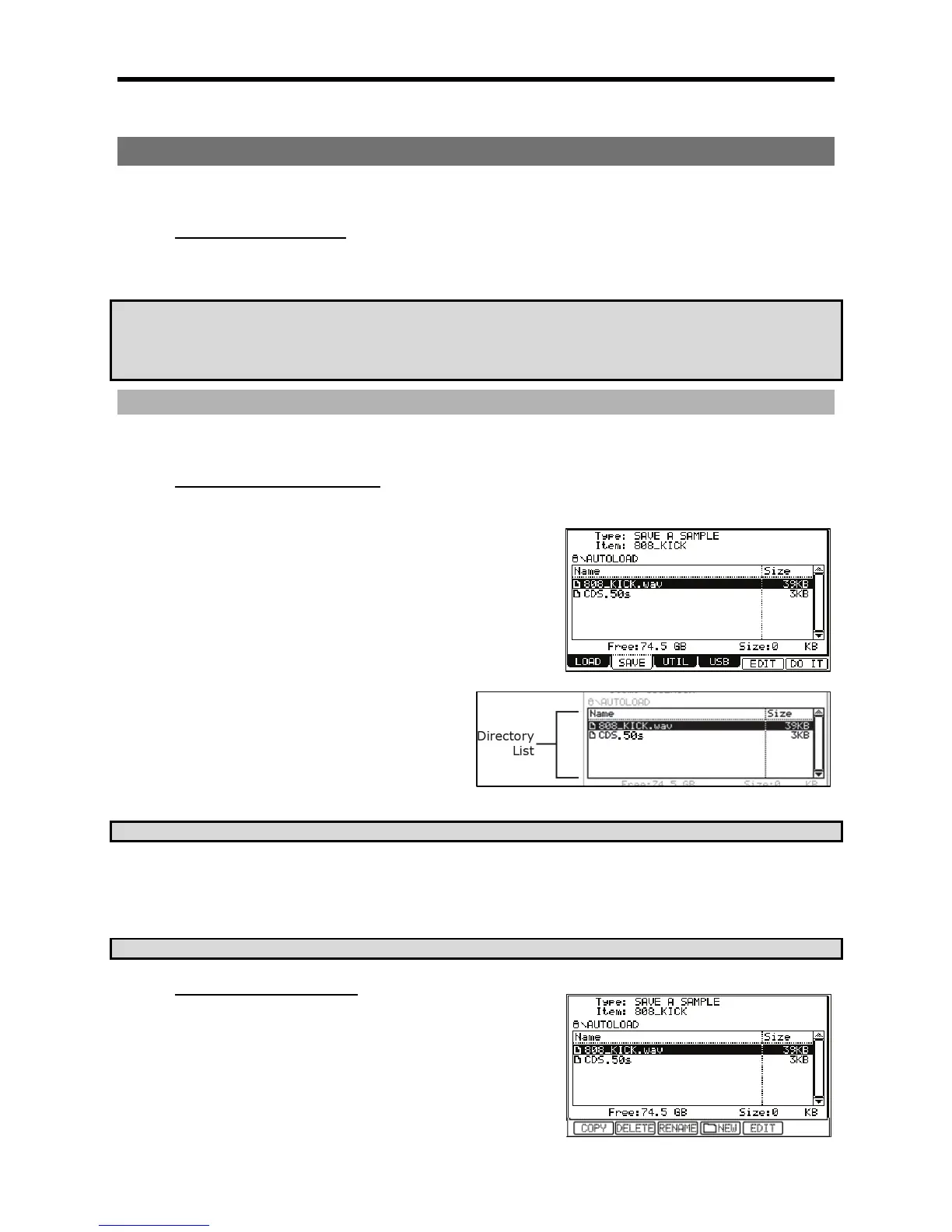
The files in the Hard Disk are saved in the directories
hierarchically, like other computer files.
You can use the [DATA] wheel to move through the list to select
different folders. Pressing the left/right [CURSOR] buttons will
move through the directories.
For example, as shown in the picture above, when you scroll
with the [DATA] wheel to select the AUTOLOAD folder and then
press the right cursor button again, the AUTOLOAD folder will be displayed above the Directory List, and the contents of the AUTOLOAD folder
will be displayed. If you press the left cursor button, the Directory List will go back up to the ROOT directory.
#+$$#,4&#&
/%
If you wish to create a new folder, proceed to the next step. If not, proceed to the next section, which details saving each file type.
+"$'"#$(".
In order to save to Compact Flash, replace HARD DRIVE with CF CARD in step #3 above.
&
"$"(%
J
= 4-@6)/+D5*/+D5
@ /
The new folder will be created in the folder currently selected. The name and path
of the current folder will be displayed above the navigation window.
G 4-6)5;0*





 To Next Page