=
I
0##0-#
0 9 ;# 0 ; ;% )* I&+; #
4&;564+;G6);0/E*
+(#$"(
#3
= 4&;564+;G6);0/E*
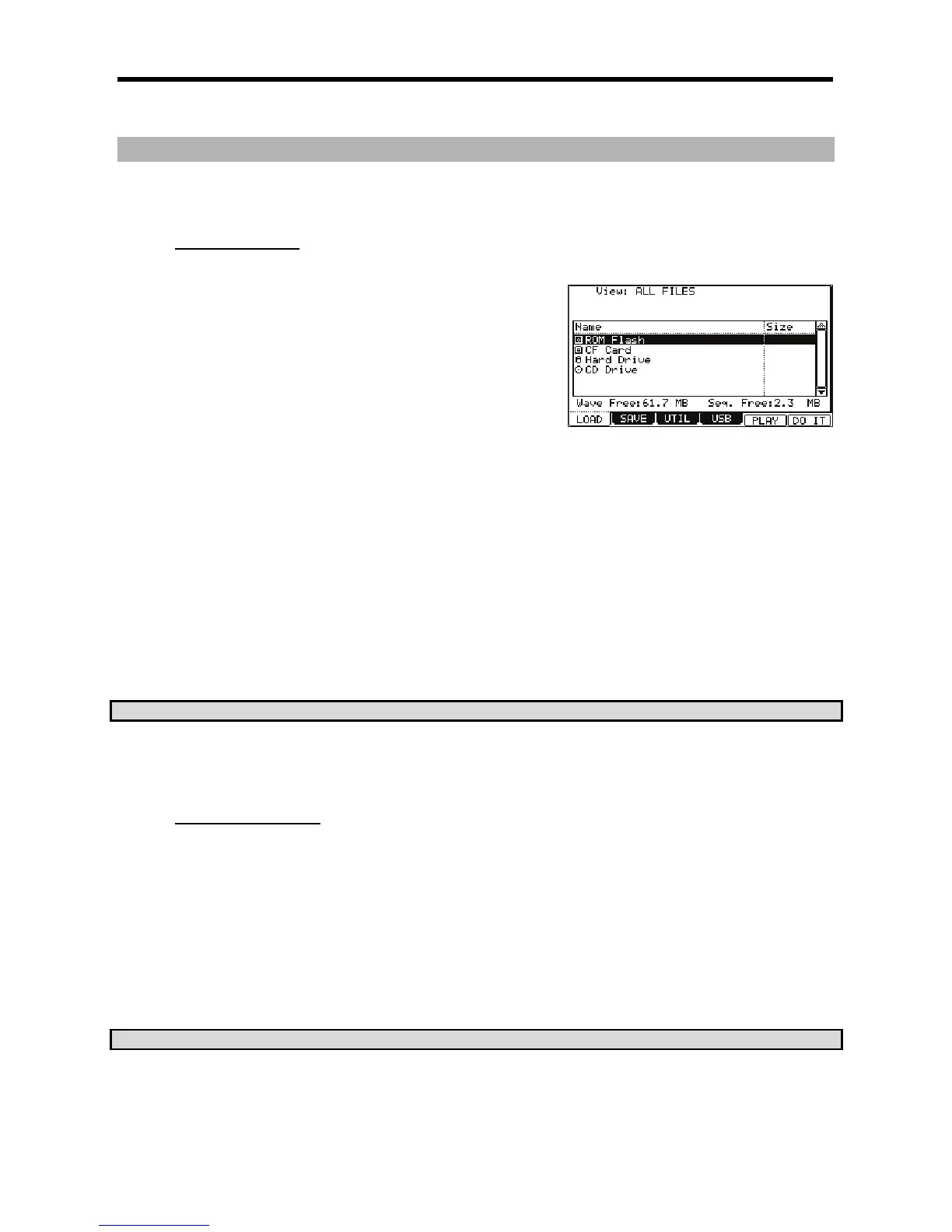
The LOAD page will be displayed. If another page is displayed, press [F1] (LOAD).
@ /
(".
The MPC5000 will load the data from the internal preset memory.
Normally, when you switch on the MPC5000, it will load the data from
the preset memory, but you can load these files individually by selecting
'ROM Flash' here.
5
The MPC5000 will load the files from the memory card in the card slot.
556+:
The MPC5000 will load the files from the internal HARD DISK.
59$"(;
The MPC5000 will load the files from CD-ROM disk in the internal CD Drive. (Optional).
G 0;I#
Files can be selected by turning the [DATA] wheel. Use the left and right [CURSOR] buttons to navigate through the directory. For more on
navigating through directories, see 'Selecting the destination' on page 149.
> /
4-B6);&0*
The MPC5000 will load the selected file.
The next procedures differ depending on the type of selected file.
?*L2$54!*%925C;
8$$.II/(%T
The View field of the LOAD page is normally set to ALL FILES to display all types of the files in the 'Directory' field. You can change
the setting of the View to display only the selected type of files. It is useful when you need to find a file from a large list. Select the
'View' field and select the file type to display by turning the [DATA] wheel.
"%"+"'(
JJ
= /I&+;+/+I5
You can listen to the sample by pressing the [F2] (PLAY) button.
To cancel the loaded sample, press the [F4] (DSCARD) button.
@ /
When you hit the pad, the pad number will be displayed in the Assign to pad field.
If you do not wish to assign the sample to any pad, select OFF by turning the [DATA] wheel to the left.
G 4-6)E55*
The loaded sample will be assigned to the selected pad.
CQ&R&#>3I3I@2&





 To Next Page