EasyManua.ls Logo

Akai MPC 5000 - Page 173

Akai MPC 5000
199 pages
Print Icon
To Next Page IconTo Next Page
To Previous Page IconTo Previous Page
Loading...
=K
(;
%5
+ ;D;2;7' %);'@*  + ;; 
;;D;;#
> 4-G6):0I0*
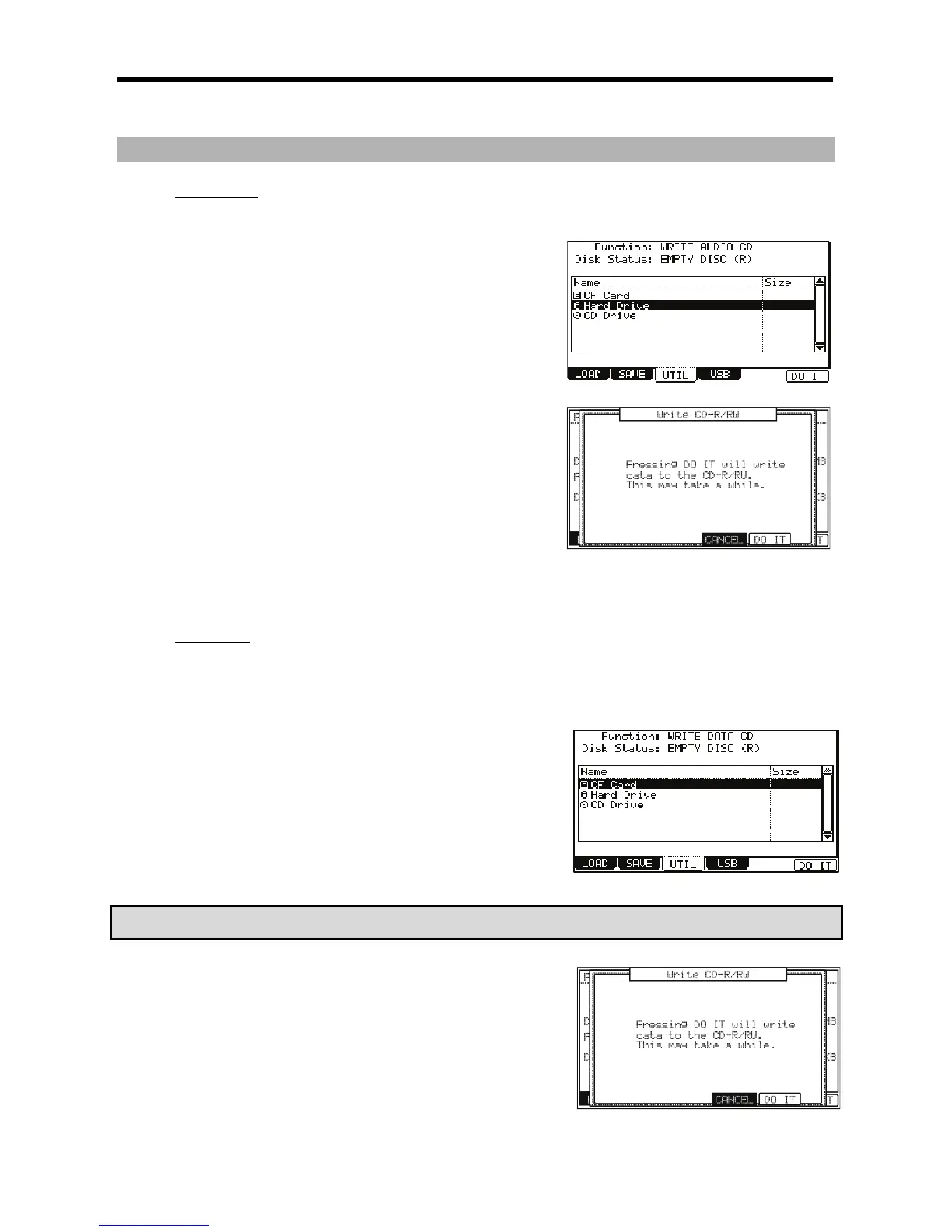
The UTILITY page will be displayed
 /705+:;0&;,-,
When a disk is inserted into the CD drive, you will see EMPTY DISC in the 'Disk
Status' field, as well as (R) or (RW) indicating whether the disk is a recordable (R) or
rewritable (RW) type CD.
B /;
You can select RAM, Hard Disk, or Memory card as the source in the Directory List,
as well as which folder it resides in.
C 4-B6);&0*
The WRITE CD-R/RW window will be displayed.
A 4-6);&0*
The MPC5000 will begin writing the audio file to the CD. Each audio file will be its
own individual track.
J%#,%
%;&;#;
     ;#            /    ,
/,=B
5"$"5
      ; ;#     
#
;;#
= 4-G6):0I0*
The UTILITY page will be displayed
@ /705;++;,-,
When a disk is inserted into the CD drive, you will see EMPTY DISC in the 'Disk
Status' field, as well as (R) or (RW) indicating whether the disk is a recordable(R) or
rewritable(RW) type CD.
G /             
;
You can select RAM, Hard Disk, or Memory card as the source in the Directory List,
as well as which folder it resides in. You also can preview audio files selected by
pressing [F5] (PLAY).
C'''47+
&
> 4-B6);&0*
The WRITE CD-R/RW window will be displayed.
 4-6);&0*
The MPC5000 will begin writing the data to the CD. The data will be automatically
written to the ROOT of the CD. If you write a folder to the CD, additional files and
folders within the selected folder will be copied within that folder, maintaining the
directory structure.
J%#,%
     %   ; &    
;#;;#

Other manuals for Akai MPC 5000

Related product manuals