&/
=CB
+$$$.5&5$"($$
1#+;+3
+;+ &
= /575&&:I
@ /575&&:7
G 0F&:G
> 0F&:>
0F&:
B 0F&:B
C 0F&:C
A 0F&:A
9%# % ,+;+ =H@, +//081 &: =\@#
.4+;+&:6
$.$$#.
J @
%)./2/"#O*
= -&&/09!
@ 4&;56 # 4+; K6 )&957*
&957
G 4-@6)-&&/*
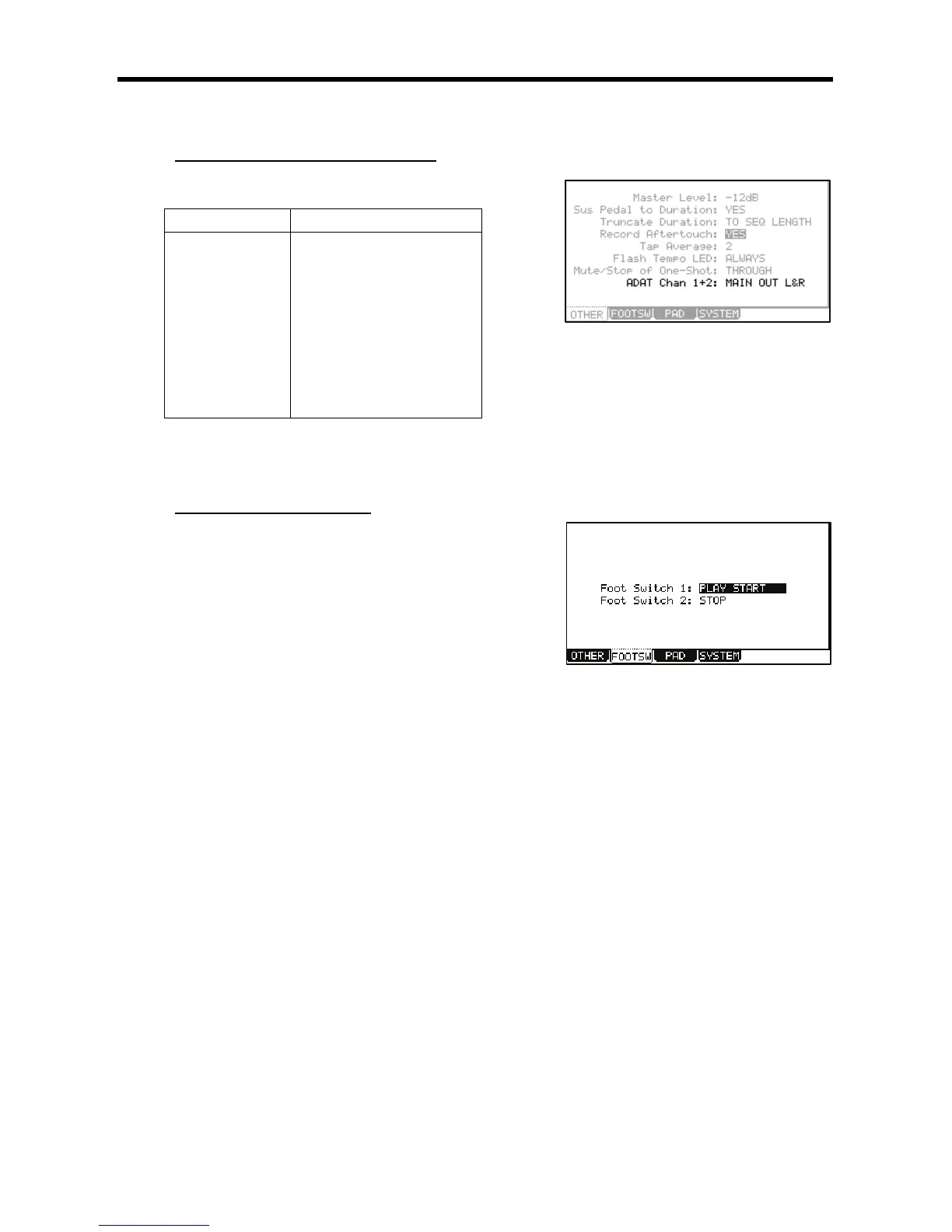
This brings up the FOOTSW page, where you can make settings for the foot switch.
> / -= ,-
=,#-@,-@,
You can select the following functions.
+&&
The Footswitch will act the same as pressing [PLAY START] button.
The Footswitch will act the same as pressing [PLAY] button.
+&
The Footswitch will act the same as pressing [STOP] button.
3+&
When you step on the Footswitch in stop mode, the MPC5000 will start playback at the current stopped position.
When you step on the switch in play mode, the MPC5000 will stop playback.
+&&3+&
When you step on the Footswitch in stop mode, the MPC5000 will start playback from the beginning.
When you step on the switch in play mode, the MPC5000 will stop playback.
H
The footswitch will act the same as when you press the [REC] button and the [PLAY] button simultaneously (recording).
5!H
It works the same as pressing the [OVER DUB] and [PLAY] button simultaneously (overdub).
3
When you step on the switch in stop mode, the MPC5000 will start playback.
When you step on the switch in play mode, the MPC will start recording.





 To Next Page