=CC
In RECORD mode, the footswitch will start playback.
5!3
When you step on the switch in stop mode, the MPC5000 will start playback.
When you step on the switch in play mode, the MPC will start overdubbing.
In overdub mode, the footswitch will start playback.
&&
Pressing the footswitch will work as if the [TAP TEMPO] button was pressed.
5>4
Pressing the footswitch will work as if the selected pad was played.
>4
Pressing the footswitch will work as if the corresponding function button was pressed.
5!:>5
Pressing the footswitch will work as if the corresponding Pad Bank button was pressed.
&&
Pressing the footswitch will work as if the [NOTE REPEAT] button was pressed.
%@$'$/"%+$$)"%(#$)
5##%0;0D%
2 #
%
0%%#%
=@C % % # % %# % =@C % #
!/%%%%D%!
= 4&;564+;K6)&957*
The Other page will be displayed.
@ /+;4-G6)+;*
G / ! /%
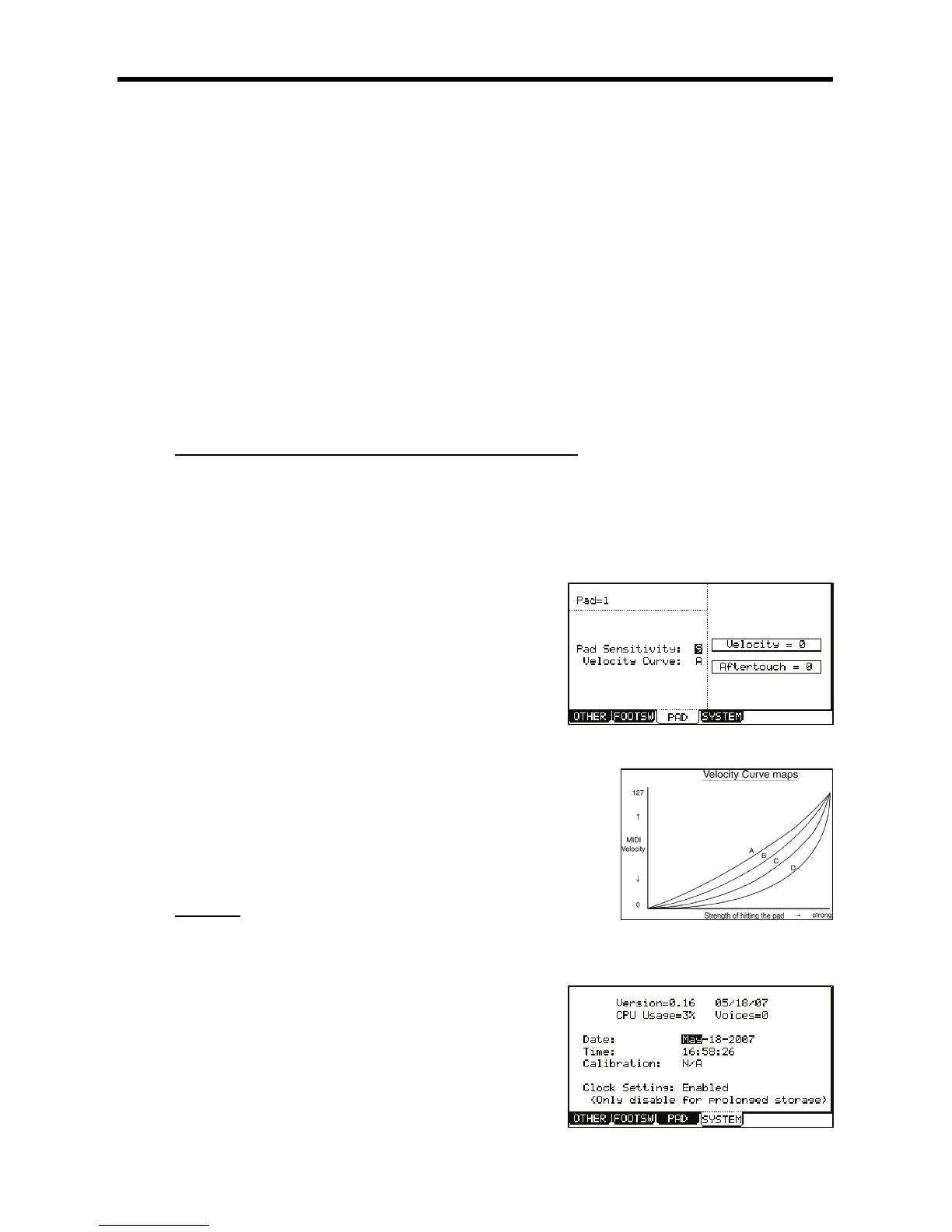
The selected Pad Number will be displayed in the 'Pad' field. The number of the
current Pad sensitivity and the current Velocity curve will be displayed in 'Pad
Sensitivity' field and 'Velocity Curve' field. Velocity and Aftertouch will be displayed
in meters on the right side of the screen.
> /,/%,!%
If the Pad sensitivity number is set to a low value, it’s harder to get a high velocity value even if
you hit the Pad hard. If the Pad sensitivity number is set to a high value, it may become too
easy to get high velocities even when hitting the Pad softly.
/,D%,!D%
The velocity curve maps the strength of hitting the Pad to MIDI velocity data. If the Velocity
response is not enough even with a range hard/soft Pad hits, try switching the velocity curve
from A-B-C-D.
++&
#4->6)/J/5*&957
The MPC 5000’s operating system is upgradeable and allows us make
changes to existing features after it has left the factory floor. To make
sure you have the latest version of the OS, you can check the version of
the OS in Other mode.
To confirm you have the latest operating system, check the support
section of http://www.akaipro.com.
"
This parameter displays how much system resources are being used.





 To Next Page