@C
;0/"-
+$$$.$./"+1#
(#"@'#=KKK
= 0+01#,(,
The 'Bar' field displays the current sequence length.
@ 4;++6#401;&6
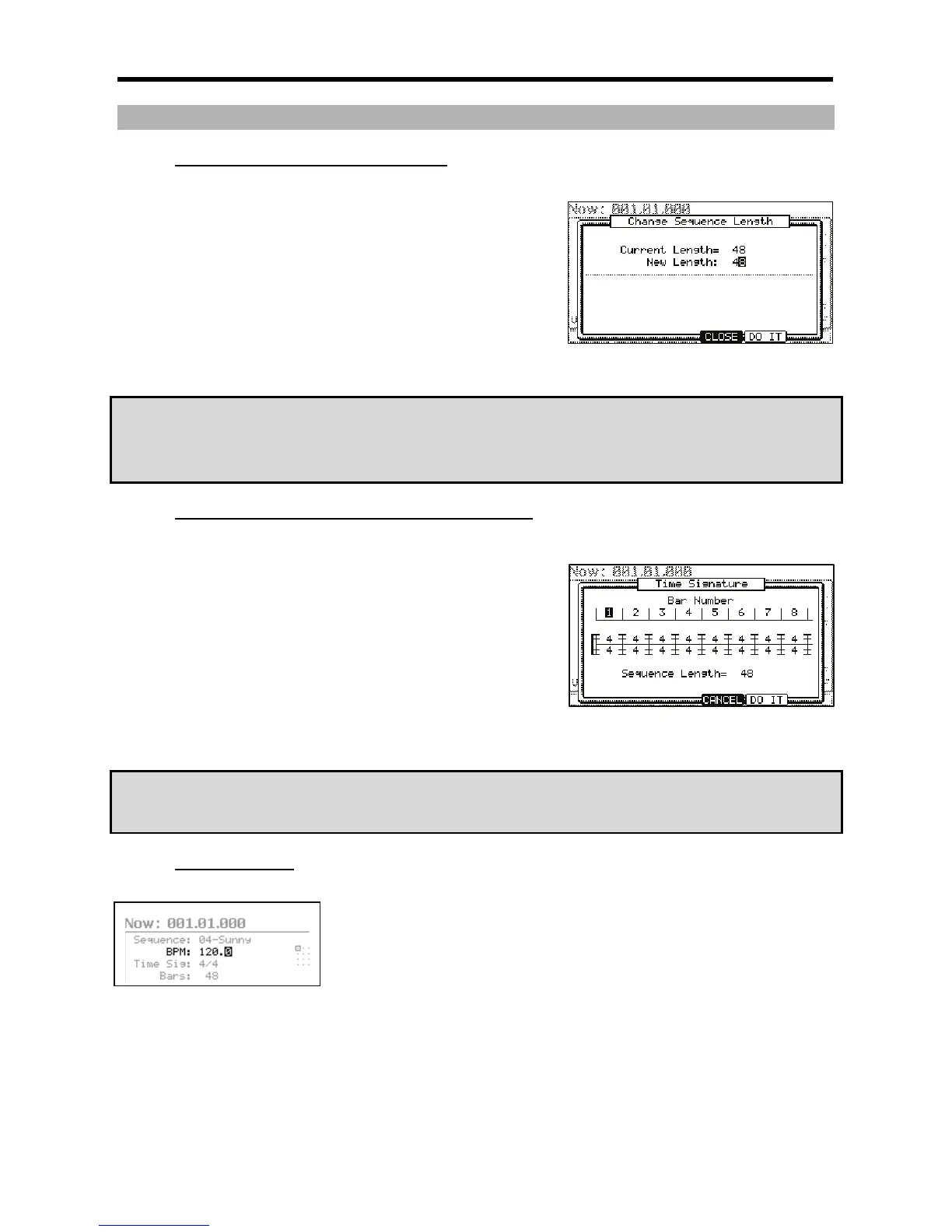
The CHANGE SEQUENCE LENGTH window will be displayed as shown. .
G 0,1I,#
If you set a larger number than the current value, empty bars will be added at the
end of the sequence. If you set a smaller number, the bars in the end of the
sequence will not be played.
> 4-6);&0*
That applies the new setting and closes the window.
&
/ '
-$# F
"$-B &*"$-B
&
+$$$.&'+"$/$.+1#
(#">2>#
= 0+01#,/,
The 'Time Sig' field displays the current value.
@ 4;++6401;&6
The TIME SIGNATURE window will be displayed.
The upper part of the screen indicates the number of bars. The currently selected
time is displayed below it.
G /#
Select the bar to change the time with the right/left cursor keys and change the time
with [DATA] wheel.
> 4-6);&0*
That changes the time signature of the bars and closes the window.
&
/ '
-$#&# 1
F
+$$&'
J##+01,(,
J ( " G G
.%0;0#,(,
,5F,# % .
J("#(
" % /5 5;0
)/>G*





 To Next Page