5/"
GA
0,,#
The MPC5000 will overwrite the destination with the source data. The data that is already in the destination will be removed.
<
The MPC5000 will merge the source data with the data that is already in the destination.
B 0,/,#
C 0,,#
To copy the same phrase repeatedly, enter the number of copies in the 'Copies' field. You can copy it repeatedly with one operation.
A 4-B6);&0*
The MPC5000 will start copying the data.
$9;
J%%:#%
= /,5,5D51/5$5;0#
&D5
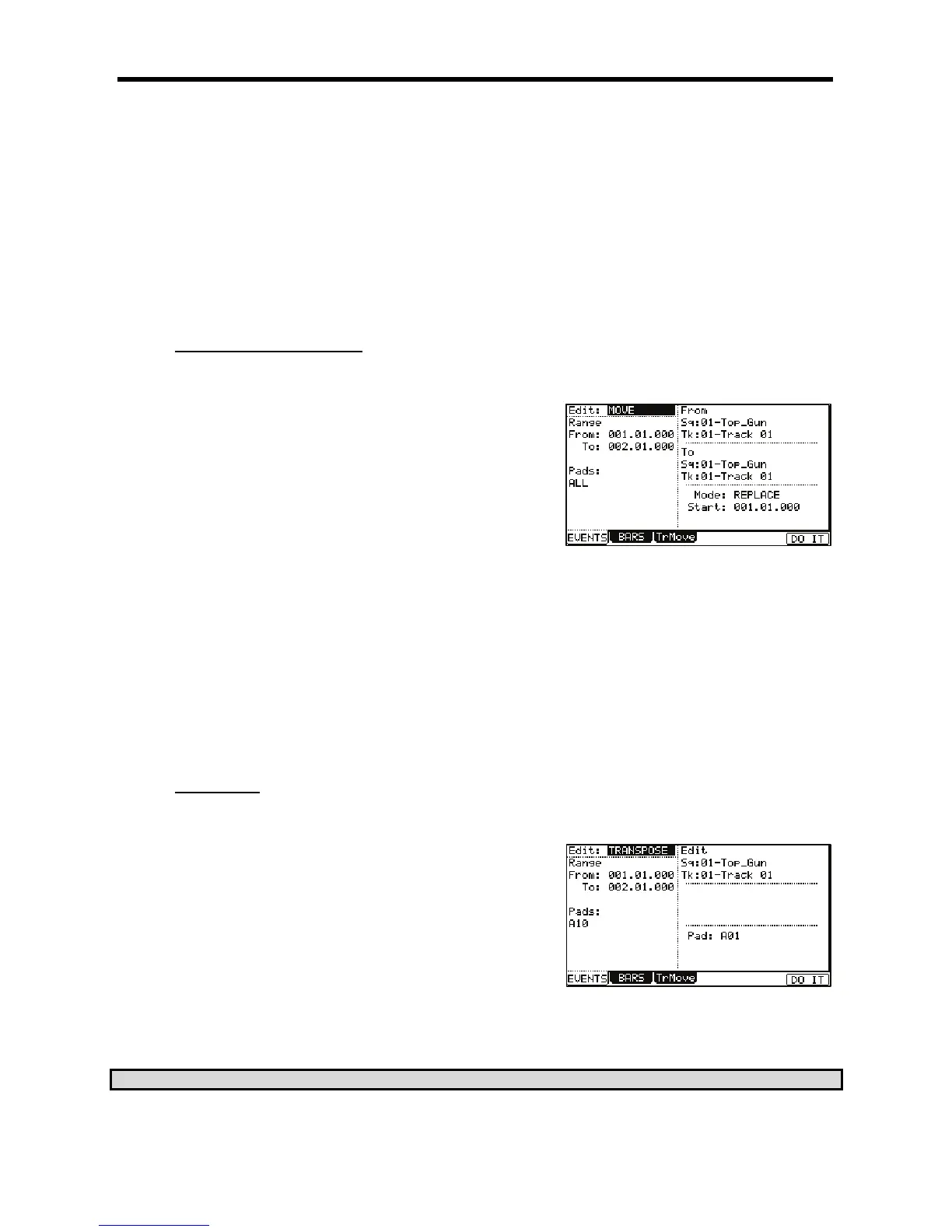
The various fields necessary for moving will be displayed.
@ 0,7,,21,#
%
G 0,-/",,,#
"
> 0,/",,,#
"
0,,#%
The MPC5000 will overwrite the destination with the source data. The data that is already in the destination will be removed.
<
The MPC5000 will merge the source data with the data that is already in the destination.
B 0,/,#
The MPC5000 will start moving the event to the time selected here.
C 4-B6);&0*
The MPC5000 will start moving the event.
&"
J)*%# ;7:
0;0
= /,5,5D51/5$5;0#
7+1/&/5
The various fields necessary for the transpose will be displayed.
@ 0,7,,21,#
G 0,5/",,,#
"
When the MIDI track is selected, the 'Amount' field is displayed. Set the amount of
the transpose in the 'Amount' field. The unit of the amount is semi tone. When the
DRUM track is selected, the 'Pad' field is displayed. You can change the selected pad event to another pad event. To do this, select the pad event
you wish to change in the 'Pad/Notes' field and then select the destination Pad in the 'Pad' field.
In the Edit 'Sq' field and 'Tk' field, you can select ALL by turning the [DATA] wheel.
When you select ALL, the Transpose is performed on all sequence or all tracks.
?522#44+.&
> 4-B6);&0*





 To Next Page