BG
D7
% % #4->6)D05*9##%
I75&7;#,1,,/,%
%$
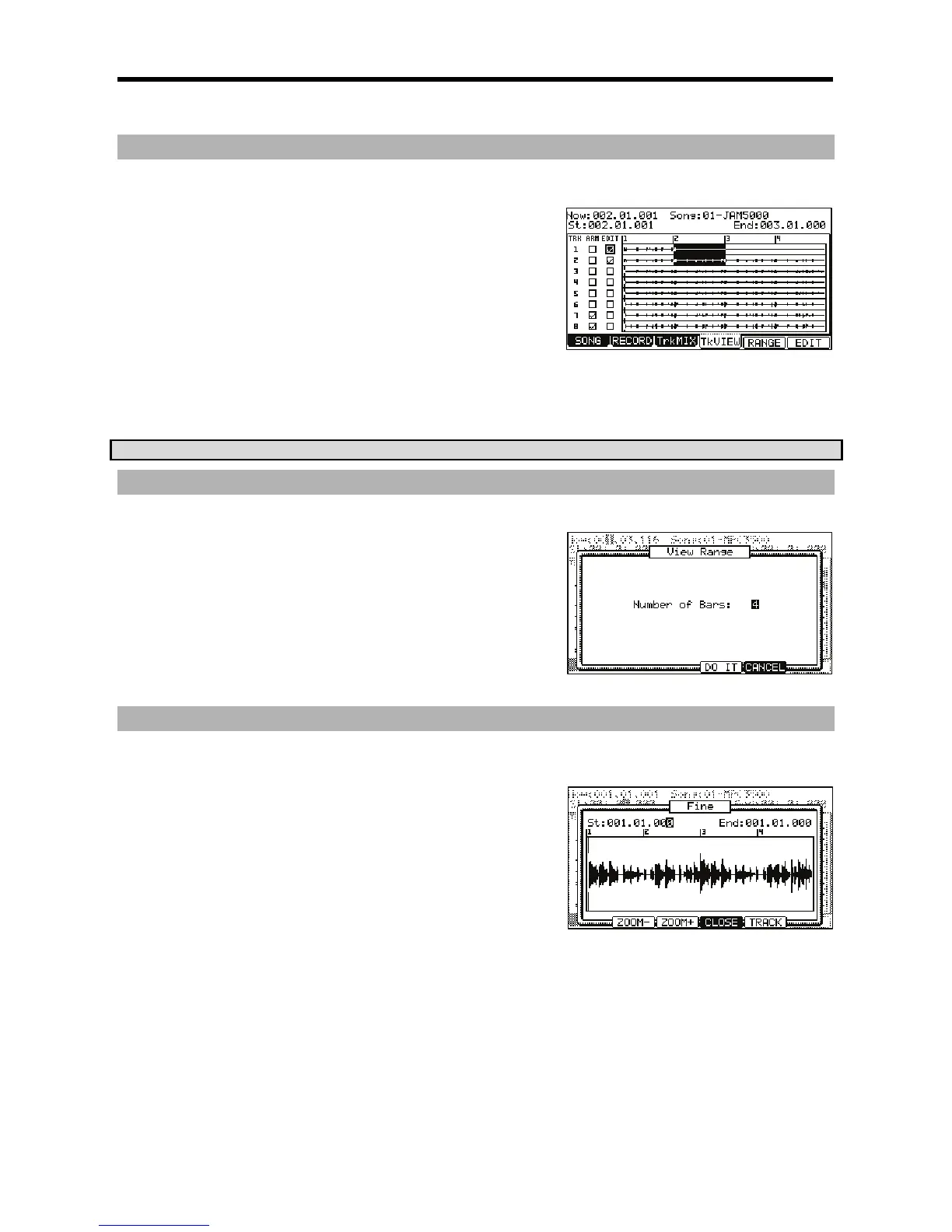
This check box selects which tracks will be edited. This selection can
be navigated to by using the [CURSOR] buttons, and checked or
unchecked by turning the [DATA] wheel. In the example to the right,
tracks 1 and 2 are selected for editing.
'
This read-only column shows you which tracks are set to be recorded in
the RECORD tab.
+&"%5&'
This is where the range for selected edit functions are selected. The time range selected will be displayed by highlighting in white.
For example, in the picture shown, the range of 002.00.001 to 003.00.000 is selected. You can edit these fields by scrolling with the
[DATA] wheel. If you press the left or right [CURSOR] buttons while holding [SHIFT], you can move the cursor to higher points within
the numeric display to allow for quicker value selection. You can also enter the value directly with the numeric keypad.
Additionally, the start point can be edited by moving the [Q1] Q-LINK slider while the field is selected.
&
/D7
JL%
#!%
/D7#3
= 4-6)7+185*
The View Range page will be displayed.
@ 0?1(?#%
You can select a view range as small as one measure, up to the entire range of the
song.
G 4->6);&0*
This will return you to the 'Track View' page, with the selected range displayed.
D0%;
JL%%
%#3
= /,/,,5,
Fine View will zoom to the start or the end point depending on which you select.
@ 401;&6
The FINE page will be displayed.
G U 4-@6 )U&&'* 4-G6
)U&&H*#%
The screen will zoom in or out, with the point selected in the 'St' field justified to the
left.
> /,5,U4-@6)U&&'*4-G6)U&&H*#
%
The screen will zoom in or out, with the point selected in the 'End' field justified to the right.





 To Next Page