BC
=$
5.=B@>'%9
;#
= 4&;56H4+;=B69;75&7;
@ 0,/,#.
G 4->6)D05*7+ED05
> 4-B6 )5;0* +:;0& 5;0
0,5,#,5.,
B 0,,#5.
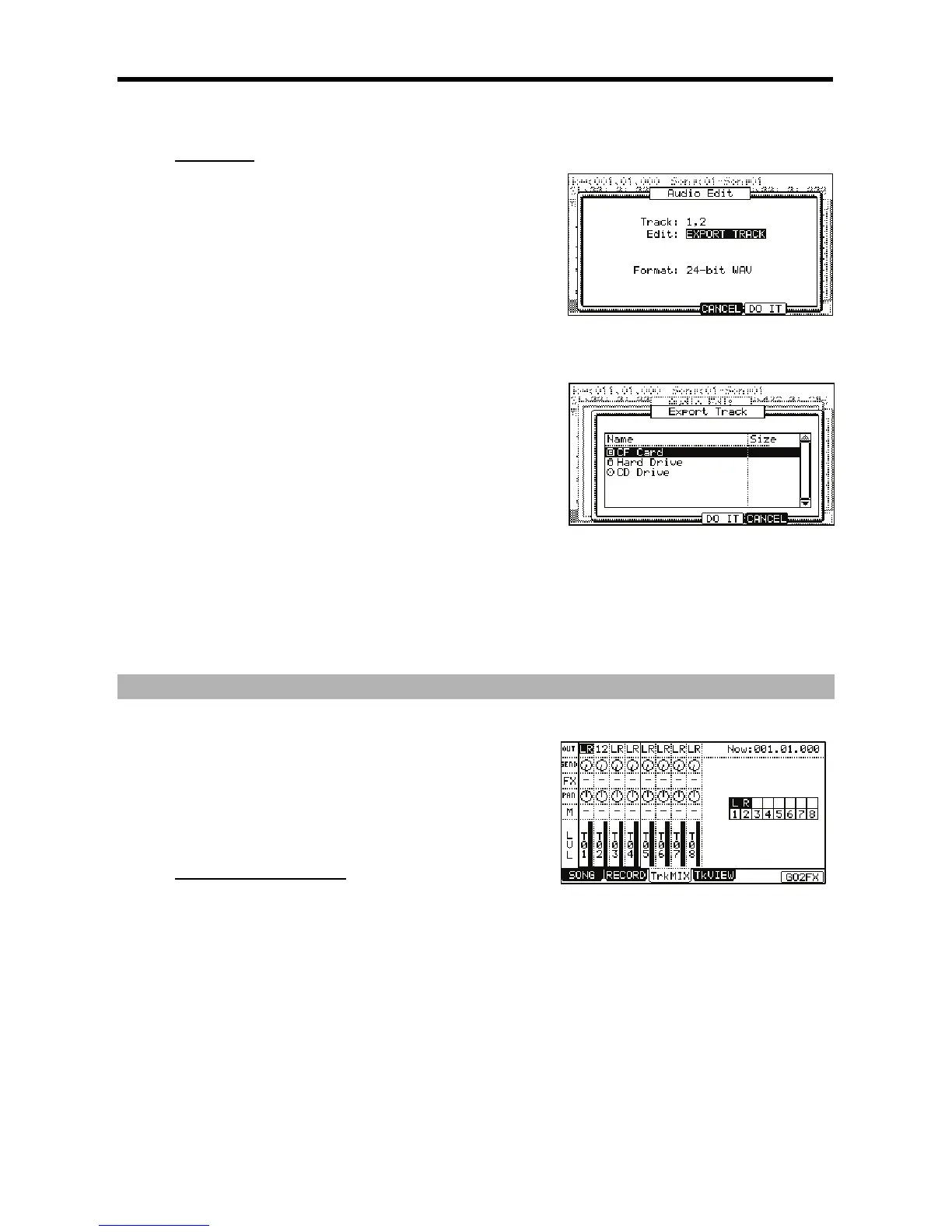
You can choose any of the eight Hard Disk tracks to export, or you can export all of
them by selecting 'ALL'.
C -,-,#=B@>'
If you will be burning this track to a CD, select 16-bit. If you will be importing the file
into a 24-bit capable audio application, select 24-bit.
A 4-6);&0*
This will open the window shown to the right. Here, you can select device and
destination you wish to save the exported track to.
K 0,/%,#%.
= /%,-,
You can navigate to different folders using the up and down [CURSOR] buttons and open and close folders by pressing the left or right
[CURSOR] buttons.
For more on loading files and browsing drives, see 'Saving and Loading (DISK Mode)' on page 149.
== 4-6);&0*.
This will export the selected file into the selected directory.
.9;
&%#9;9;.#
= 4&;56H4+; =B6 )9; 75&7;* 9;
75&7;
@ 4-G6 )7E0F* 9+7; ;0/E 7+E 0F
The Columns shown represent each of the eight Hard Disk tracks. Each Track
Number will be displayed next to the LEVEL indicator in the LVL row.
+$$&"#$$
9 ; #
= 09;75&7;#4-G6)7E0F*
The TRKMIX page will be displayed.
Each column indicates Hard Disk tracks 1-8 and the currently selected track is highlighted. The row at the top is the 'OUT' field, where you where
you will assign a track to a specific assignable output.
@ 9
The column for the selected track will now be highlighted.
You may also select each track by using the [CURSOR] buttons.
G /&:
You can use the [CURSOR] buttons to move to each field in MIXER mode, and you can adjust each level with the [DATA] wheel. The following
choices are available:





 To Next Page