0F57
A
.
07+E0F57#%%
#&7+E0F57#,
!%B>"
+$$$.("%"$/"&"#
= 4&;564+;C6)0F57*
@ 4-@6).*.
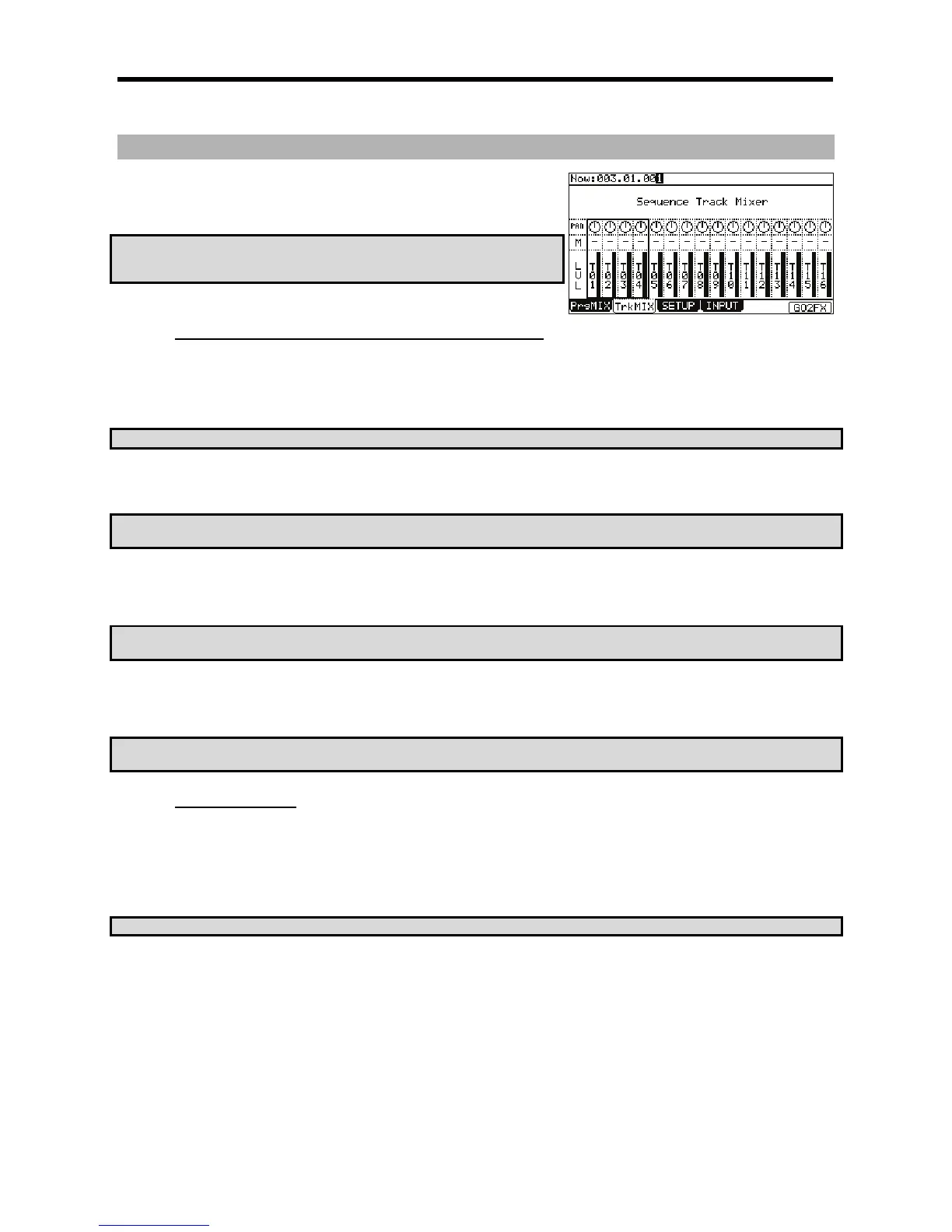
In this display, each column indicates tracks 1 though 16, starting from the left, and the currently selected track is highlighted. The bar display on
the bottom indicates the current level. Longer bars indicate higher levels.
=67<K!54(5-J%&
G 9
The column of the selected track will be highlighted. You can select several tracks by hitting pads while holding down the [SHIFT] button. You can
also select all 16 tracks displayed by pressing a [PAD BANK] button while holding in the [SHIFT] button.
? ' 92' ;
'&
> +!I%%IDI
The bottom row is labeled 'LVL'. Here is where the level setting of each track is set. The dark line in each column represents the relative level of
each track, much like faders on a mixing board. You can use the [CURSOR] buttons to move to each field in MIXER mode, and you can adjust
each level with the [DATA] wheel.
CA72-J&*
A72-J@)+.A72-J@)+M=&
+!%+1
The row of knobs above the track level is labeled 'PAN'. Here is where the pan position of each track is set. The knob position in each column
represents the relative pan position of each track, much like knobs on a mixing board. You can use the [CURSOR] buttons to move to each field
in MIXER mode, and you can adjust each level with the [DATA] wheel.
CA72-J&*
A72-J@)+.A72-J@)+M=&
$"&"#
50F57#3
= 00F57#4-@6).*
The TrkMix page will be displayed.
Each column indicates track 1 though 16 from the left and the currently selected track is highlighted. The row at the top is the 'OUT' field, where
you where you will assign a specific track to a specific assignable output.
=67<K!54(5-J%&
@ 9
The column for the selected track will now be highlighted.
G 0:5);,,*#4;++6
>
Track will play as normal
Track is muted
# /
&
4&


 To Next Page
 Loading...














