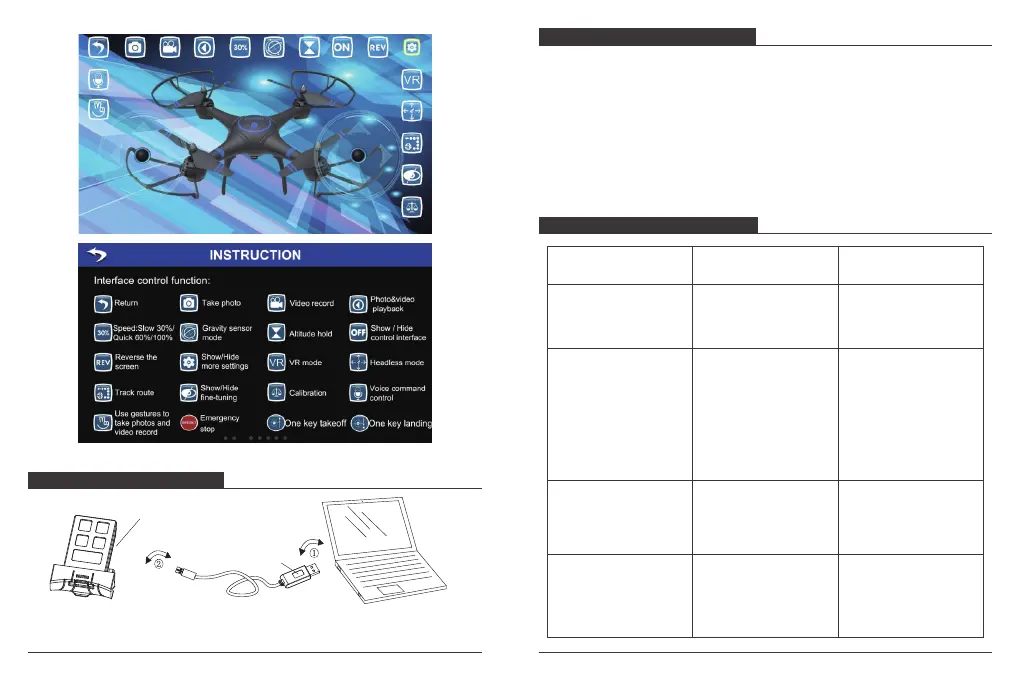
Note: The red indicator light stays on during charging, and turns off when fully charged.
CHARGING THE BATTERY
TROUBLE SHOOTING GUIDE
Li-po Battery
Indicator Light
Take out the USB charger cable, and insert the battery power port to it, make sure the ports
connect tight and correct.
Insert USB port to get it charged
Note: It takes 2 hours to charge, red light indicate is charging, when the light turns off
indicate is full charged, and do not charge it once completed.
For safety concerns, battery charging mush be done under supervision at all time.
DRONE BATTERY CHARGING
11
12
Turn on both the drone
and transmitter , but the
drone can not fly up?
No response after battery
is connected to drone?
Motor does not rotate
when push rockers up,
drone LED light flashes?
Main rotor spins but
unable to take off.
1. Propeller deformation
or damaged.
2. Drone battery is in low
power.
1. Replace main propeller.
2. Charge or replace with a
fully battery.
Drone battery is in
low power.
Full charge the battery,
or replace with a fully
charged battery.
1. Check transmitter and
drone voltage.
2. Poor connect on battery
terminals
3. Check that the power
switch has not been turned
on.
1. Turn on transmitter and
ensure fight vehicle battery
is inserted properly.
2. Use fully charged battery.
3. Please switch to the “on”
position.
The drone is not connected
to transmitter successful.
Repeat the pairing
process, connect
transmitter to drone.
SITUATION REASON SOLUTION


 To Next Page