Door Control Unit User Manual
Updated until firmware 404p - 26 -
The Expansion Board tab is where we can check the status of the Main Door Controller
Module , enable or disable additional CCU‟s (Cabinet Control Units) or additional
Expansion Units such as an E-sensor8 Expansion unit.
We can also enable or disable the Filter Status of the modules.
We can just choose each board from the Select an Expansion Board drop down menu as
shown in the screen shot above.
You can also right mouse click on the module or CCU in the serverExplorer then click the
Configure to also open the same Expansion Board tab for each module.
Door Settings
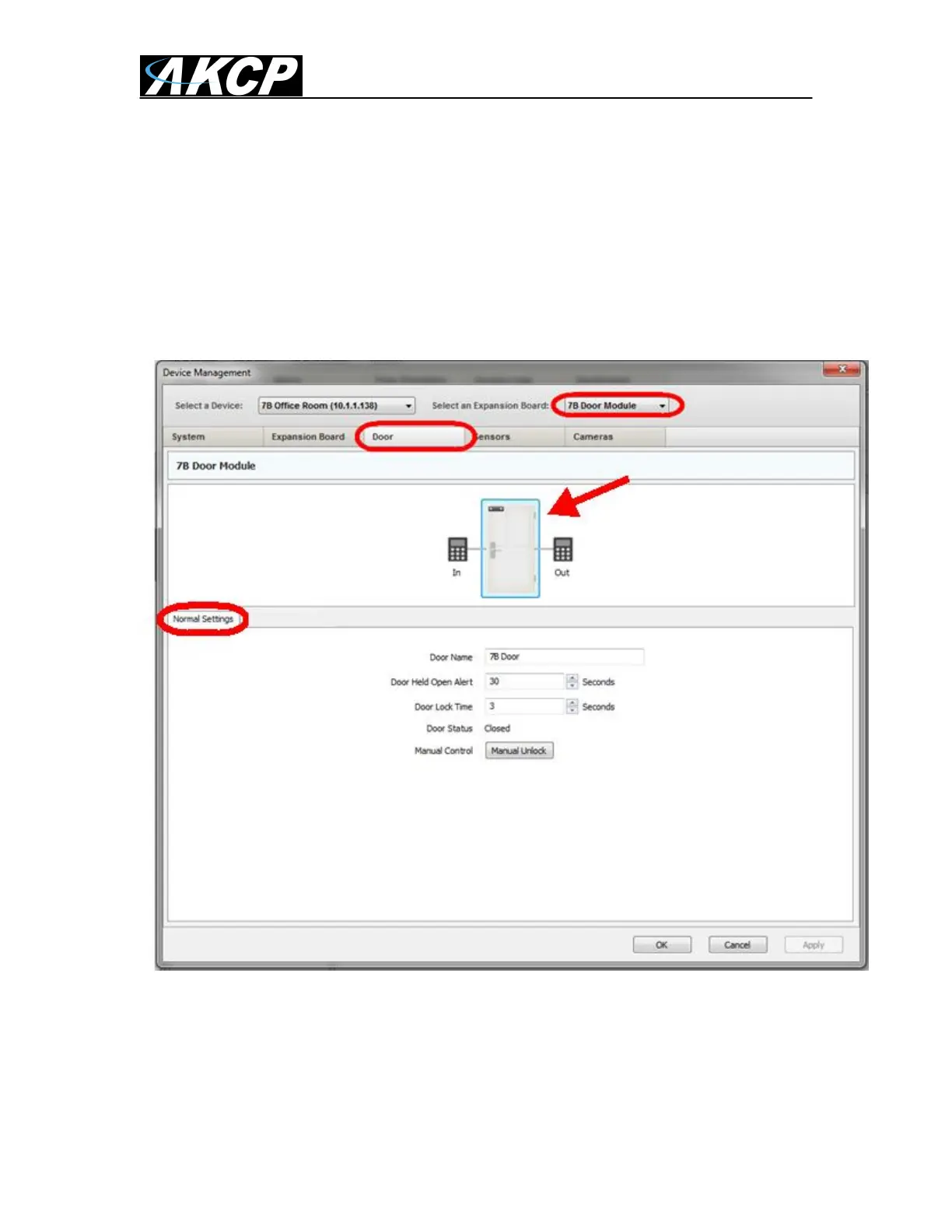
The Door tab is where we will setup the DCU to control the door lock, the card and finger
print reader for the door. First we click on the door icon that the arrow in the screen shot
above shows.
First in the Normal Setting tab we can configure the following settings:
Door Name – We can name our door for easy identification.


 To Next Page
 Loading...