Door Control Unit User Manual
Updated until firmware 404p - 29 -
Cameras
Again the recommendation is if you plan to connect 2 finger print readers to the DCU
then you should not connect more than 2 of the HD Digital Cameras. If you do not plan
on connecting any finger print readers then you can connect up to 4 HD Digital Cameras
to the DCU.
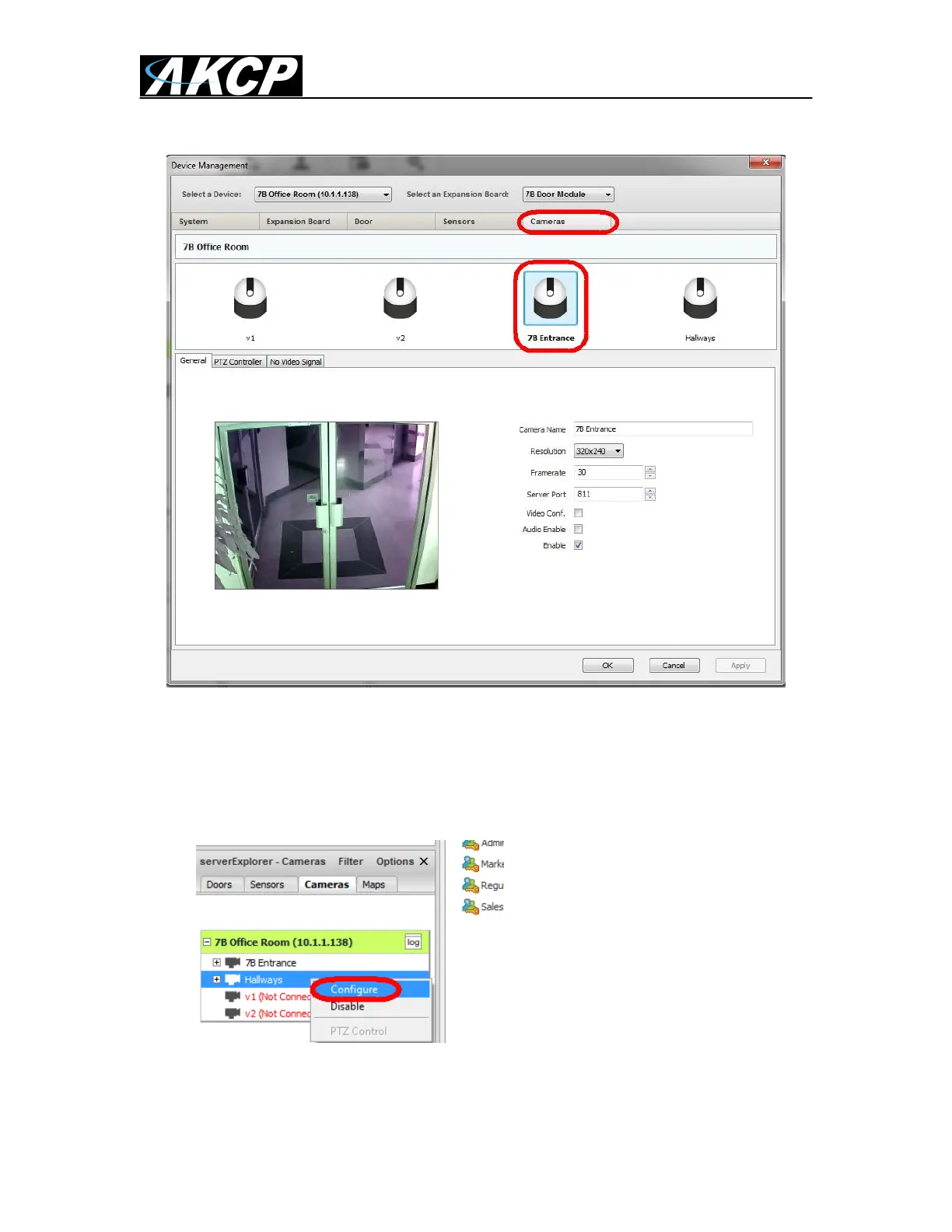
To configure your camers you would first click in the Cameras tab, then the camera that
is connected to the DCU as shown in the screen shot above.
You can also open the camera configuration page by right mouse clicking on the
cameras in the serverExporer and clicking on Configure as shown in the screen shot
above.


 To Next Page
 Loading...