SP2/SP4/SP8/SP8-X20 Manual
Updated until firmware 476 - 13 -
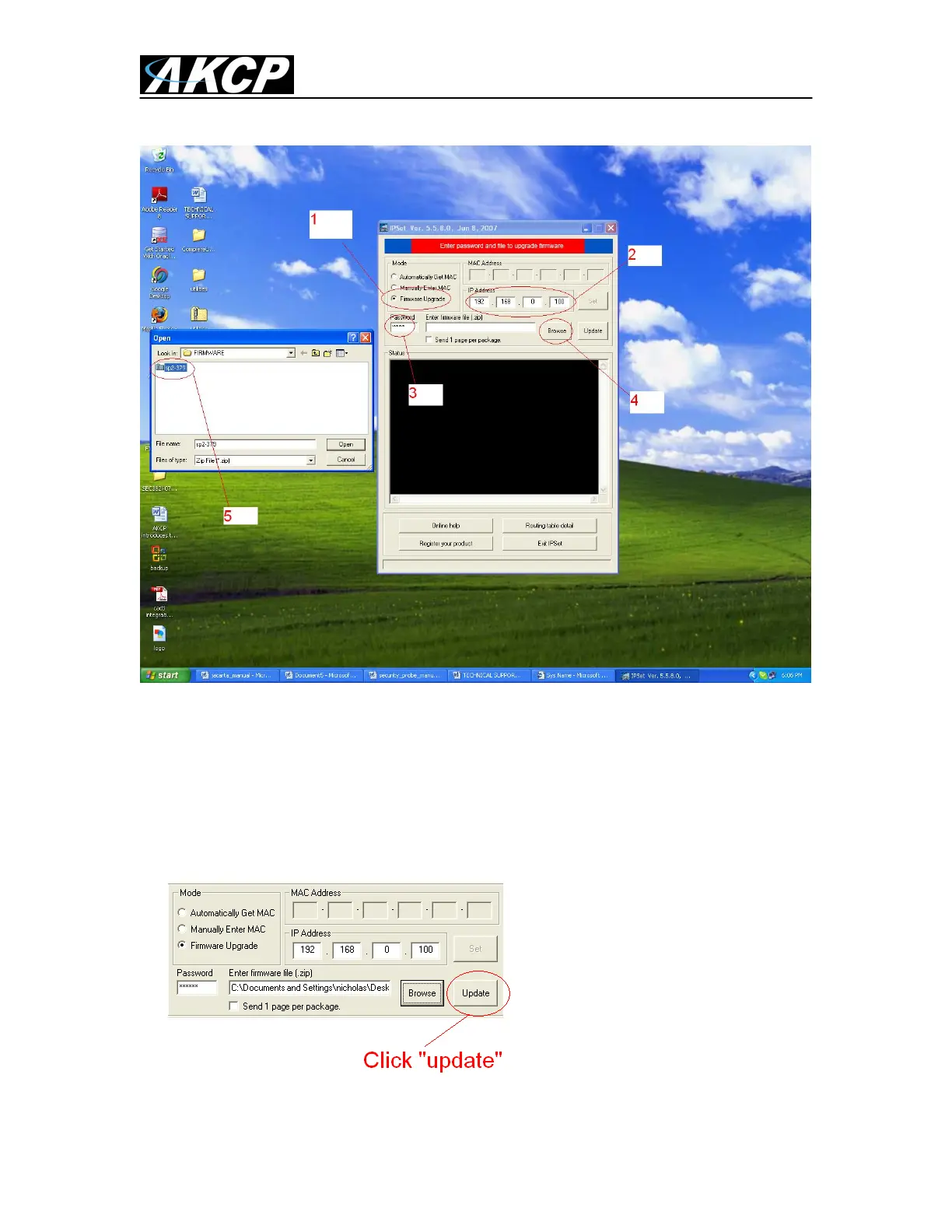
When IPSet loads you will be met with a screen similar to this:-
1) Select firmware upgrade
2) Type in the IP address of your unit
3) Type in your SNMP write community or administrator password (default is public)
4) Click browse, a new window will pop up
5) Select the zipped firmware file, click open (again, no need to unzip this file as explained
above).
6) When complete the message “upgrade complete” will be displayed



 To Next Page