SP2+ Email Setup Manual
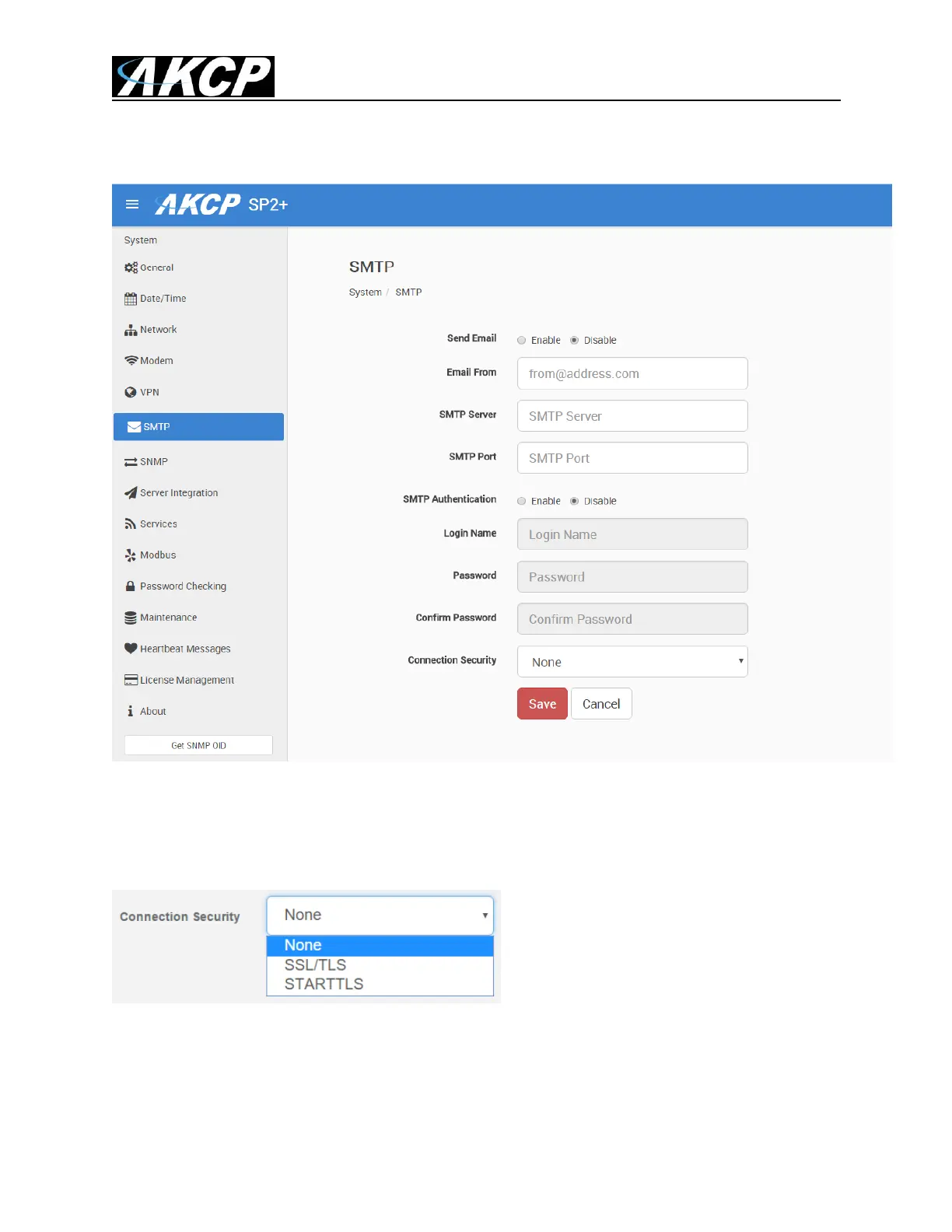
First the SMTP Setup. Main Menu >> Settings >> SMTP:
The SMTP server configuration options are shown here, it’s required to be set up for the Email actions.
Fill out all parameters; the address in the Email From parameter will be used by the Email actions by
default, but you could change it if your mail server supports it (when it’s not required to match the
SMTP user for example).
SSL/TLS and STARTTLS are supported for the connection security.
You could also turn off any email sending from the unit by disabling the Send Email option.



 To Next Page